Commissioning
EL3773 117Version: 2.5
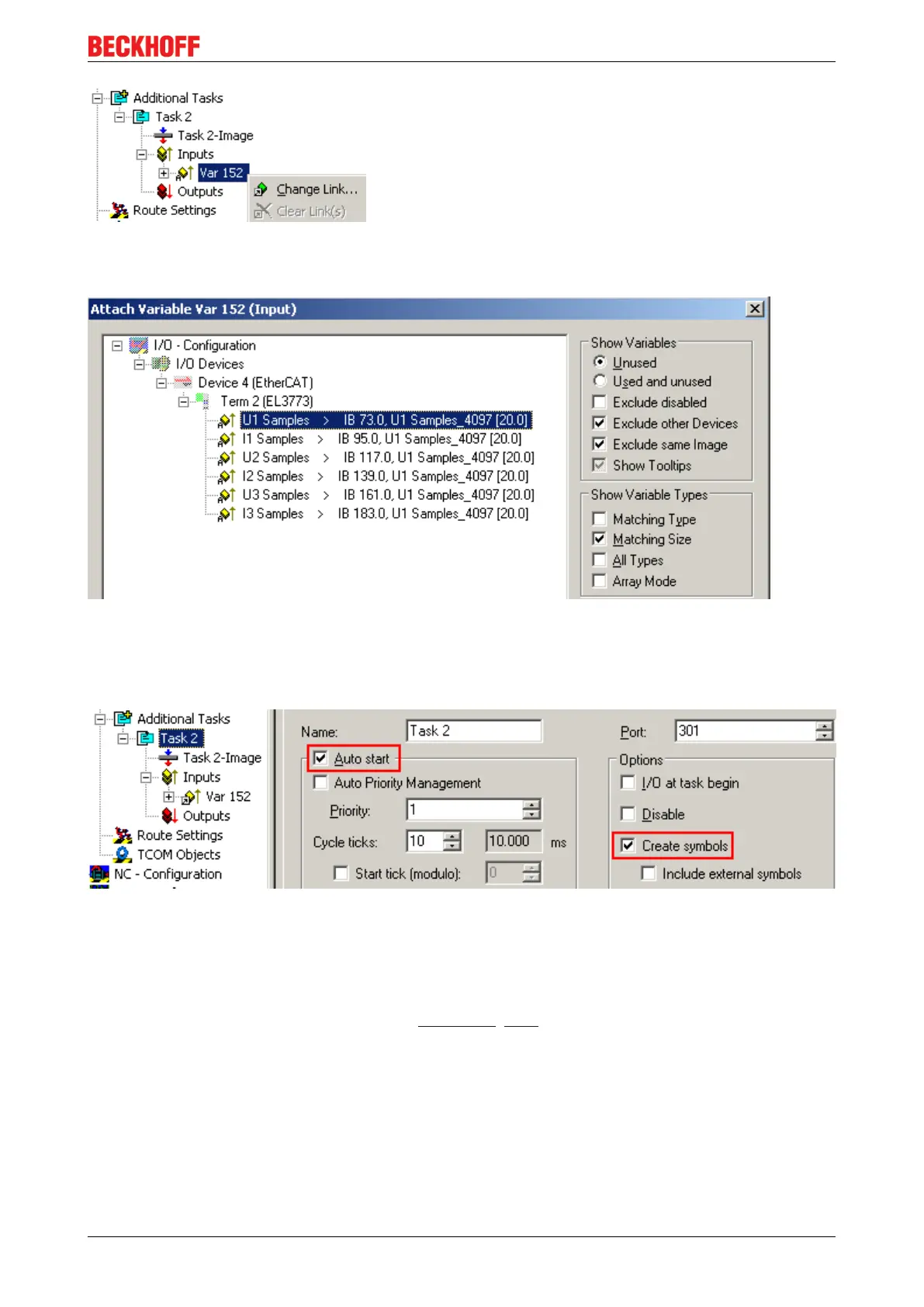
Fig.132: Linking
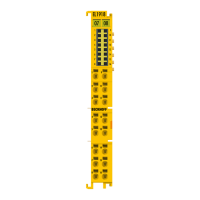
If MatchingSize is activated in the dialog, the individual channels are offered directly.
Fig.133: Array variables of an oversampling terminal
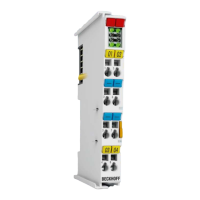
So that the variables can also be found via ADS in the Scope2, the ADS symbols must be activated as well
as the Enable Auto-Start, otherwise the task will not run automatically. ADS symbol tables are then created
for all variables that have this task in their process data images.
Fig.134: Settings in the additional task
Step 2: Configuration in the Scope2
So that the linking works, an array variable with the channel data of the respective terminal must be present
in the system manager; i.e. each oversampling data package must be present in an array. This array
variable must be defined and created manually; see above [}115].
You can now browse to the variable concerned in the Scope2.









 To Next Page