Appendix
EL3773 163Version: 2.5
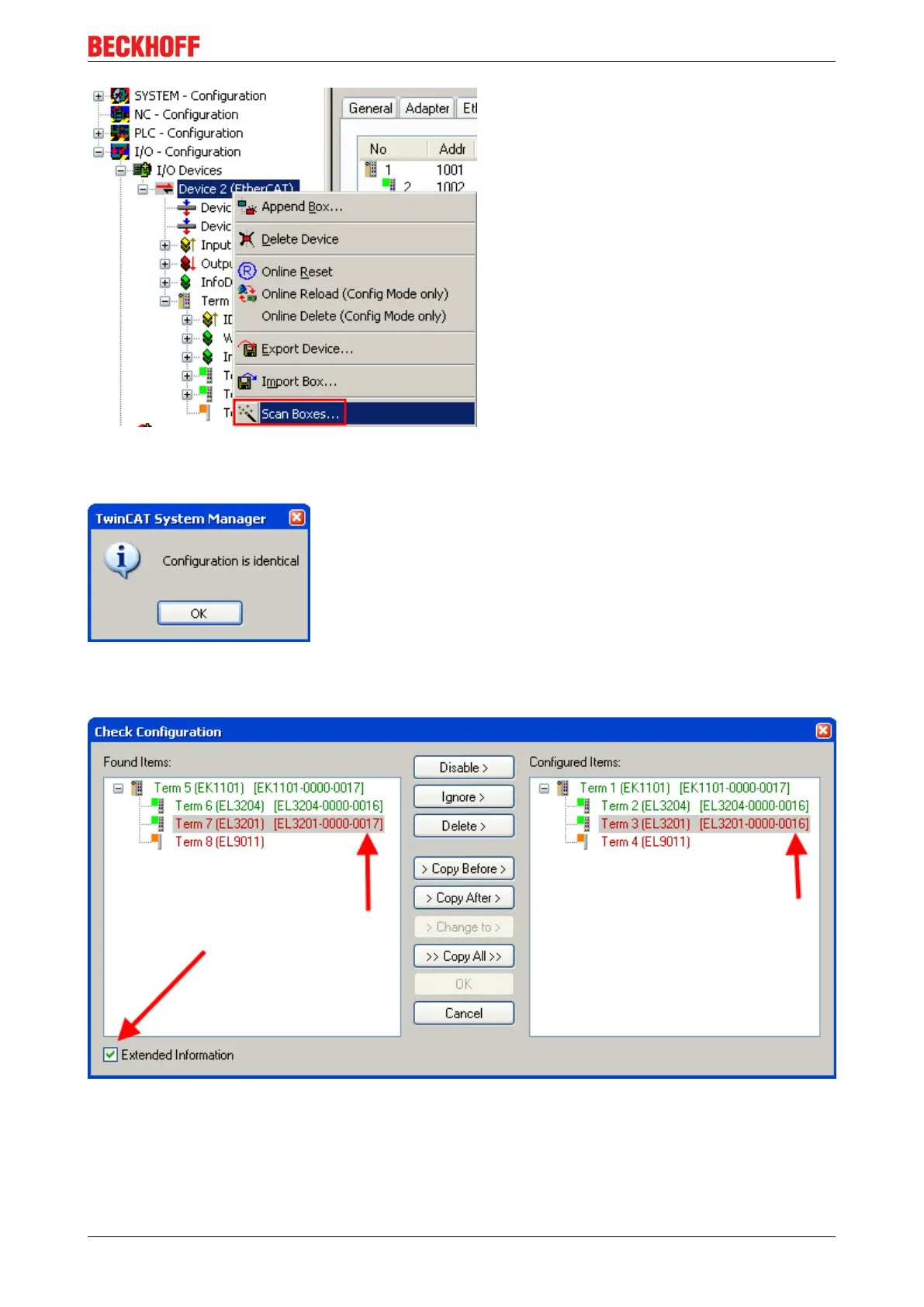
Fig.175: Scan the subordinate field by right-clicking on the EtherCAT device
If the found field matches the configured field, the display shows
Fig.176: Configuration is identical
otherwise a change dialog appears for entering the actual data in the configuration.
Fig.177: Change dialog
In this example in Fig. Change dialog, an EL3201-0000-0017 was found, while an EL3201-0000-0016 was
configured. In this case the configuration can be adapted with the Copy Before button. The Extended
Information checkbox must be set in order to display the revision.









 To Next Page