Setting up Your Television10
English
Setting up Your Television
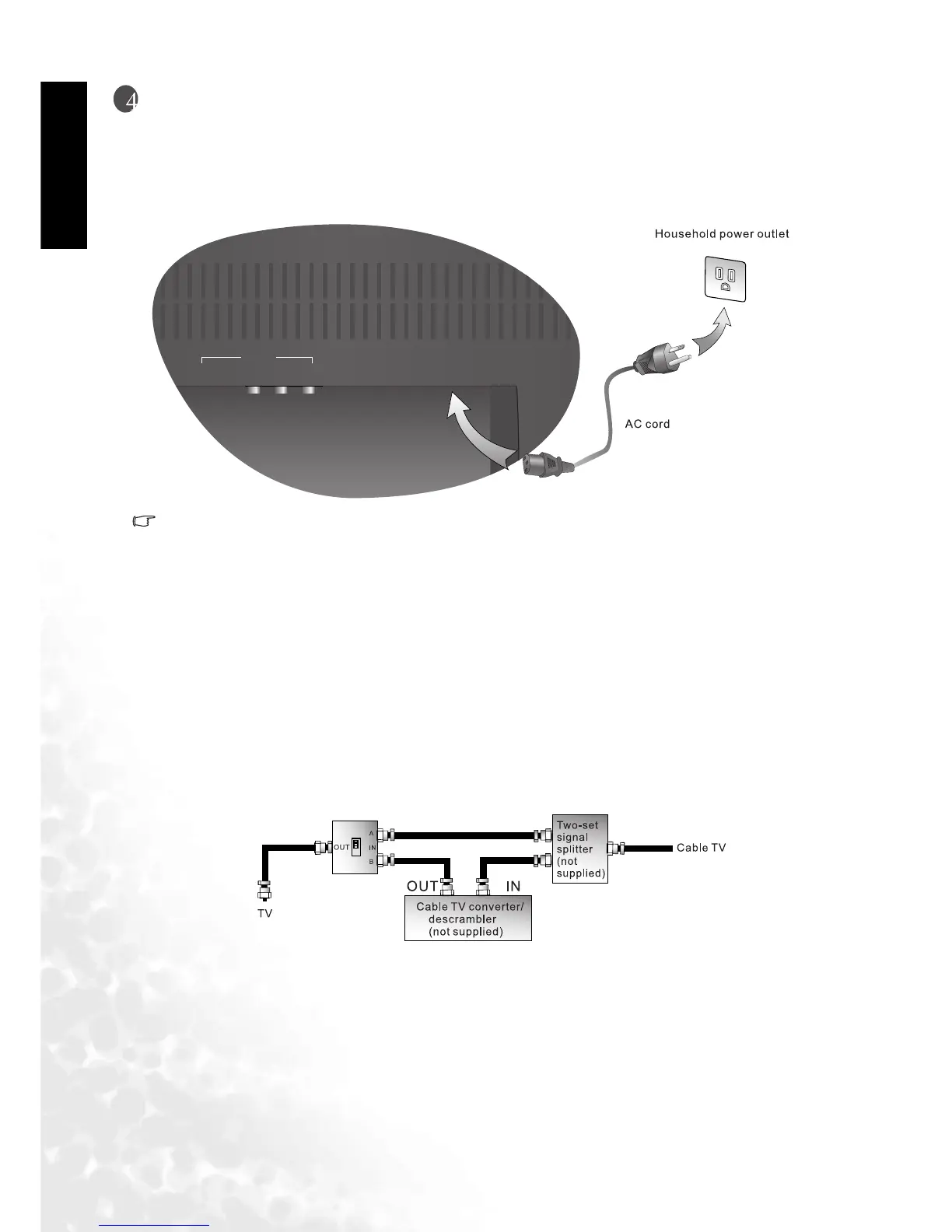
Connecting the Power Cord
1. Connect the female end of the AC power cord to the AC input on the television.
2. As shown in the diagram, connect the male end to a wall power outlet.
• This product must be operated only from the type of power source indicated on the marking
label (AC 100~240V 50/60 Hz).
• If the television will not be used for a long period of time, it should be unplugged from the wall
outlet.
Connecting the Antenna (For NTSC Systems)
Connecting CATV
Your BenQ television has an internal 75 ohm coaxial cable connector, so antennal hook-up is
very easy.When connecting a 75-ohm coaxial cable to your BenQ television, secure it firmly to
the ANT connector. Some cable television companies provide "pay per view" programming.
Since the signal for these paid channels is encoded, most cable television companies provide
their own tuners/ decoders. You must install a tuner/ decoder to be able to view locked encoded
programming. If you require special instructions on how to install cable service, please contact
your cable television provider. The tuner/decoder provided by your cable television company
can be used according to the following instructions.
Please note: you must have an RF switch with two inputs (A and B) (not supplied).
The "A" input on the RF switch (not supplied) allows you to use the television's channel selector
button to view unlocked channels. The "B" input on the RF switch (not supplied) allows you to
use the channel selection button on your cable box to view locked encoded programming via the
tuner/decoder.
AV2
S-VIDEO VIDEOAUDIO
AC-INLET



 To Next Page