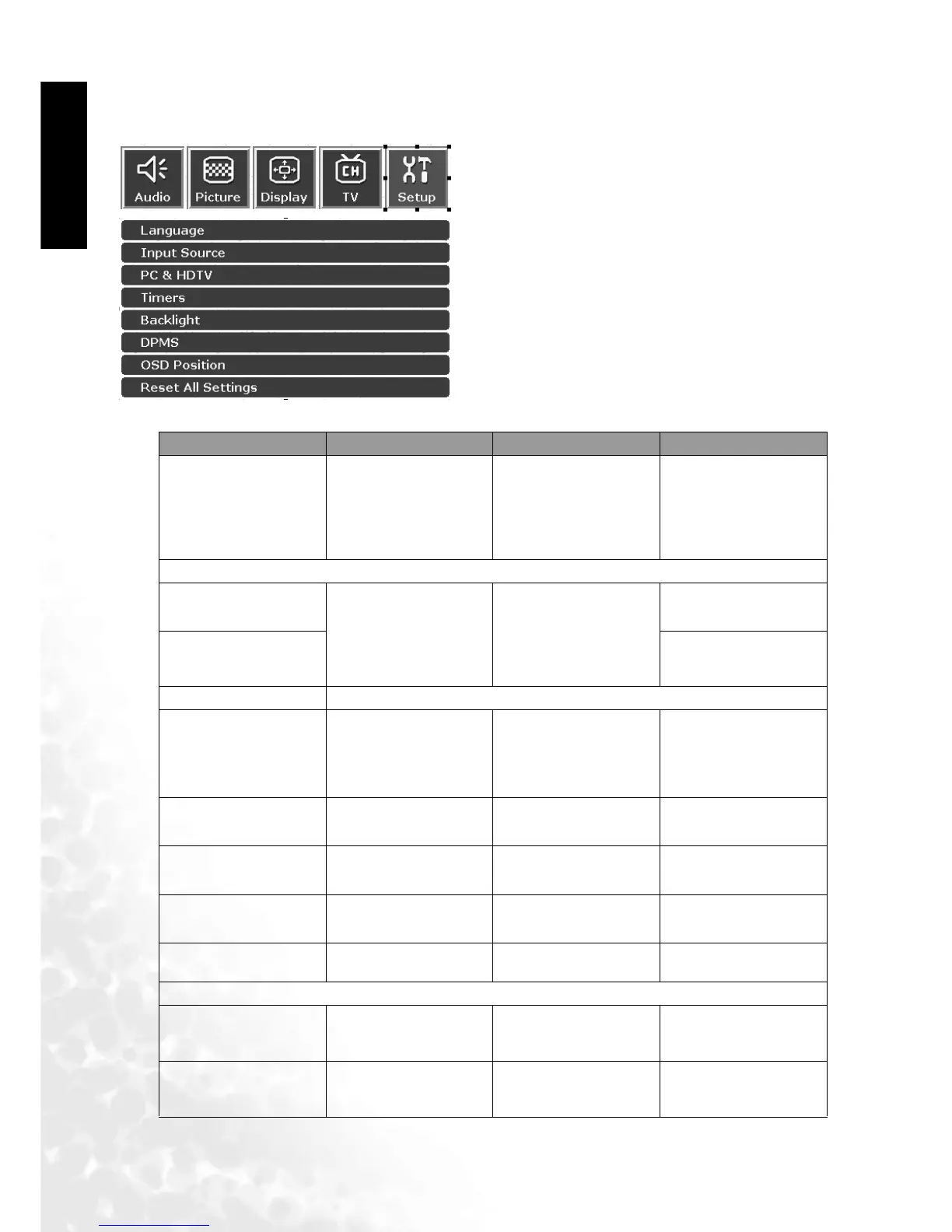
The On-Screen Display (OSD) Menu42
English
Setup
Setup Menu
1. Press the MENU button on the remote control or
the Menu key on the television to display the
main menu.
2. Press the or buttons to select Setup and
then press OK to enter the submenu.
3. Press the or buttons to select an item.
4. In the Setup menu, after selecting the desired
option, and pressing OK, use theor buttons
to adjust the setting or select the options.
Item Function Operation Range
Language
Select language for the
OSD menu
Use the and but-
tons on the remote
control or the Channel
and Channel
keys on the television
to select it.
English, Espanol,
Francais
Input source
Video
Display input signal
information
Use the and but-
tons on the remote
control or the Channel
and Channel
keys on the television
to select it.
TV, Video1, Video2, S-
Video1, S-Video2
Graphics PC, Component, DVI
PC & HDTV Adjust RGB levels for PC or DTV
Auto
Automatically adjust
frenquency, phase, H.
position and V.
position
Use the OK button on
the remote control or
the INPUT button on
the television to select
it.
Frequency
Adjust signal source
frequency
Use the or
buttons to adjust
-15 to 15
Phase
Adjust signal source
phase
Use the or
buttons to adjust
0 to 31
H. Position
Adjust horizontal
position of the image
Use the or
buttons to adjust
-30 to 30
V. Position
Adjust vertical
position of the image
Use the or
buttons to adjust
-30 to 30
Timers
Sleep (Mins)
Set Sleep to
automatically turn
television off
Use the or
buttons to select dif-
ferent setting values.
0, 30, 60, 90, 120, 150,
180 minues
OSD Off (Secs)
Set duration of the
OSD menu
Use the or
buttons to select dif-
ferent setting values.
0 to 60 seconds



 To Next Page