The On-Screen Display (OSD) Menu 41
English
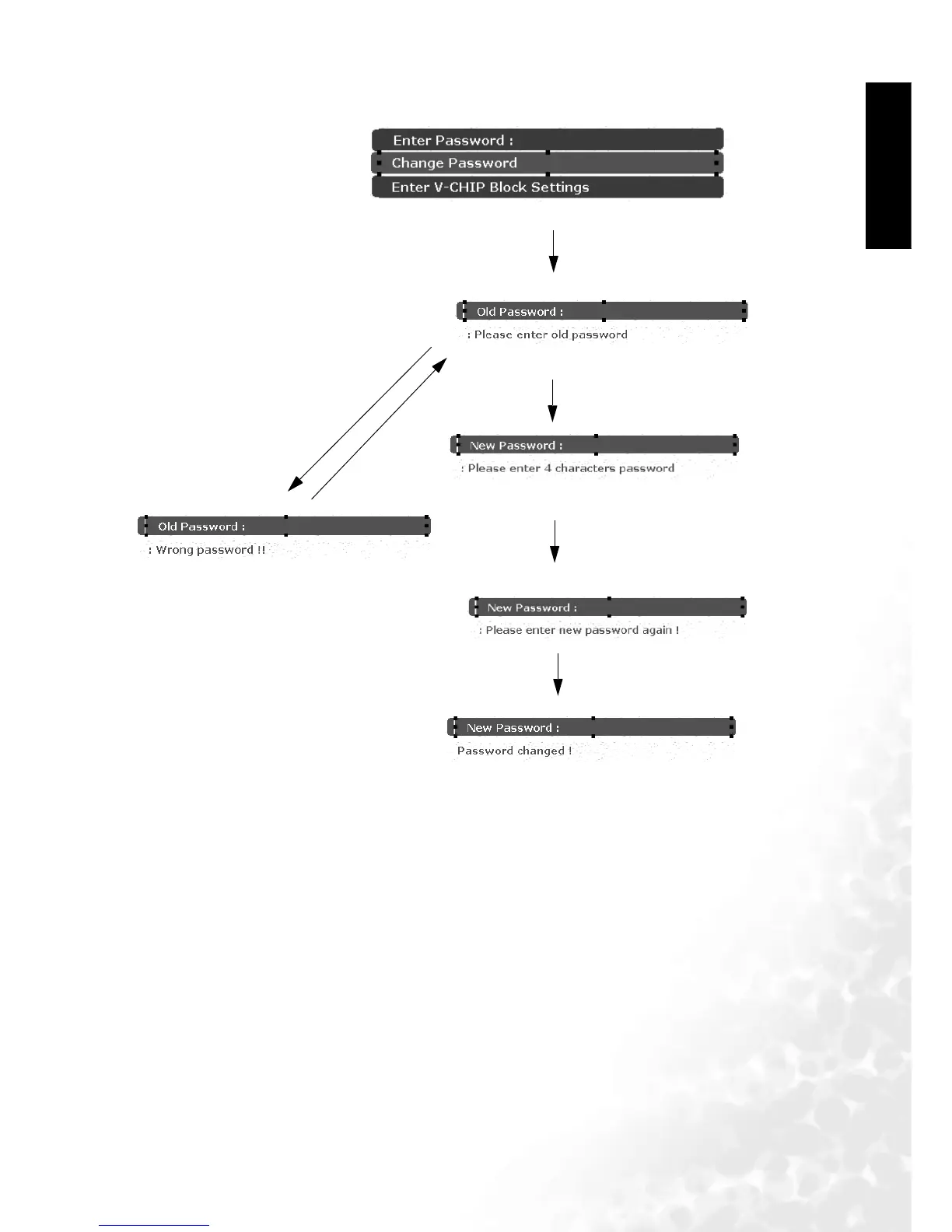
The sequence is as follows:
Input the 4-digit password you
set before
Enter change password
Incorrect password
Input the new 4-digit password
you like
confirm your new password
If you forget the password you set before,you can press"2" "4" "6" "8"when the "old password"
information is displayed,then you can set a new password .



 To Next Page