The On-Screen Display (OSD) Menu 39
English
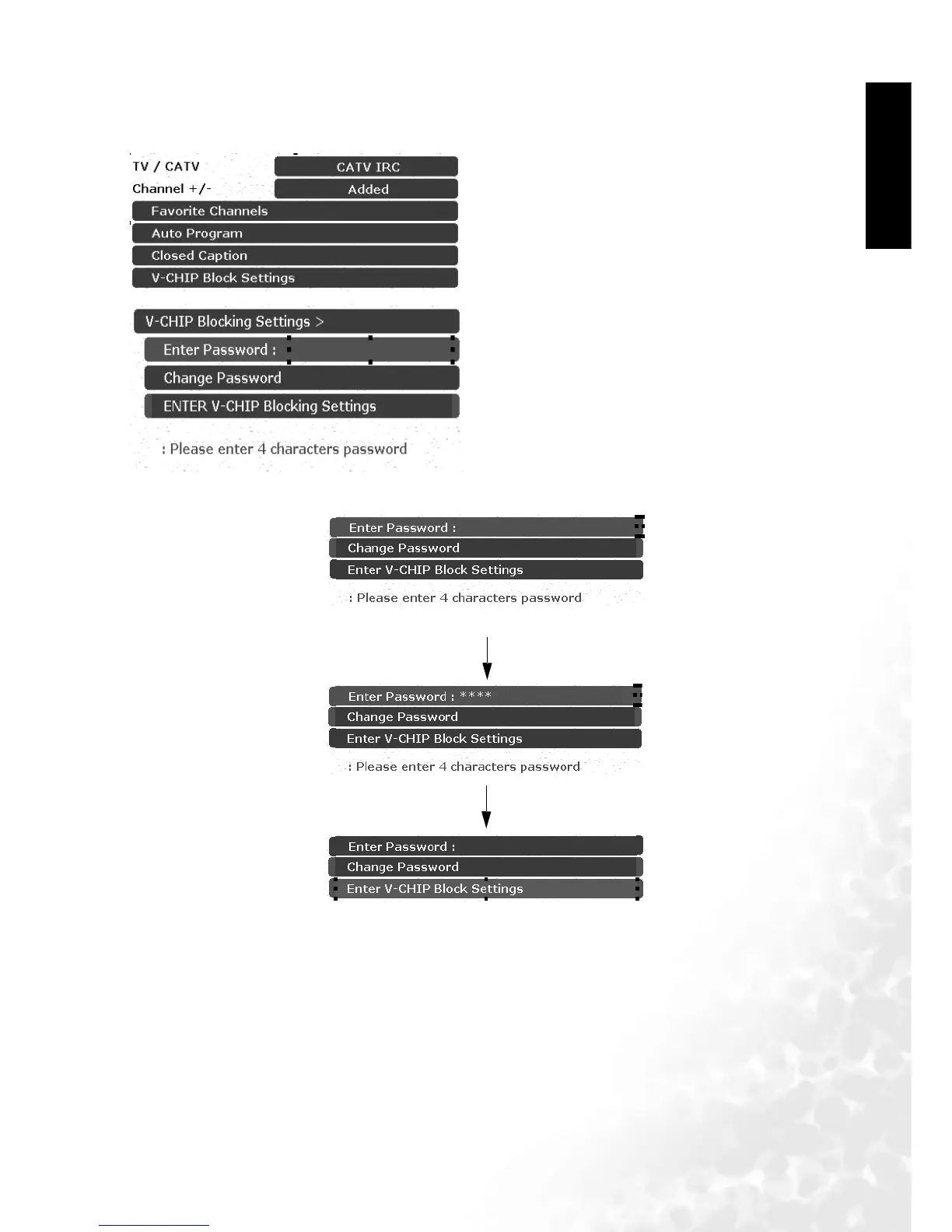
Adjusting V-Chip Setting
First-Time Setup
The sequence is as follows:
1. Press the MENU button on the remote or the
Menu key on the television to display the main
menu.
2. Press the or buttons to select TV and then
press OK to enter the submenu.
3. Press the or buttons to select V-CHIP
Blocking Settings and then press OK to enter the
submenu.
4. Press the or buttons to select "OK pass-
word",and then input 4-digit password to OK V-
CHIP Blocking Setting (the factory-preset pass-
word is "0" " 0" " 0" " 0").
Enter "0" " 0" " 0" " 0"
Enter V-CHIP Blocking Settings



 To Next Page