Controls and Terminals18
English
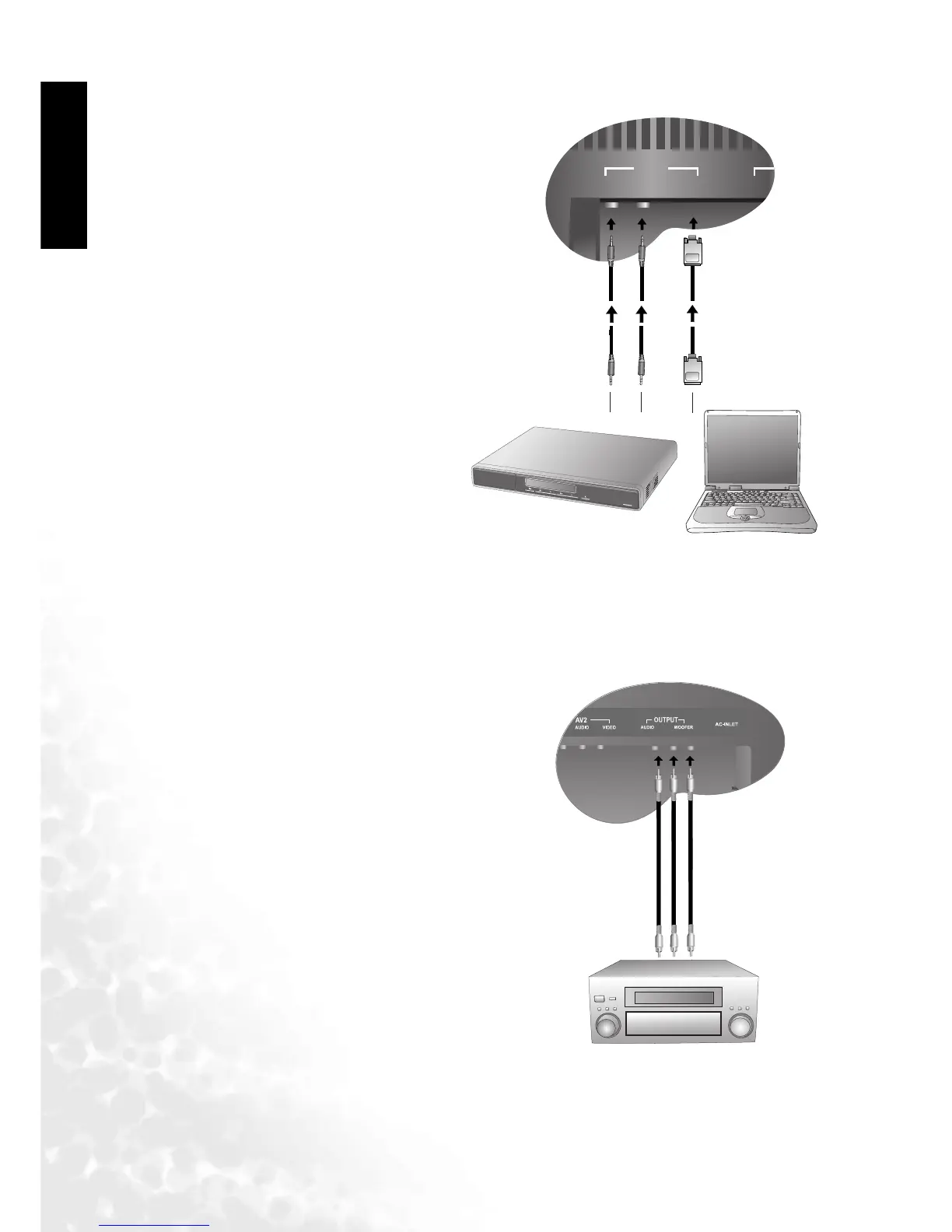
Connecting DVI/HDCP Signals
Connecting Audio Output Signals (DV3070/DV3080 Only)
Connect the computer equipment or
digital video source to the DVI/HDCP
input on the Television using a DVI-D
cable.
Connect using a cable appropriate for your
computer's audio output.
The DV3070 and DV3080 models provide
extra audio output terminals for delivering
TV audio signal to an amplifier, subwoofer
or other audio devices.
Connect the OUTPUT AUDIO L/R and
WOOFER terminals on the TV to the sig-
nal input terminals of an amplifier or sub-
woofer using the AV cable.



 To Next Page