Controls and Terminals12
English
Controls and Terminals
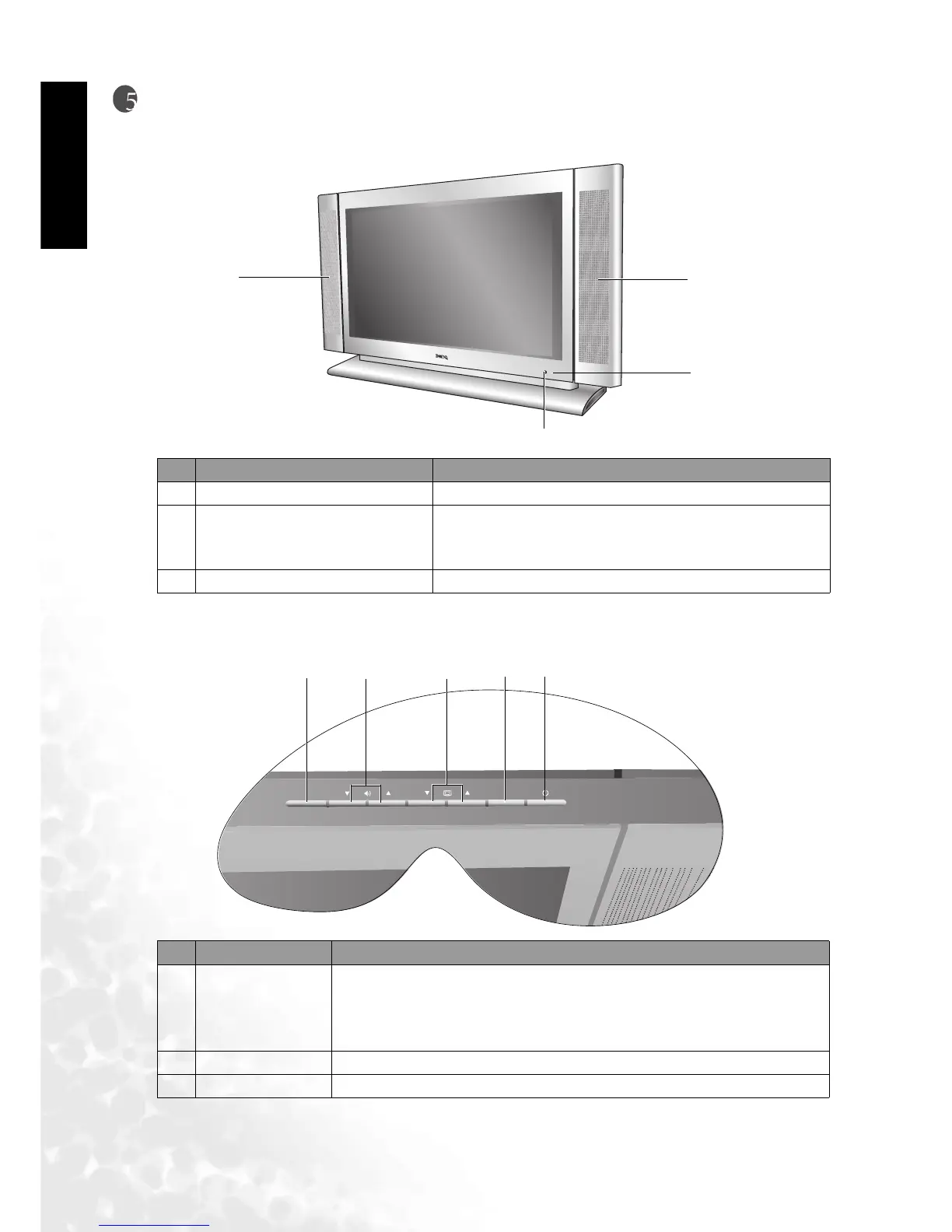
Main Unit (Front View)
Control Panel
No. Name Description
1Speaker High-quality speakers for delivering excellent sounds.
2 Power indicator
When the unit is powered on, the power indicator light
is green.When the set is in standby mode, this light is
red.
3 Remote control sensor window Receives the signal from the remote control.
No. Name Description
1Power
• Press the Power button to turn on the DV2680/DV3070/DV3080
when it is in "standby" mode.
• Press the Power button once more to turn the DV2680/DV3070/
DV3080 "off" by placing it into "standby" mode.
2INPUT This button allows you to switch among TV/Video/PC signal sources.
3 Channel ()/() These two buttons allow direct selection of channels.
1
1
2
3



 To Next Page