The On-Screen Display (OSD) Menu 35
English
Display Adjustment
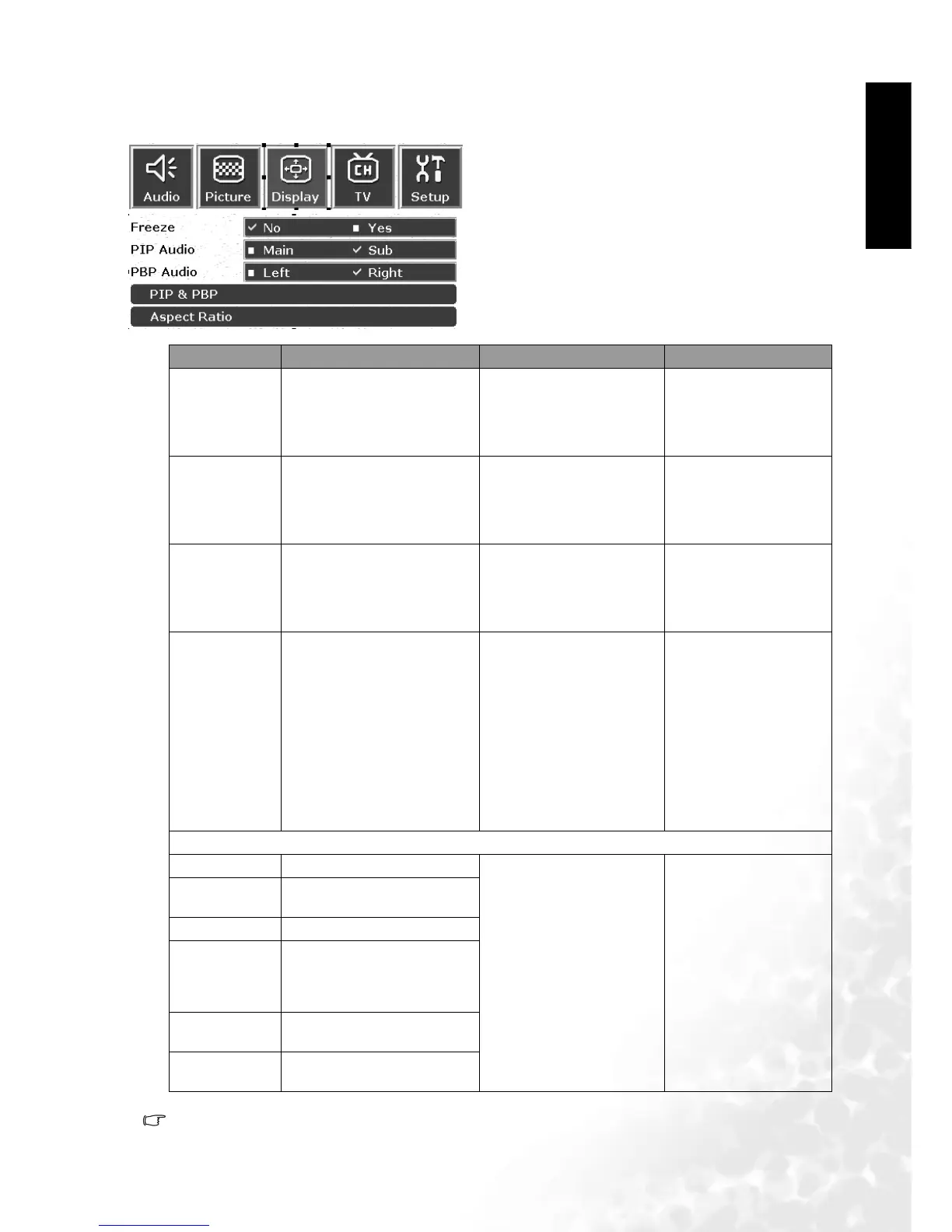
Display Menu
PIP Functions recommended for use in 480p, 720p, 1080i formats.
1. Press the MENU button on the remote control or
the Menu key on the television to display the main
menu.
2. Press the or buttons to select Display and
then press OK to enter the submenu.
3. Press the or buttons to select an item.
4. In the Display Menu, after selecting the desired
option, and pressing OK, use theor buttons
to adjust the setting or select the options.
Item Function Operation Range
Freeze
Freeze motion of screen
image (however, broadcast
continues)
Use the and
buttons on the remote
control or the Vo lu me
and Vol u me keys on
the television to select it.
No, Yes
PIP Audio
Select audio from main or
sub picture in PIP mode
Use the and
buttons on the remote
control or the Vol u me
and Vol u me keys on
the television to select it.
Main , Sub
PBP Audio
Select audio from left or
right picture in PBP mode
Use the and
buttons on the remote
control or the Vol u me
and Vol u me keys on
the television to select it.
Left, Right
PIP & PBP
Display Video and Graph-
ics simultaneously and
options for PIP or PBP
modes
Use the and
buttons on the remote
control or the Channel
and Channel keys
on the television to select
it.
• Full screen
• PIP - Graphics on
video
• PIP- Video on graph-
ics
• PBP- Graphics by
video
• PBP - Video by
graphics
Aspect Ratio
Linear full 15:9 Adjust aspect ratio to 15:9
Use the and
buttons on the remote
control or the Chan-
nel and Channel
keys on the television to
select it.
Anamorphic
16:9
Adjust aspect ratio to 16:9
Standard 4:3 Adjust aspect ratio to 4:3
Letterbox
When using 16:9 aspect
ratio, a black area appears
at the top and bottom of
the screen.
Wide
Translate 4:3 material to
16:9 wide-screen display
Through
1:1 material, no change to
ratio



 To Next Page