Using the Remote Control 23
English
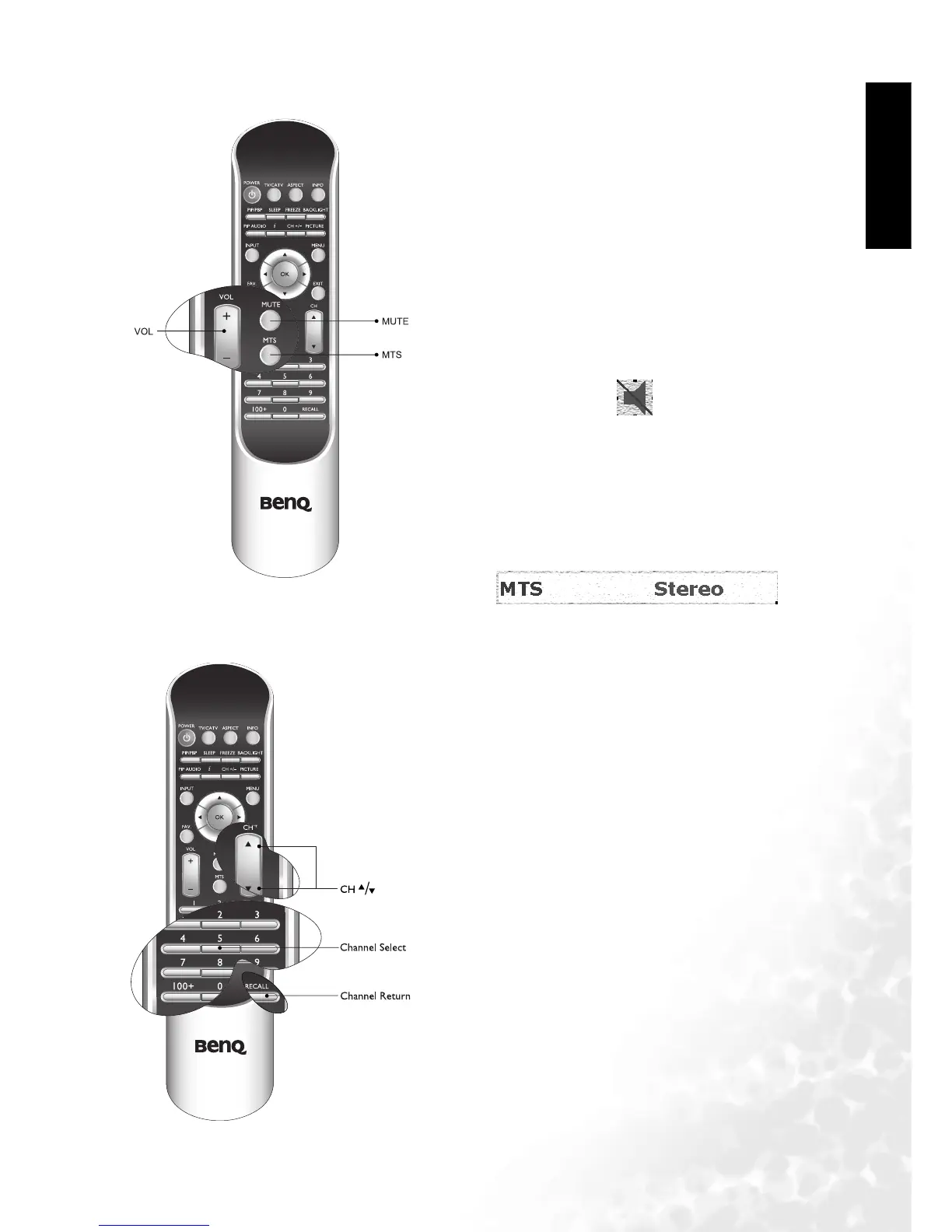
Adjusting Audio Volume
Changing Channels
Adjusting the volume
1. Press the Vol u me button on your television or press
the VOL button on your remote to increase volume.
The volume indicator will increase in length as volume
rises.
2. Press the Vol u me button on your television, or press
the VOL button on your remote to decrease volume.
The volume indicator will decrease in length as volume
falls.
Mute setting
1. Press the MUTE button on your remote control to
temporarily cut off sound.
2. Press the MUTE button once more, or press the Vo l um e
or Power button on your television or the remote con-
trol to restore audio function.
NTSC MTS system
Press the MTS button on your remote control to select
"Stereo", "SAP (Second Audio Program)", or "Mono"
systems.
Using the "Channel Selection" on the Remote to Change
Channels
If you select a one- or two-digit channel (for example,
Channel 8), you should complete the following steps
within 3 seconds:
1. Press the "0" button.
2. Press the "8" button.
If you select a three-digit channel (for example, 120), you
should complete the following steps within 3 seconds:
1. Press the "100" button.
2. Press the "2" button.
3. Press the "0" button.
Using the channel up/down button to change channels:
Press CH or CH on your remote control, or press
CHANNEL or CHANNEL on the television.
Using the channel button to return to the previous chan-
nel.
To return to the previous channel, press the RECALL but-
ton on your remote control.



 To Next Page