The On-Screen Display (OSD) Menu40
English
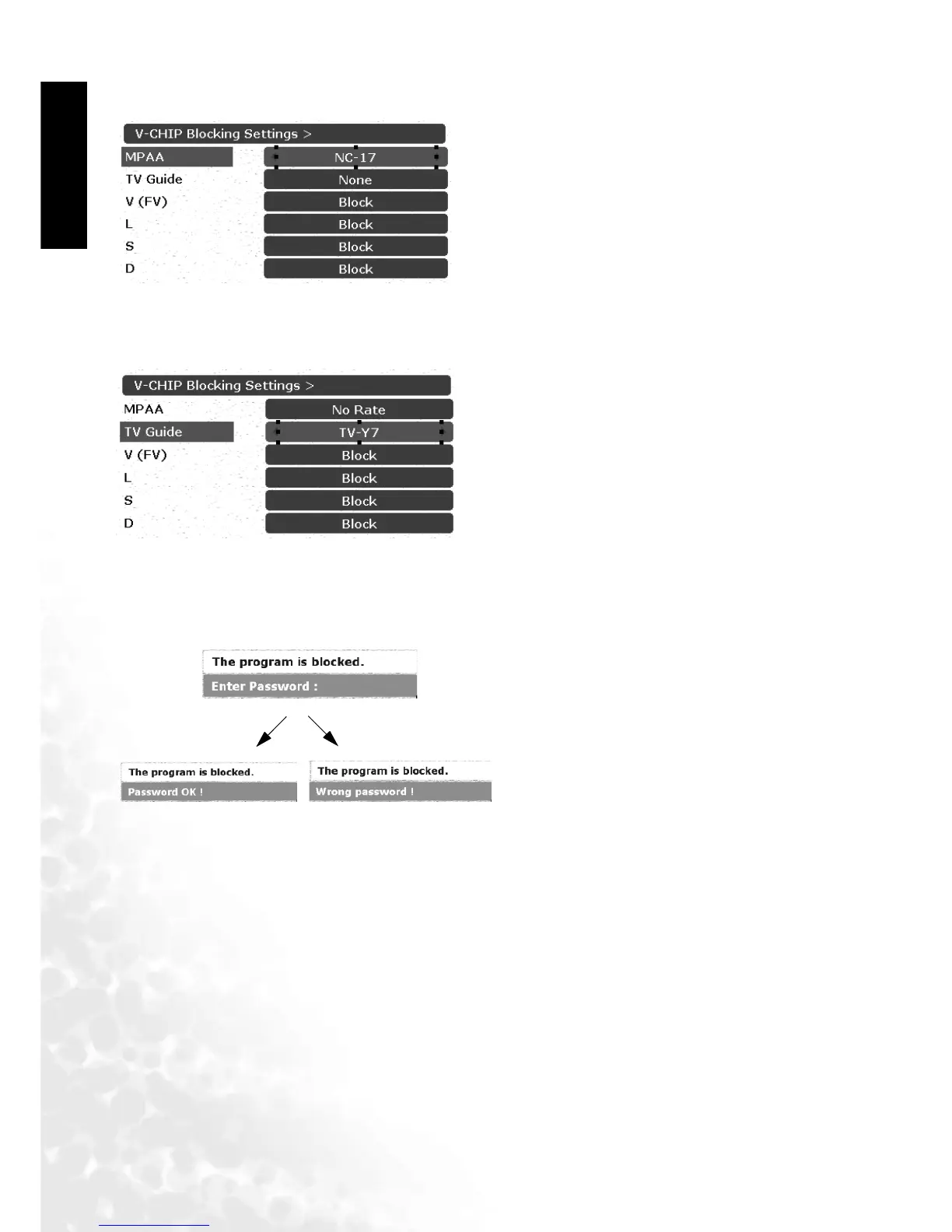
MPAA Rating
TV Guidelines
Canceling the V-CHIP Block Screen While V-CHIP Block is Activated
Changing V-CHIP Blocking Password
1. Press the MENU button on the remote control or the Menu key on the television to select the
TV main menu page.
2. Press the or buttons to select V-CHIP Blocking Settings and then press OK to enter the
submenu.
3. Press the or buttons to select Change password and then press OK to enter the
submenu.
4. Enter the new password using the channel selection buttons.
5. You will be prompted to enter the new password again.
6. Password changed will appear on the screen. Now you have successfully changed the V-CHIP
Blocking password.
1. After entering V-CHIP Blocking Settings, press the
or buttons to select MPAA.
2. Use the or buttons to switch between
available choices for the selected option.
1. After entering V-CHIP Blocking Settings, press the
or buttons to select TV Guide.
2. Each time you select different settings, it display
different V(FV), L, S, D settings.
3. Use the or buttons to select V (FV), L, S, or
D, and then press the or buttons to select
Block or Show.
1. "The program is blocked" will appear on the
screen if you watch a program that matches
the Program Rating data you configured.
2. Enter the 4-digit password by using the
channel selection keys.V-CHIP Block will be
temporarily canceled. If an incorrect pass-
word is entered, it cannot be unblocked.
correct password
incorrect password



 To Next Page