The On-Screen Display (OSD) Menu32
English
Audio Adjustment
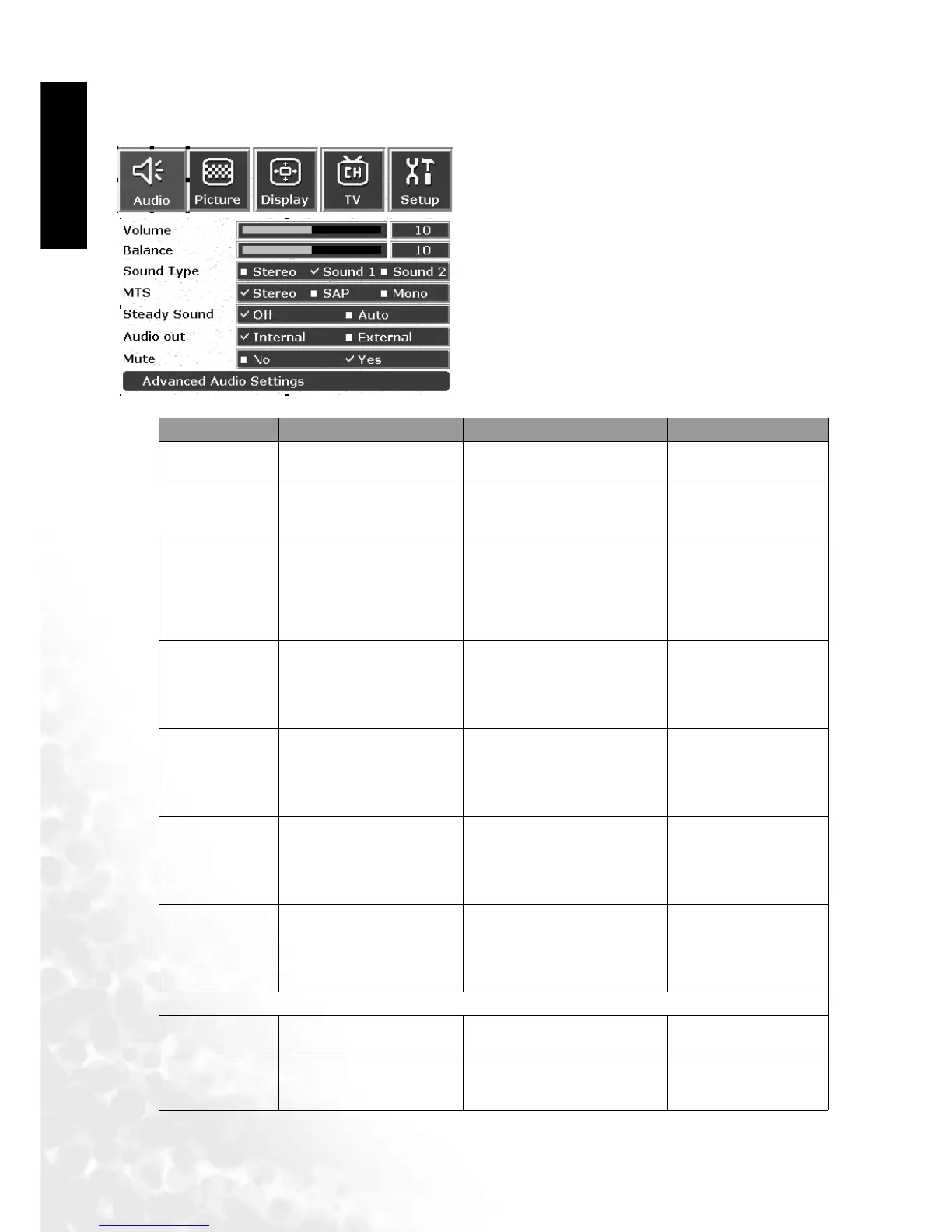
The Audio Adjustment Menu
1. Press the MENU button on the remote control or
the Menu button on the television to display the
main menu.
2. Press the or buttons to select Audio and
then press the OK button to enter the submenu.
3. Press the or buttons to select an item.
4. In the Audio menu, after selecting the desired
option, and pressing OK, use the or buttons
to adjust the setting or select the options.
Item Function Operation Range
Volume Adjust volume
Use to increase and to
decrease.
0 to 47
Balance
Adjust left and right
levels
Use to increase right
volume, to increase left
volume.
-12 to +12
Sound Type
When audio source is
stereo, you may choose
stereo sound from the
left channel (SOUND1)
or from the right channel
(SOUND2)
Use the and buttons
on the remote control or the
Volum e and Vo l um e
keys on the television to
select it.
Stereo, Sound1
Sound2
MTS Select television audio
Use the and buttons
on the remote control or the
Volum e and Vo l um e
keys on the television to
select it.
Stereo, Sap (Second
audio program),
Mono (NTSC,
monaural)
Steady sound
Automatically adjusts the
strength of the source
signals
Use the and buttons
on the remote control or the
Volum e and Vo l um e
keys on the television to
select it.
OFF, Auto
Audio out
(DV3070/
DV3080 only)
Select audio from inter-
nal or external speakers
Use the and buttons
on the remote control or the
Volum e and Vo l um e
keys on the television to
select it.
Internal, External
Mute Mute the sound
Use the and buttons
on the remote control or the
Volum e and Vo l um e
keys on the television to
select it.
No, Yes
Advanced Audio Settings
Treble Adjust treble tones
Useto increase treble,
to decrease treble.
0 to 47
Mid-treble Adjust mid-treble tones
Use to increase mid-
treble, to decrease mid-
treble.
-12 to +12



 To Next Page