Playback mode 43
English
Playback mode
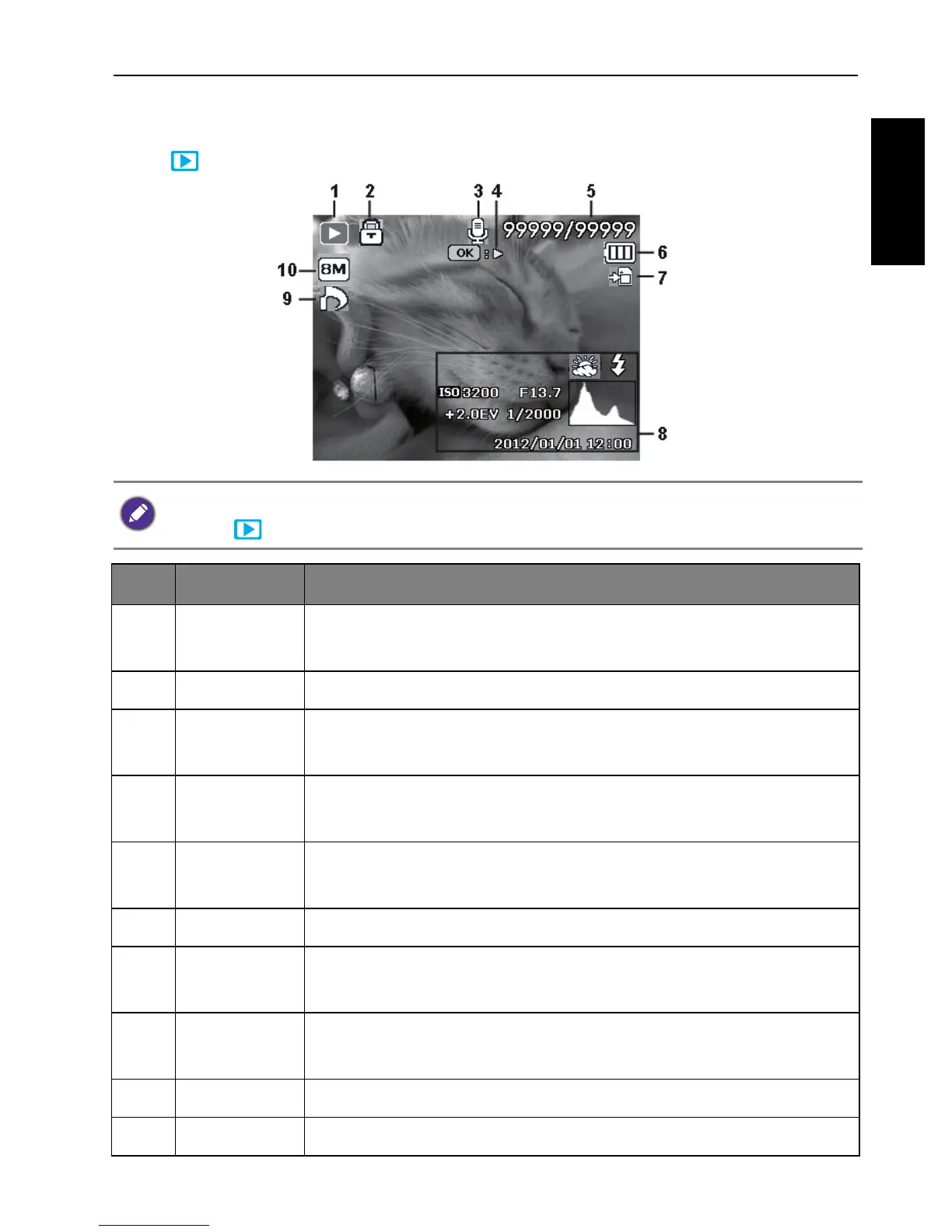
Press to switch to Playback mode.
If the camera is turned off, you can directly switch to Playback mode by pressing and
holding .
No. Item Description
1Playback
mode
Indicates that the camera is in Playback mode.
2 Protect Indicates that the file is protected and cannot be deleted.
3 Voice memo Indicates this file has a voice memo or the file is an audio
file.
4 Button
introduction
Indicates key guide. Press the button to play the recorded
video.
5 File no./Total
no.
File number / Total number of files on the memory card
6 Battery Battery level
7 Storage
media
Storage media type
8 Recording
information
Displays the recording information of the file.
9 DPOF Indicates the file is marked for printing.
10 Image Size Indicates the image size setting


 To Next Page