Creative embroidering
50
2019-02 EN 5020070.00A.04
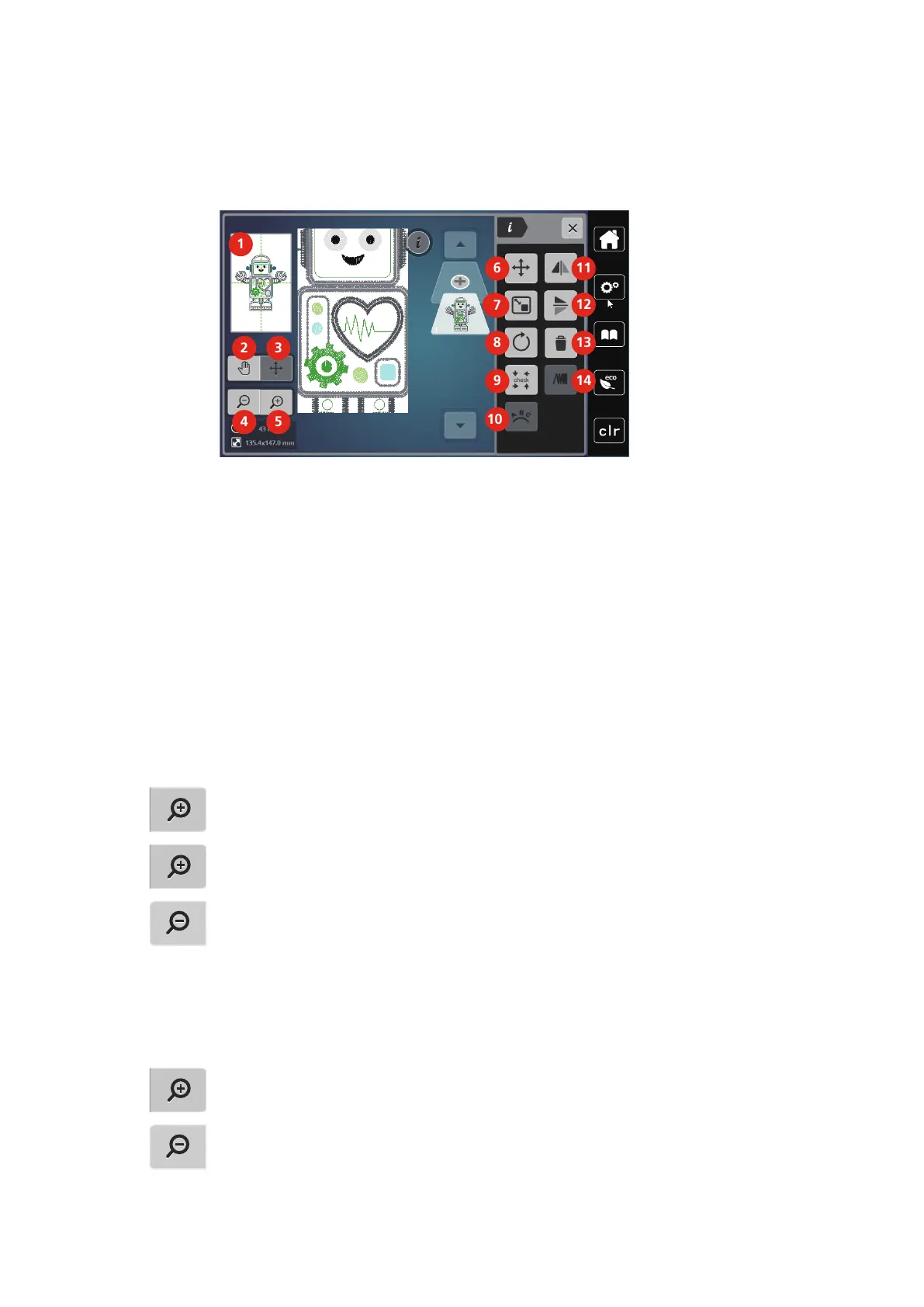
5.5 Editing the embroidery motif
Overview Editing embroidery motif
1 Preview all 8 Rotating motif
2 Moving the view 9 Checking motif size
3 Moving the view of the motif 10 Bending the text
4 Zoom out 11 Mirror image left/right
5 Zoom in 12 Mirror image up/down
6 Moving the embroidery motif 13 Deleting
7 Altering the motif proportionally 14 Altering the stitch density
Scaling up the embroidery motif view
The view of the embroidery motif can be scaled up. In addition to that, the view can be adjusted with or
without changing the embroidery position.
> Select an embroidery motif.
> Touch the icon «Zoom in» to edit the view of the embroidery motif.
> Touch the icon «Zoom in» 1to 9 times to enlarge the view of the embroidery motif gradually.
> Touch the icon «Zoom out» 1to 9 time to get back to the Edit Mode.
Downsizing the embroidery motif
The view of the embroidery motif can be downsized. In addition to that, the view can be adjusted with or
without changing the embroidery position.
> Select an embroidery motif.
> Touch the icon «Zoom in» to scale up the embroidery motif.
> To downsize the enlarged embroidery motif view by each one step, touch the icon «Zoom out» 1to 9x.



 To Next Page