Creative embroidering
56
2019-02 EN 5020070.00A.04
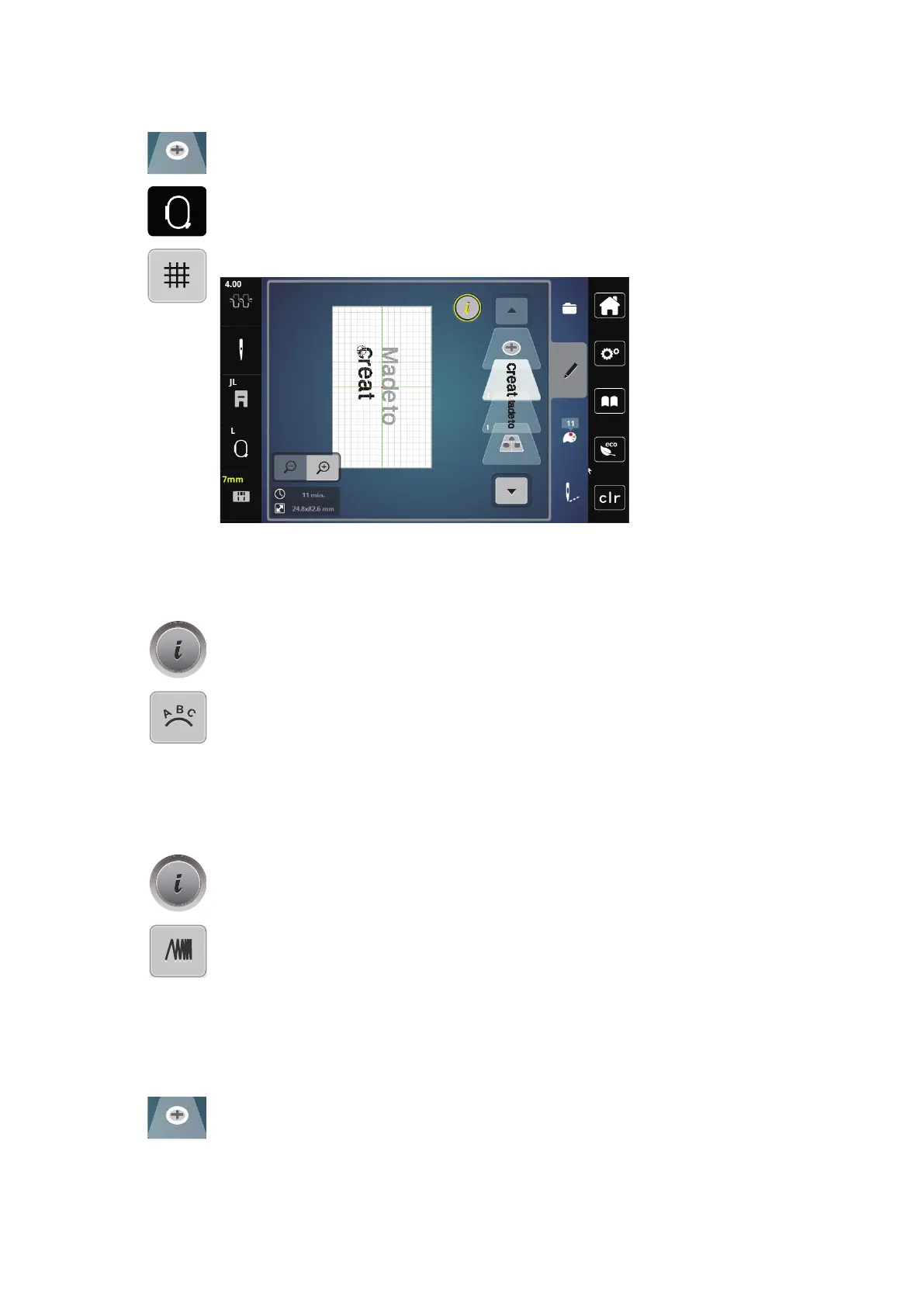
> Touch the icon «Add motif».
> Enter and also rotate the text «create».
> Touch the icon «Embroidery hoop display/Embroidery hoop selection».
> Touch the icon «Grid on/off» to position the text lines more exactly.
Bending the text
Texts can be arranged and designed arc-shaped. This function is only applicable to alphabets.
> Select an alphabet embroidery motif.
> Touch the icon «i»-Dialog.
> Touch the icon «Bend text».
> To alter the distance between the characters in millimeter-steps, turn the «Upper Multifunction knob» or
touch the icons «+»/«-».
> To bend the lettering upwards or downwards, turn the «Lower Multifunction knob» to the left or right or
touch the icons «+»/«-».
Altering the stitch density
> Select an embroidery motif. This function is only applicable to alphabets.
> Select an alphabet embroidery motif.
> Touch the icon «i»-Dialog.
> Touch the icon «Altering the stitch density».
> Touch the percentage icon to adjust the desired stitch density.
5.7 Combining embroidery motifs
Combining embroidery motifs
> Select an embroidery motif.
> Touch the icon «Add an embroidery motif» (1).
> Select another embroidery motif.
> Touch the icon «Select the combination» (2) to select whole embroidery motifs.
– The size of the combination cannot be adjusted.



 To Next Page