Creative embroidering
55
2019-02 EN 5020070.00A.04
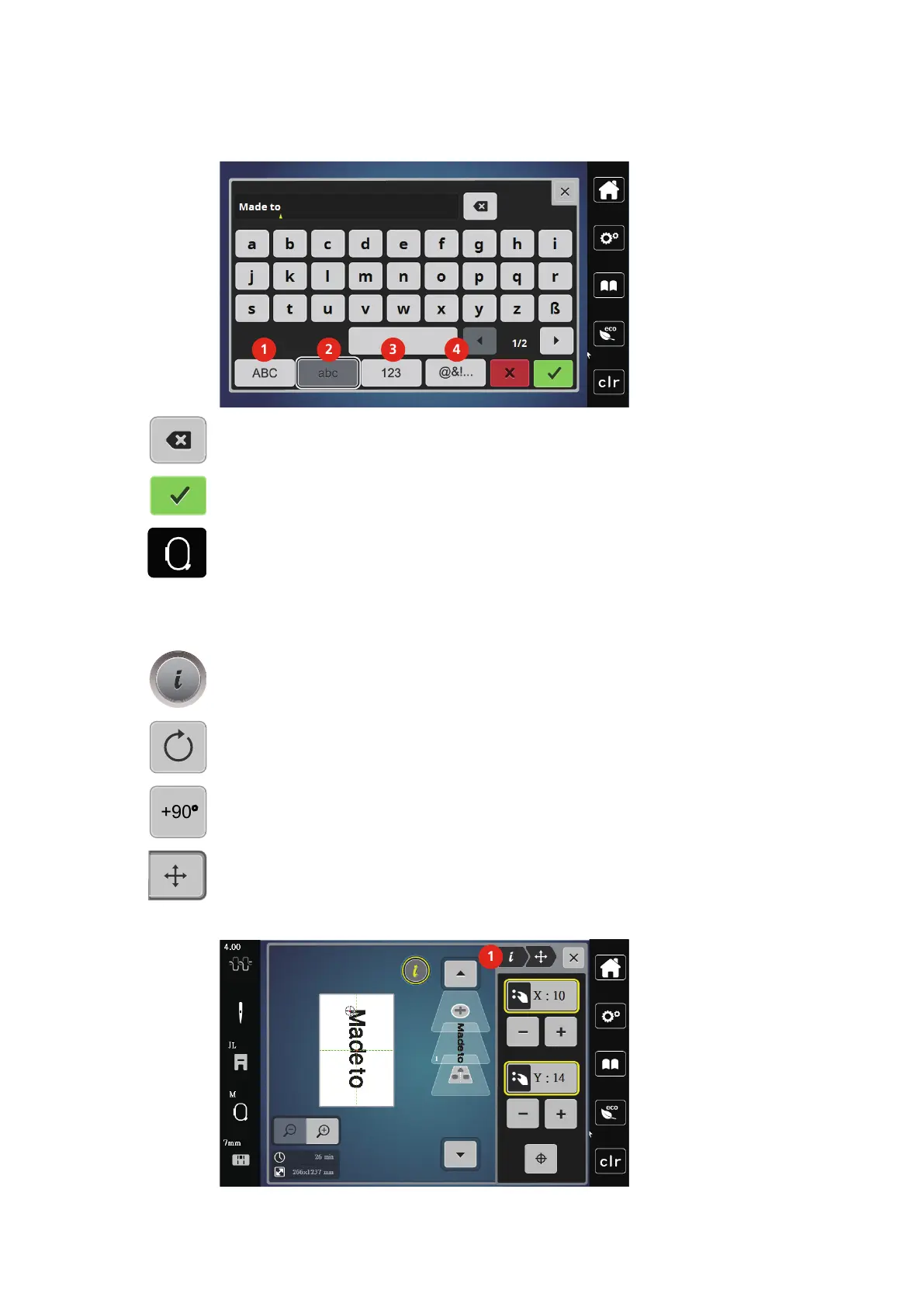
> Touch the icon (4) to use special characters.
> Touch the icon «DEL» to delete single letters of the entered text.
> Touch the icon «Confirm» to accept the text.
> Touch the icon «Embroidery hoop display/Embroidery hoop selection».
> Select the hoop.
> Touch the icon «Embroidery hoop display/Embroidery hoop selection» again to go back to the Edit
Mode.
Editing words/sentences
> Touch the icon «i»-Dialog.
> Touch the icon «Rotate the motif».
> Touch the icon «Rotate the motif +90°» to rotate the text by 90°.
> Touch the icon «i» (1).
> Touch the icon «Move the motif».
> Turn the «Upper Multifunction knob» or touch the «+»/«-» icon to move the embroidery motif
horizontally.
> Turn the Lower Multifunction knob or touch the «+»/«-» icon to move the embroidery motif vertically.



 To Next Page