Embroidery preparation
29
2022-08 EN 5020070.40A.04
2.4 Embroidery Foot
Attaching the Embroidery Foot
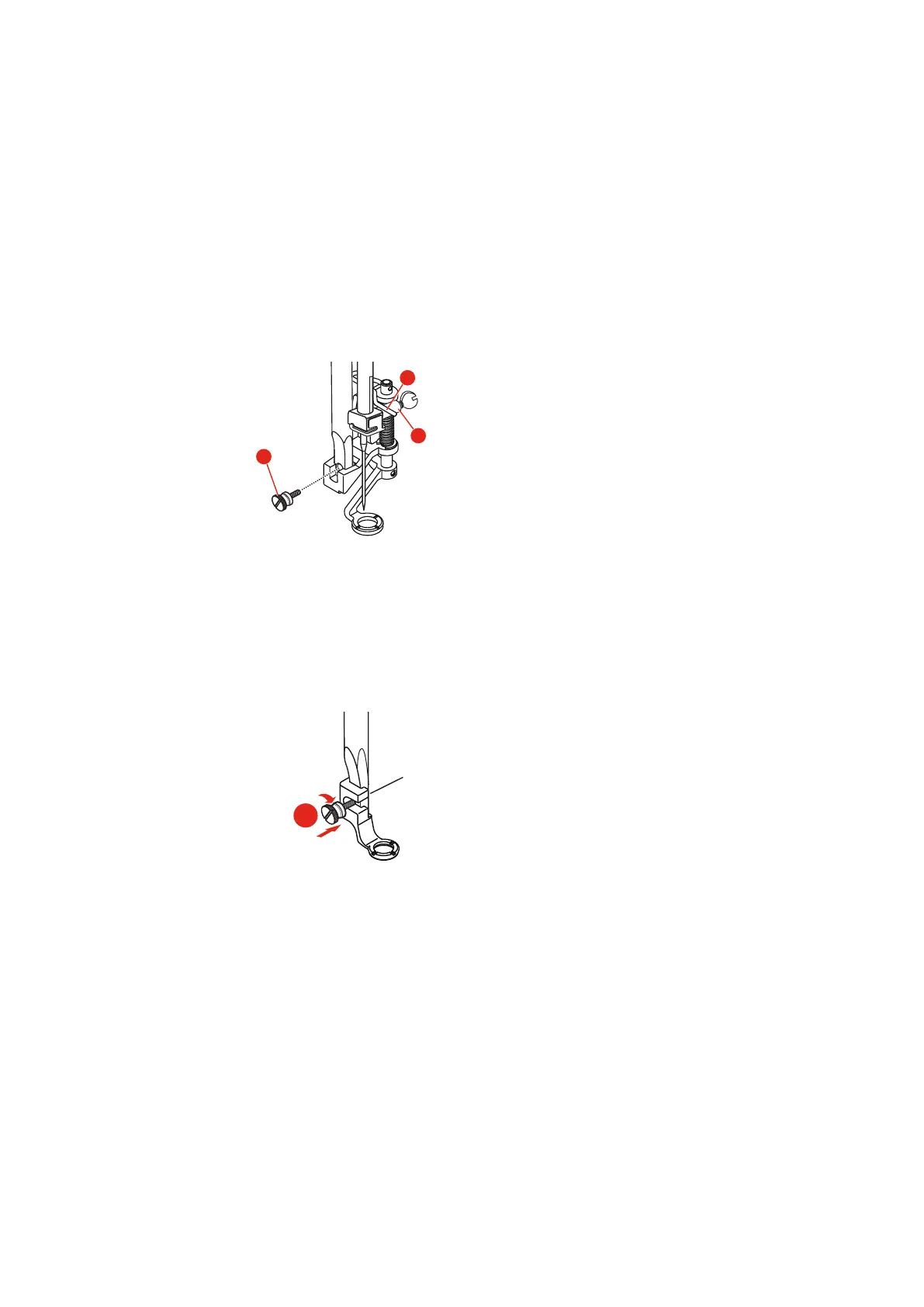
Mount the Hopper Embroidery Foot
> Raise the needle.
> Raise the presser foot.
> Switch the machine off and disconnect it from the power supply system.
> Attach the Hopper embroidery Foot (JX) to the presser foot bar, making sure that the spring (3) is over
the needle clamp screw (4).
> Tighten the screw (1).
> After starting the machine, select the embroidery foot in the «Presser Foot Sole Display».
Mount the Embroidery Foot
> Raise the needle.
> Raise the presser foot.
> Switch the machine off and disconnect it from the power supply system.
> Attach the Embroidery Foot (JL) from the back with the index finger to the presser foot bar and tighten
the screw (1).
> Important: After starting the machine, select the embroidery foot in the «Presser Foot Sole Display».



 To Next Page