Errors and Faults
79
2022-08 EN 5020070.40A.04
Fault Cause Repair
Error during Software Update
The update process is blocked
and the hourglass on the display
is inactive.
> Remove the USB stick.
> Switch the machine off.
> Rename the firmware file from «.fw» to «.auto».
> Insert the USB stick.
> Switch the machine on.
– The update starts automatically.
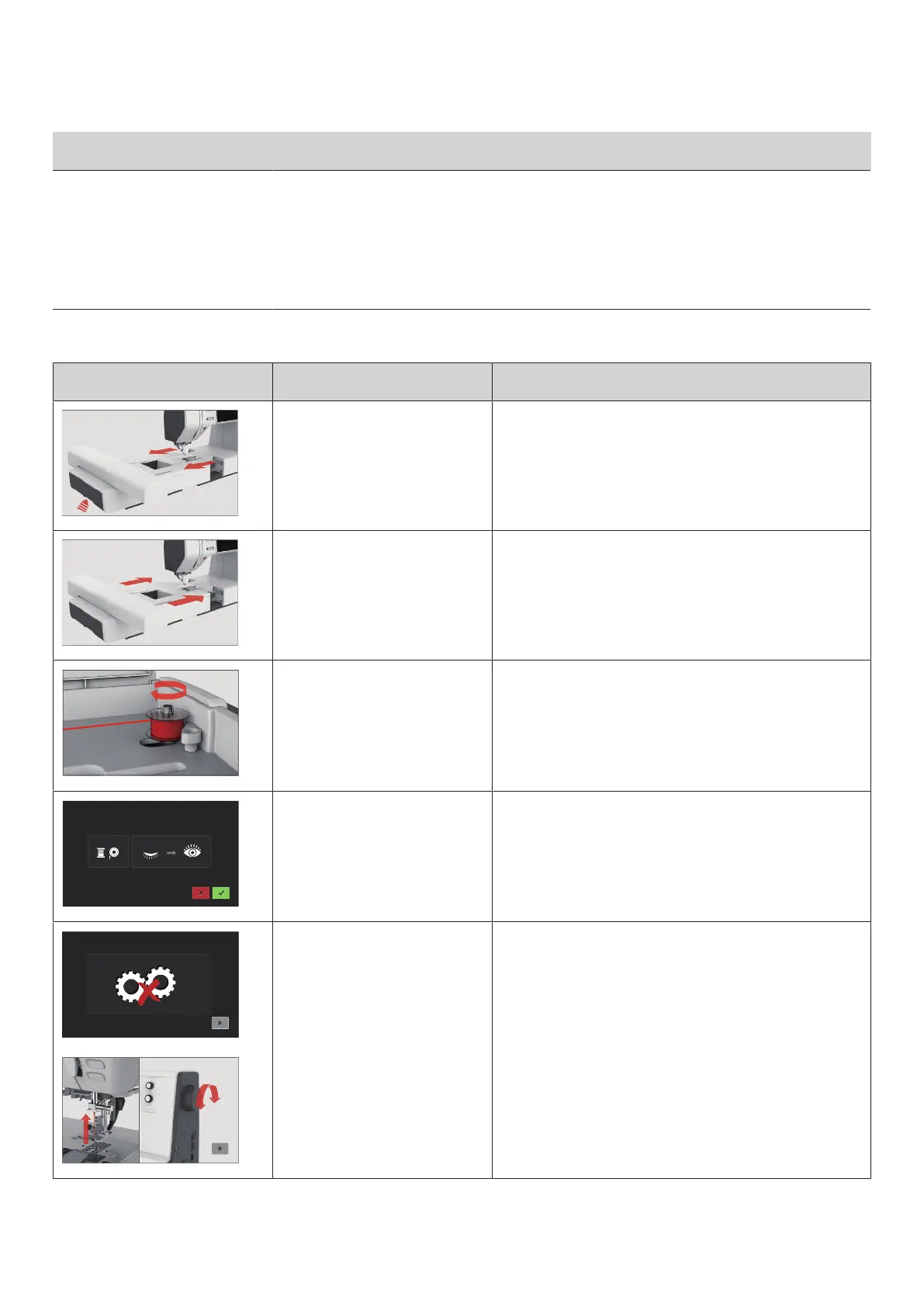
9.2 Error messages
Message on the Display Cause Repair
The embroidery module must be
removed.
> Hold the embroidery module, press the release button
and pull the module out.
The embroidery module must be
connected.
> Push the embroidery module carefully from left to right
into the embroidery module connection of the machine.
The winding unit is activated. > Deactivate the winding unit.
The thread indicator is
deactivated.
> To switch on both thread indicators, tap «Confirm».
> To keep the thread indicators switched off, tap
«Cancel».
The main motor is not running. > Turn the handwheel clockwise until the needle is at its
top position.
> Remove the stitch plate.
> Remove the thread remnants.
> Clean the hook.
> Remove the hook and make sure that there are no
pieces of broken needle points on the magnetic back of
the hook.



 To Next Page