Creative embroidering
54
2022-08 EN 5020070.40A.04
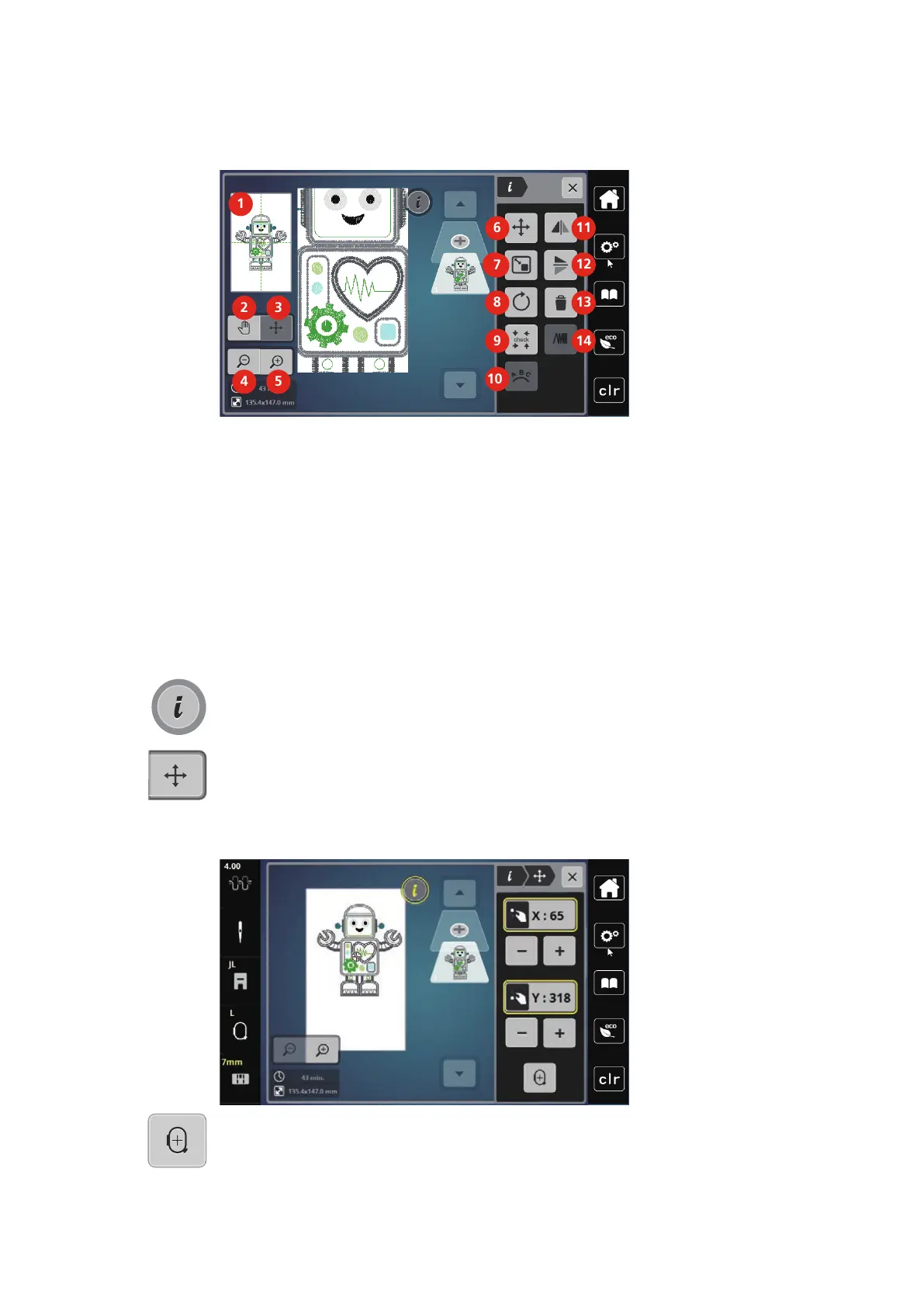
Overview Editing Embroidery Design
1 Preview all 8 Rotating the Embroidery Design
2 Move View 9 Check Embroidery Design Size
3 Moving the View of the Design 10 Bending the Text
4 Zoom Out 11 Mirror Image Left/Right
5 Zoom In 12 Mirror Image Up/Down
6 Moving the Embroidery Design 13 Deleting
7 Altering the embroidery design proportionally 14 Altering the Stitch Density
Moving the Embroidery Design
> Select the embroidery design.
> Tap «i-Dialog».
> Tap «Moving the Embroidery Design».
> Turn the «Upper Multi-function Knob» to move the embroidery design horizontally.
> Turn the «Lower Multifunction knob» to move the embroidery design vertically in 0.5-mm steps or touch
the «+»/«-» icon or touch the embroidery design, keep it pressed and move it as you like.
– The relocation is indicated in the yellow-outlined icons.
> Tap «Center of Embroidery Design».
– The embroidery design is repositioned in the center of the embroidery hoop.



 To Next Page