Creative embroidering
63
2022-08 EN 5020070.40A.04
5.7 Combining Embroidery Designs
Combining Embroidery Designs
> Select the embroidery design.
> Tap «Adding an Embroidery Design»(1).
> Select another embroidery design.
> To select whole embroidery designs, tap «Select all Embroidery Designs».
– The size of the combination cannot be adjusted.
Deleting a Single Embroidery Design
> Select the embroidery design which is to be deleted.
> Tap «i-Dialog».
> Tap «Deleting».
> Tap «Confirm».
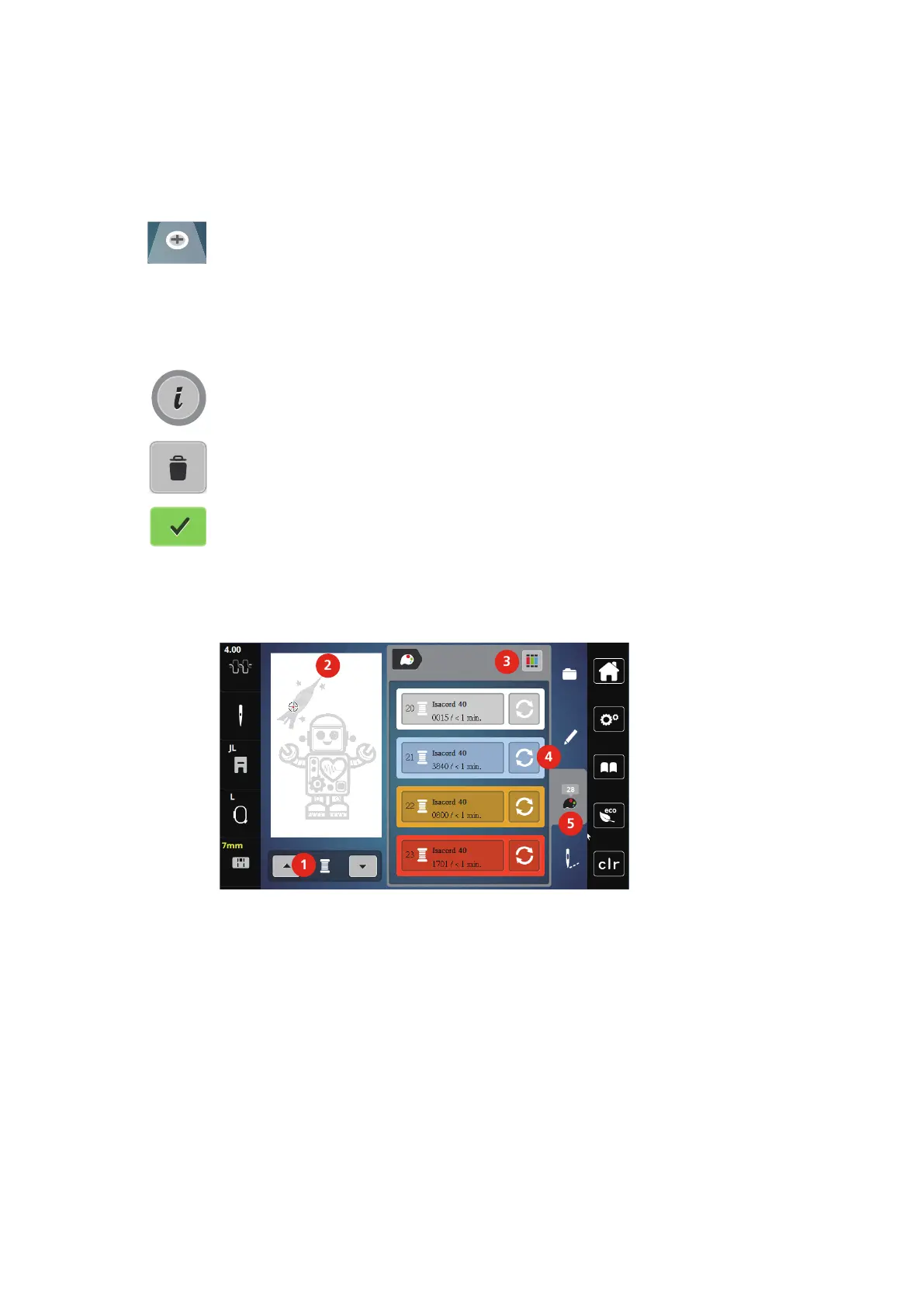
5.8 Changing the Colors of the Embroidery Design
Overview Changing the Color
1 Colors of the Embroidery Designs 4 Altering Color
2 Preview for Selected Color 5 Color Information
3 Assign Thread Brand



 To Next Page