Creative embroidering
64
2022-08 EN 5020070.40A.04
Changing the Colors
> Select the embroidery design.
> Tap «Color Information».
> Tap «Altering Color/Brand» next to the color that needs to be changed.
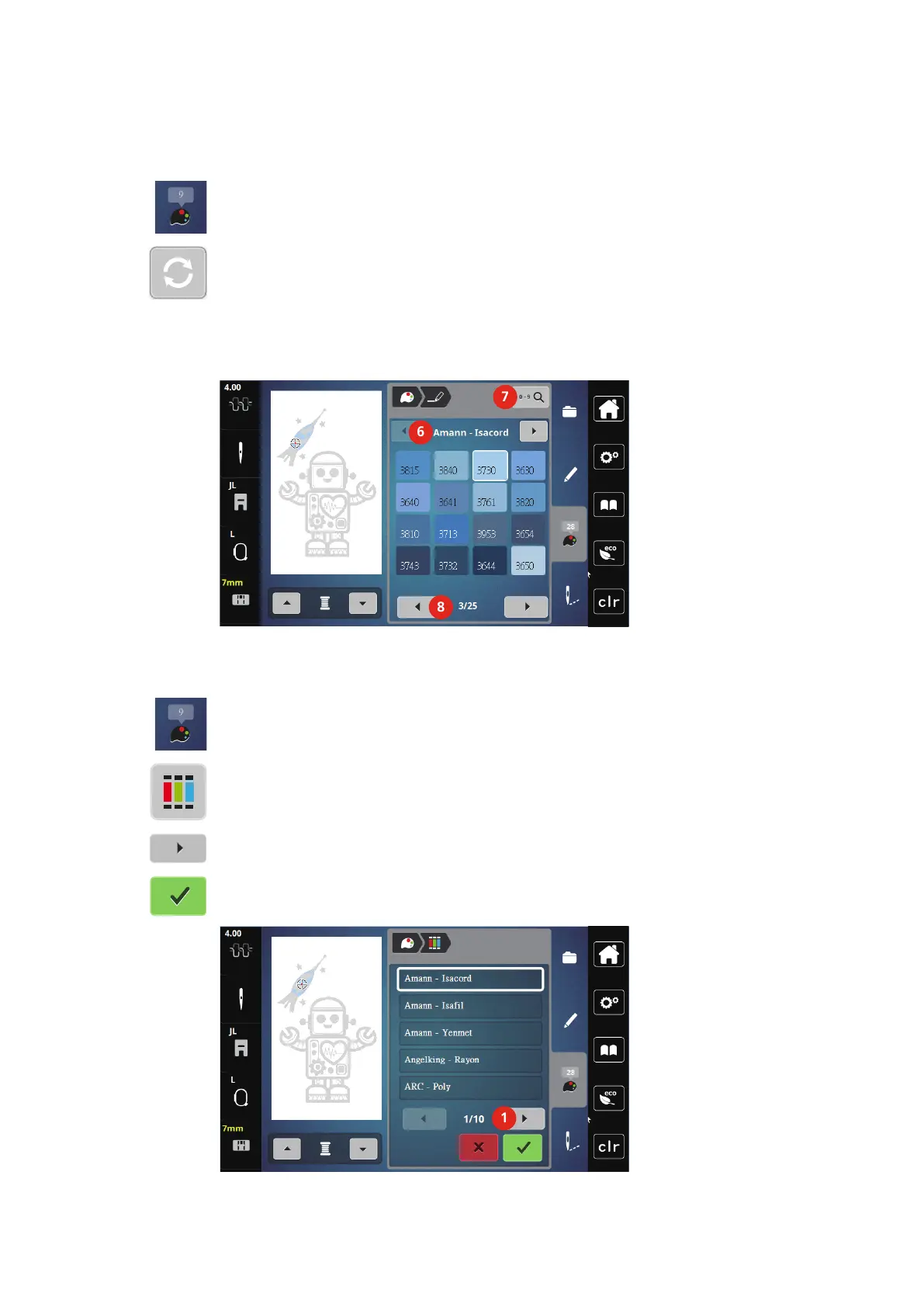
> Changing colors by searching the theme brand.
– To display other thread brands, tap «Scroll» (6) in the upper right section of the display.
> To select the color by inputting the color number, tap «Color Selection via Number» (7).
> To display further colors, tap «Scroll» (8) in the lower right section of the display.
> Select the desired color.
Changing the Thread Brand
> Select the embroidery design.
> Tap «Color Information».
> Tap «Assign Thread Brand».
> To display further thread brands, tap scroll (1).
> Select a thread brand and tap «Confirm».
– Any thread colors of the selected embroidery design will be matched with the selected thread brand.



 To Next Page