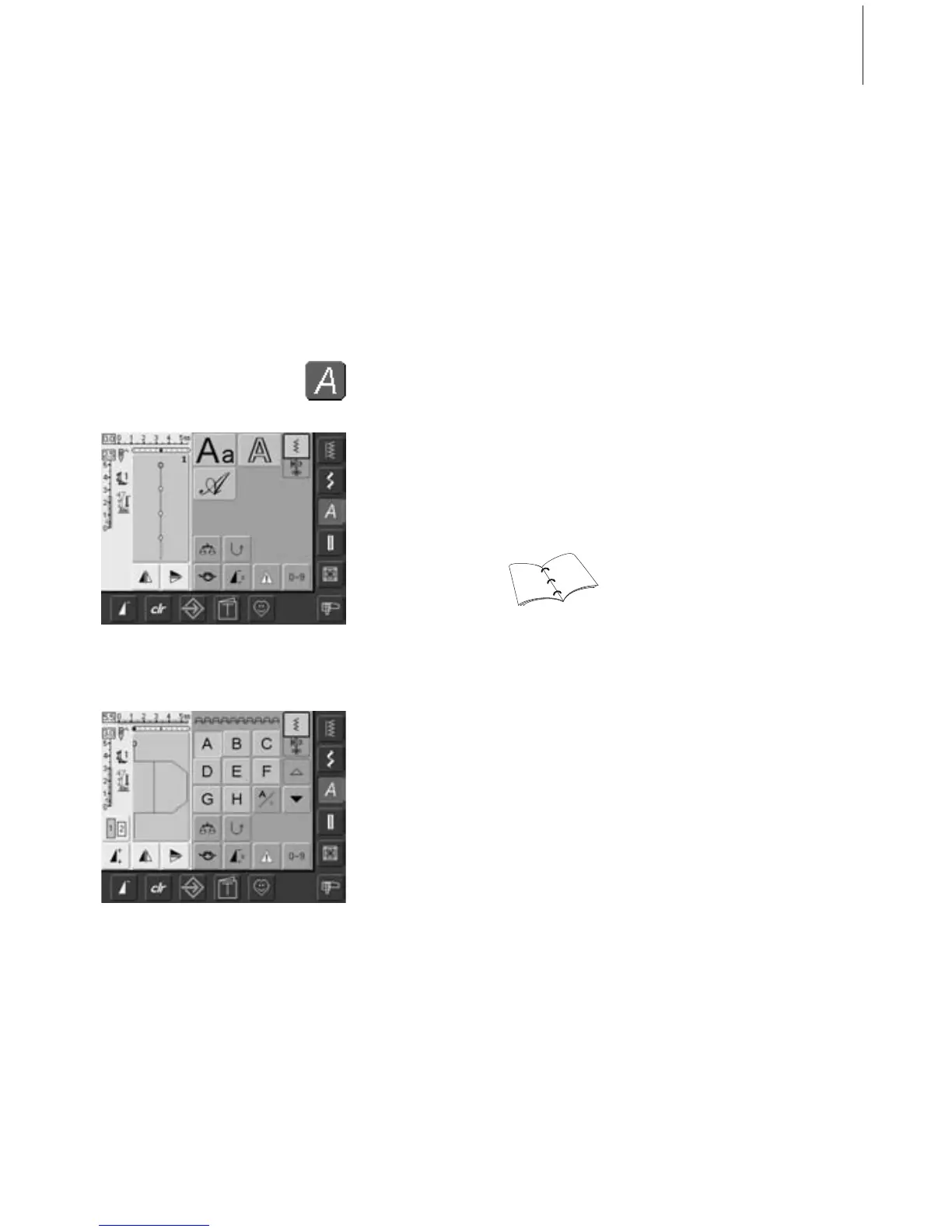
59Lettering - Summary
Alphabet Summary
Alphabets
•press Alphabet button
On-screen Letter Selection
• scroll up and down to view all capital
letters, numbers, punctuation marks and
special characters
• touching the «A/a» on-screen button
changes to lower case (only Block)
Perfect Stitch Formation
• use the same color for upper and bobbin
threads
• use stabilizer on the wrong side to reinforce
sewing project
• use additional water soluble stabilizer on
the right side on pile and long fiber fabric
(e. g. wool, velvet, etc.)
• use simpler letters, programmed with
straight stitches (like Double Block lettering)
Application
• for names and addresses
• for words and texts
• for labeling quilts (quilt labels)
• for labeling (labels)
Alphabet Summary
• Alphabet summary appears
• Block
• Double Block
• Script (Italics)
• touch one of the buttons to select
• the desired alphabet is activated
•3 different alphabets are available
• each of the alphabets can be sewn in two different sizes.
Block lettering in lower case can only be stitched in one size
• Block lettering can also be sewn in lower case
159
160



 To Next Page