84 Personal Program
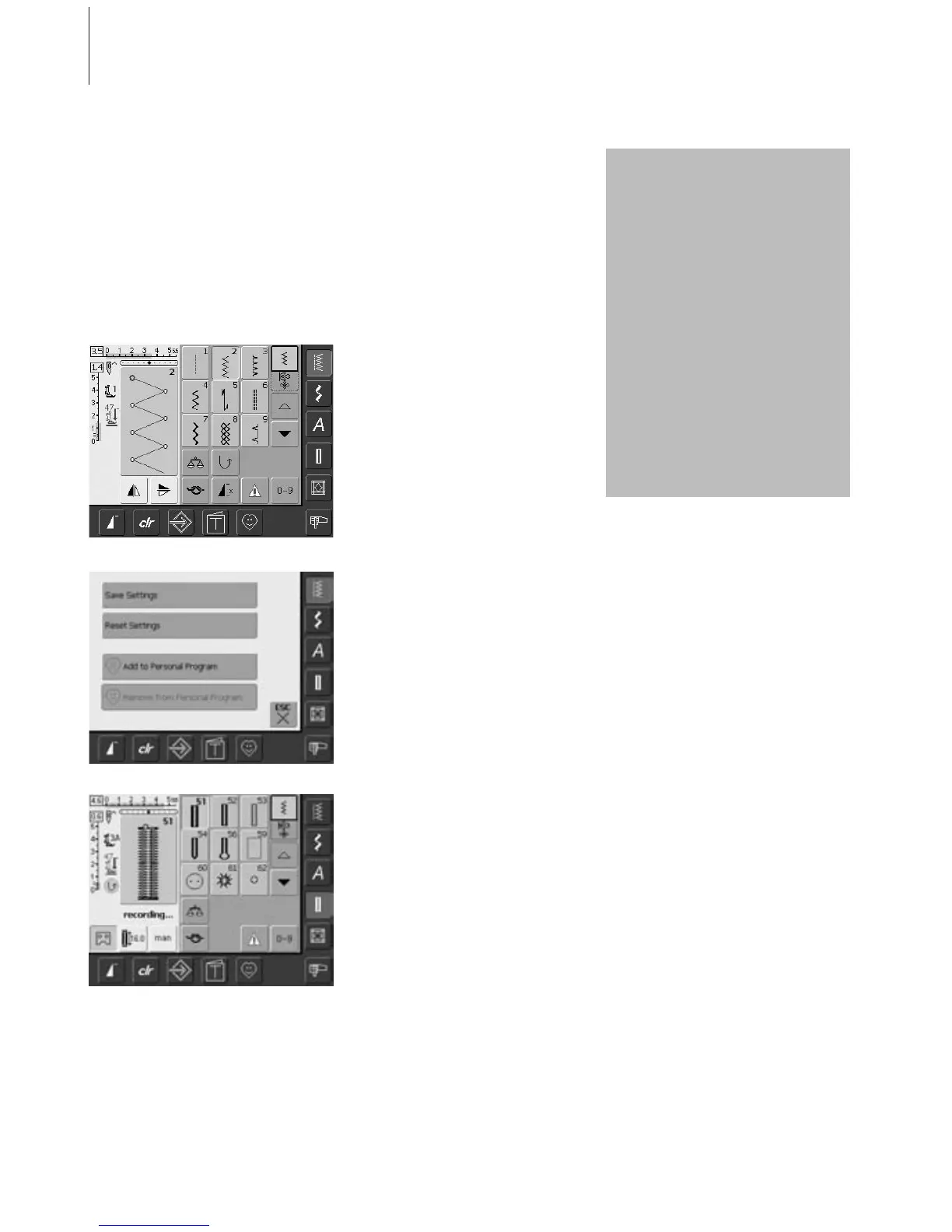
Programming Screen With Personal Stitches
Programming Second Stitch
•press the Buttonhole button
• select Standard buttonhole (No. 51)
• touch the Stitch Altering Area (light blue)
• save the stitch as described above
• insert further stitches in the same manner
•a special screen appears
• touch the bar «Add to Personal Program»
• the zig-zag stitch is saved in the Personal
Program (including any alterations), the
screen closes
• changes can be deleted again by touching
the «clr»
Use the Personal Program to design a screen with the stitches you use most.
Whether it is made up of stitches for a certain type of sewing, such as heirloom or garment, or
just your favorite practical and decorative stitches or alphabets, this screen will make it easy and
quick to sew any project.
When inserting stitches into the Personal Program, variations of all stitches may be entered into
the Personal Screen.
Programming First Stitch
• select the zig-zag from the Practical Stitch
Menu (referred to on other pages as a
menu), make any desired alterations to the
stitch settings
• touch the Stitch Altering Area (light blue)
Following alterations may be
entered:
•stitch width
• stitch length
• Needle Position
• Mirror Image
• Pattern Extend
• Balance
• Pattern Repeat 1–9
If the Memory is filled with
embroidery designs or stitch
combinations, stitches cannot be
saved in the Personal Program. A
message will appear to this
effect. Embroidery designs and/or
stitch combinations must first be
deleted.



 To Next Page