122
Preparing for embroidery
Preparing for embroidery
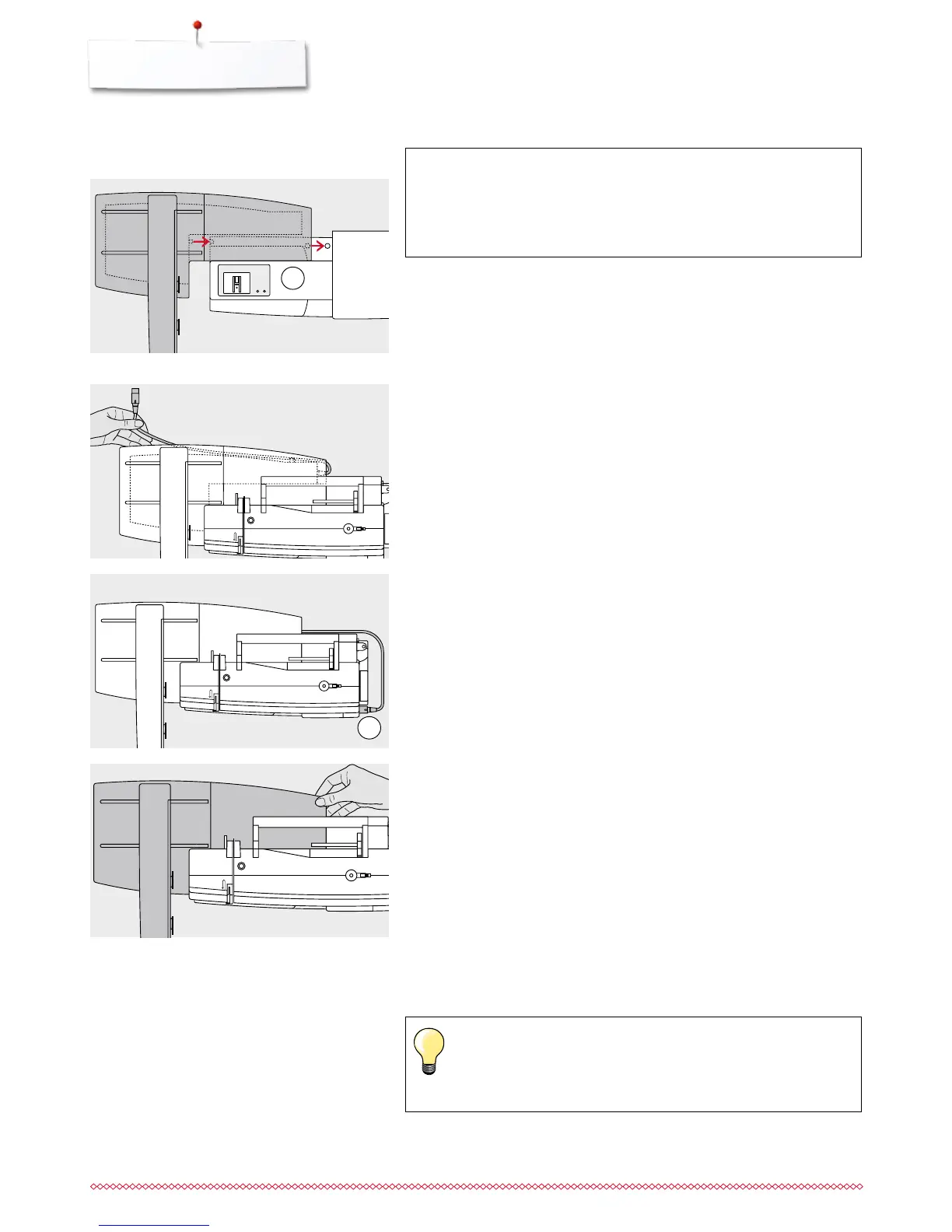
Embroidery module
1
2
Attaching the module to the sewing computer
⦁
place the module behind the free arm 1 to the sewing computer
⦁
push the module from the left towards the sewing computer so that the
connecting lugs engage
The module must be engaged in the base plate of the sewing computer.
Connection cable
The cable connects the module and the sewing computer.
⦁
pull the cable out of the holder on the back of the module
Connecting the cable with the sewing computer
⦁
hold flat side to the front
⦁
plug the cable into the outlet provided 2
Removing the module
⦁
remove the plug from the outlet
⦁
grip the back right corner to lift the module
⦁
lift the module and remove to the left
Storing the cable on the module
⦁
insert the cable into both cable holders
⦁
press cable into the cable holders
ATTENTION!
When connecting the embroidery module, attention must
be paid that all items are on a flat and even surface!
Always separate the module and sewing computer
for transportation. Never transport them attached.
Calibrating the hoop
Adjust Reference Position calibrates the needle to the center of the
hoop. Adjustments can only be made if the embroidery module as
well as the oval hoop are attached, see page 47.



 To Next Page