38
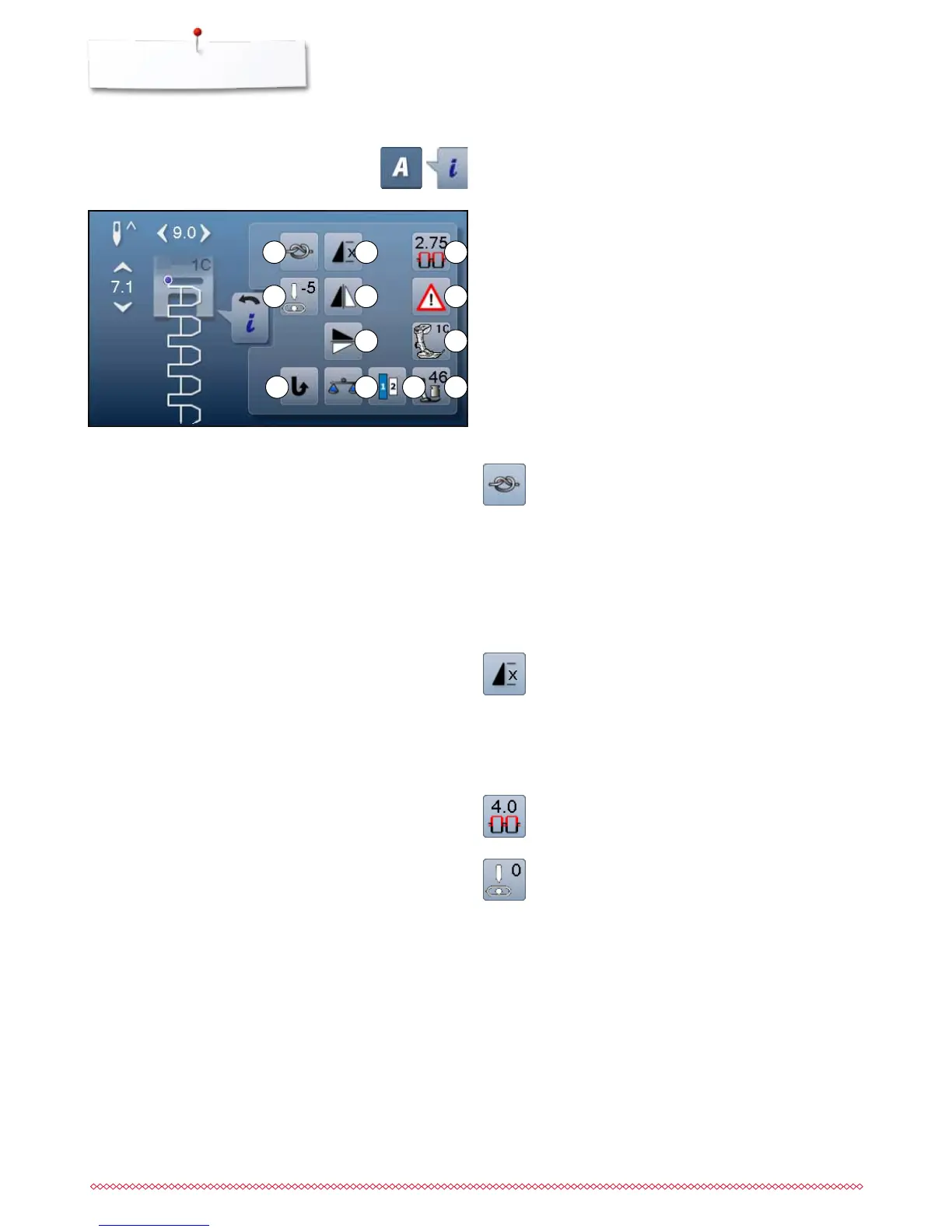
Functions - Display
1
4
7
2 3
5 6
8
9 11 1210
Securing
⦁
touch icon before sewing
►
single stitch is secured at the begin with four
securing stitches
⦁
touch icon while sewing a single stitch
►
the single stitch is secured at the end
►
the sewing computer stops
⦁
to program the securing function within a pattern
combination
⦁
each individual pattern of the combination can be
secured at the start or the end
Pattern repeat
⦁
touch icon 1x
►
number 1 appears: the sewing computer stops at
the end of an individual stitch or stitch combination
⦁
touch icon 2-9x
►
numbers 2-9 appear: the sewing computer stops at
the end of a stitch or a stitch combination after the
number of repeats selected
Upper thread tension
⦁
change upper thread tension
►
the respective value is visible in the icon
Needle position
⦁
move the knob in the display to the left/right using
the finger or
⦁
press the arrow icons left/right
►
the needle moves to the left/right
⦁
keep arrow icon pressed
►
quick movement of the needle
►
the needle position is displayed in the yellow-
framed icon
⦁
touch yellow-framed icon
►
moves the needle to the middle (Position 0)
Altering Alphabet
1 Securing
2 Pattern repeat
3 Upper thread tension
4 Needle position
5 Mirror image (Left/Right)
6 Security program
7 Mirror image down/up
8 Presser foot indicator
9 Permanent reverse sewing
10 Balance
11 Lettering size in alphabets
12 Presser foot pressure
⦁
touch «Alphabet»-button
⦁
select Alphabet
⦁
touch «i»-icon
Overview Functions Alphabets



 To Next Page