153
Embroidery motifs
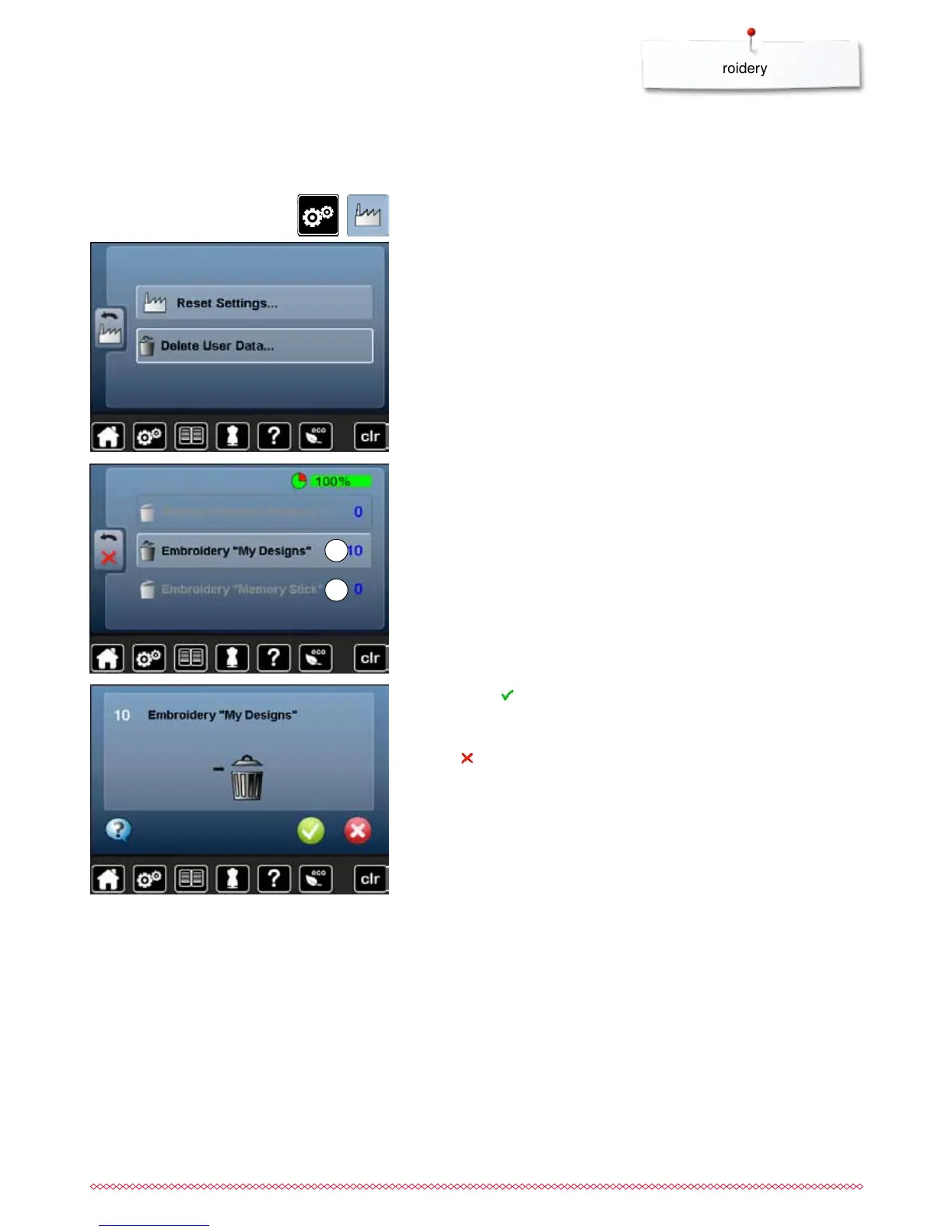
Deleting all saved motifs
⦁
press «Setup»-button
⦁
touch «Reset»-icon
⦁
touch «Delete user data»-icon
⦁
confirm with
►
the data is deleted
Cancelling deleting
⦁
touch
►
the deleting is cancelled, the previous screen appears
When embroidering there are two options to choose from:
1 My Designs
2 USB stick (the stick must be inserted)
⦁
touch the button of which the data should be deleted
It is possible to delete the content of the folder «My Designs» or the USB stick
all at once.
1
2



 To Next Page