17
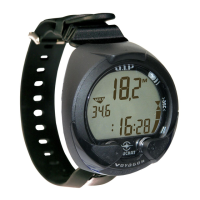
• During the next 5 seconds, the Altitude Level and Battery Status
screen will be displayed. The Altitude icon (Mountain symbol)
and graphic ALt appear with the Level number 0 or 2 through 7
(Fig. 10a). The graphic bAtt also appears with the graphic OP
indicating that the Battery is operational or the Low Battery icon
(Lightning bolt symbol) indicating that the Battery should be re-
placed.
• If values are acceptable, the unit will enter Surface Mode. If
any value is not acceptable, the unit will shut down in 5 sec-
onds.
• If no dive is made within 3 hours after initial activation, the unit
will automatically deactivate. If the wet contacts are still
bridged, the unit will then reactivate and display the H2O
graphic.
a
Fig. 10 - ALTITUDE/BATTERY
STATUS
Displayed Altitude Levels (barometric)
• Level 0 (Sea) 0 to 3,000 feet (0 to 915 meters) = Sea Level
• Level 2 3,0001 to 5,000 feet (916 to 1,525 meters)
• Level 3 5,0001 to 7,000 feet (1,526 to 2,135 meters)
• Level 4 7,0001 to 9,000 feet (2,136 to 2,745 meters)
• Level 5 9,0001 to 11,000 feet (2,746 to 3,355 meters)
• Level 6 11,001 to 13,000 feet (3,356 to 3,965 meters)
• Level 7 > 13,000 feet ( 3,965 meters)
NOTE: Altitude Levels that appear on operational displays represent ap-
proximate levels above sea level.


 To Next Page

