December 2019
95
Installation, Operation and Maintenance Manual
VCIOM-08500-EN
Section 12: Troubleshooting
Troubleshooting
12.2 DC Output Voltage not Available at
the Terminals
• Switch the main power supply off and disconnect all wires from terminals B1-B2
and C1.
• Switch the main power supply on and check if the voltage on the terminals B1-B2
and C1 is between 23 and 27 V DC.
• If the voltage is correct, check the external wiring and the electrical load.
It should not exceed 4 W.
• If the voltage is not correct, replace the power card.
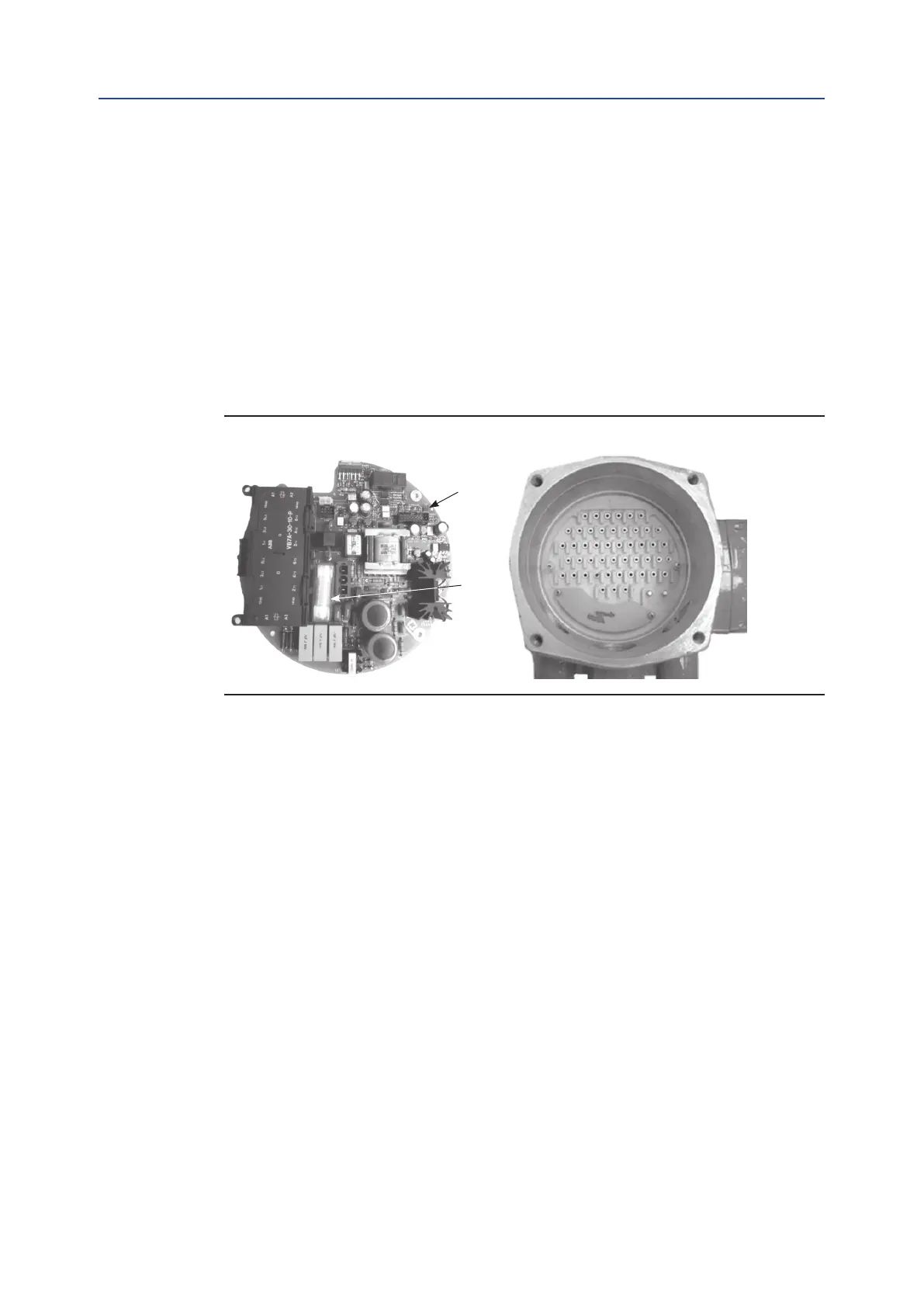
Figure 82
1. Power card
2. Fuse
12.3
The Actuator does not Work from Remote Controls
• Move the 3-position selector to LOCAL and check that the actuator works from
local controls.
• Move the local selector to REMOTE. If the ESD signal is active, the alphanumeric
display indicates “ESD On”. Check the signal on terminals C3 and C4 and adjust
the ESD conguration. If the alphanumeric display indicates “INT”, an interlock
control is present. Check the signal on terminals B3, B4 and B5, and adjust the
Interlock conguration.
• Check that:
— the wiring to terminals B1-B2 and C1 is correct;
— there is no short-circuit between wires;
— the electrical load does not exceed 4 W;
— the value is in the range 20-120 V AC 50/60 Hz or 20-125 V DC,
if an external voltage supply is used.
1
2



 To Next Page