December 2019
40
Installation, Operation and Maintenance Manual
VCIOM-08500-EN
Section 6: Local Controls
Local Controls
Section 6: Local Controls
6.1 Description of the Local Operator Interface
The following functions are available via the ICON3000 local operator interface:
• Actuator Control
• Actuator Conguration
• Actuator Status Visualization
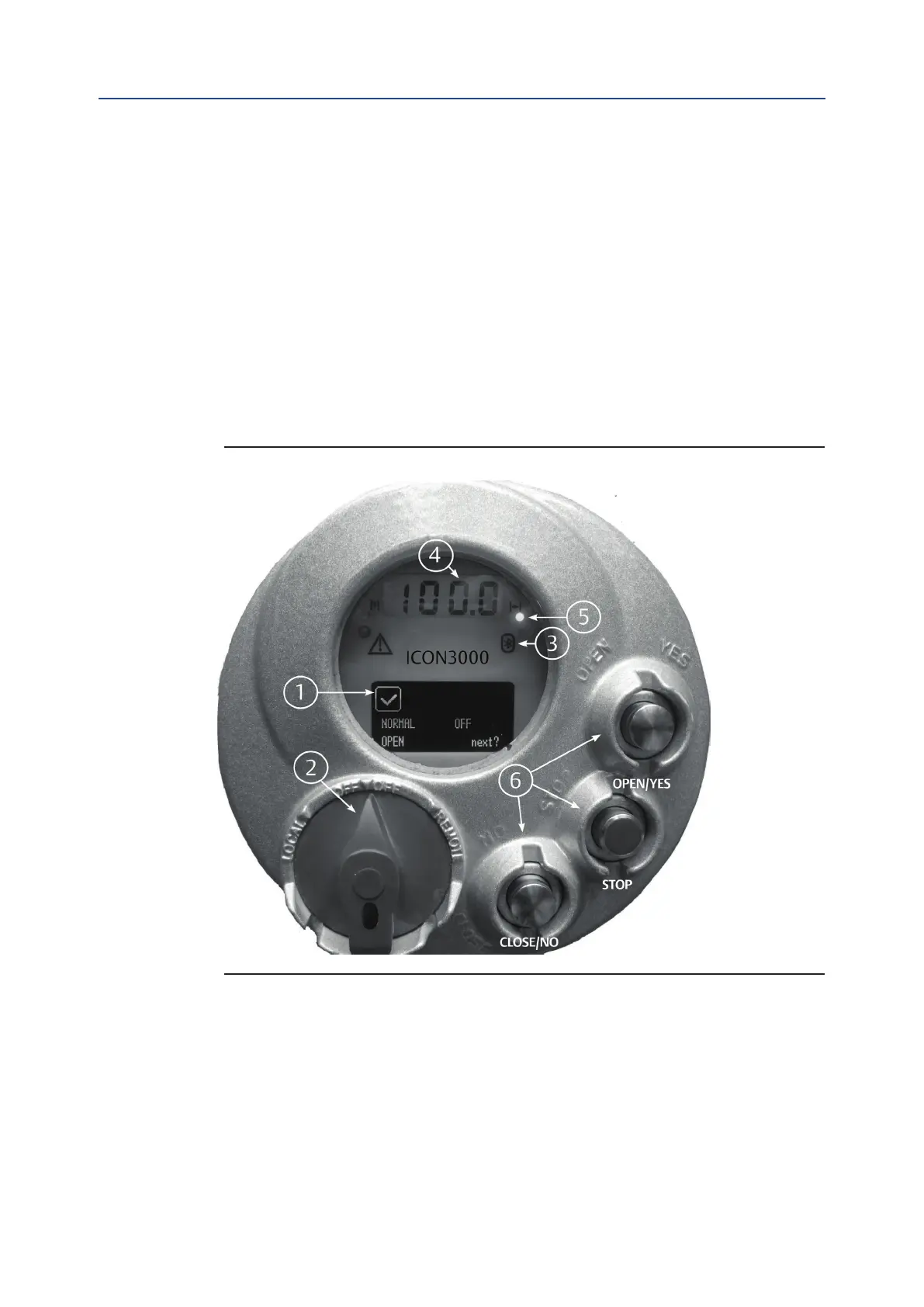
The gures on the following pages describe the function of each component of the local
operator interface.
Figure 52 Local Operator Interface Components
1. OLED Graphic display: during normal operation the alphanumeric display shows
the present status (NORMAL, ESD ON, ALARM, WARNING, INTERLOCK), the
3-positionselector status (LOCAL, OFF, REMOTE), and the actuator action (OPEN,
OPENING, CLOSED, CLOSING, STOP, or R% : xxx.x). If the local selector is in OFF or
REMOTE, pressing the YES push-button allows the user to scroll through the list of
variables, alarms, and reports:



 To Next Page