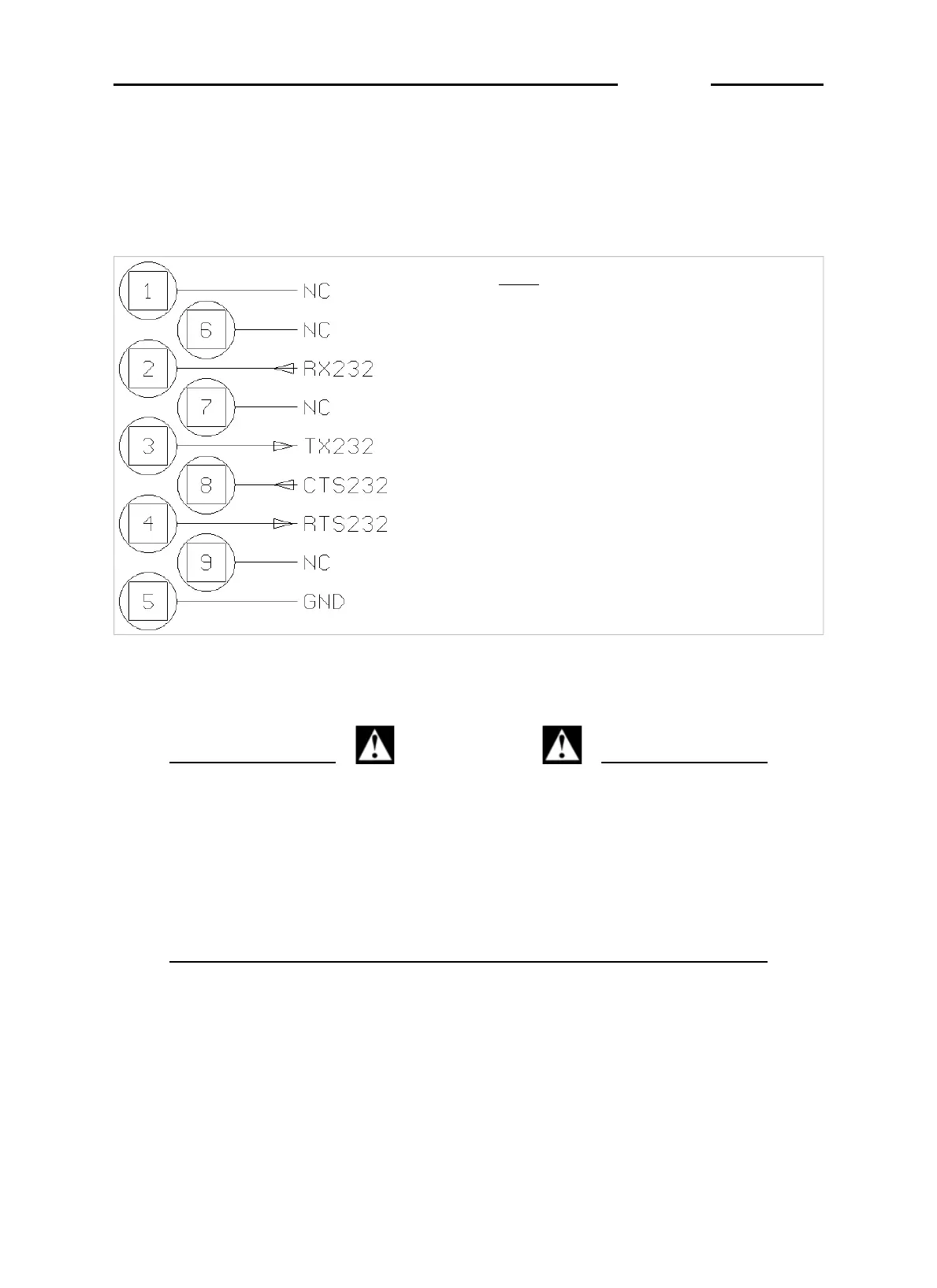
3.3 COM1 serial port connection
The terminal has an RS232 serial port (COM1) with a 9-pin female
connector located on the rear panel (see point 2 Figure 3.1 on page
1-17 ); the diagram below shows the pin connections for this port.
Key
NC = Reserved - do not connect
RX232 = Data reception
TX232 = Data transmission
CTS232 = Clear to send
RTS232 = Request to send
GND = Signal ground
Figure 3.4 - Standard serial port connector (9-pin female D-type)
(log0003.gif)
CAUTION
Operating limits stipulated by the standard RS232:
Maximum transmission distance = 15 m
Maximum line voltage = ± 12 Vdc
For connection to external devices, use a screened cable
and connect the screen to the metal cap of the 9-pin
connector.
D410
1-22



 To Next Page