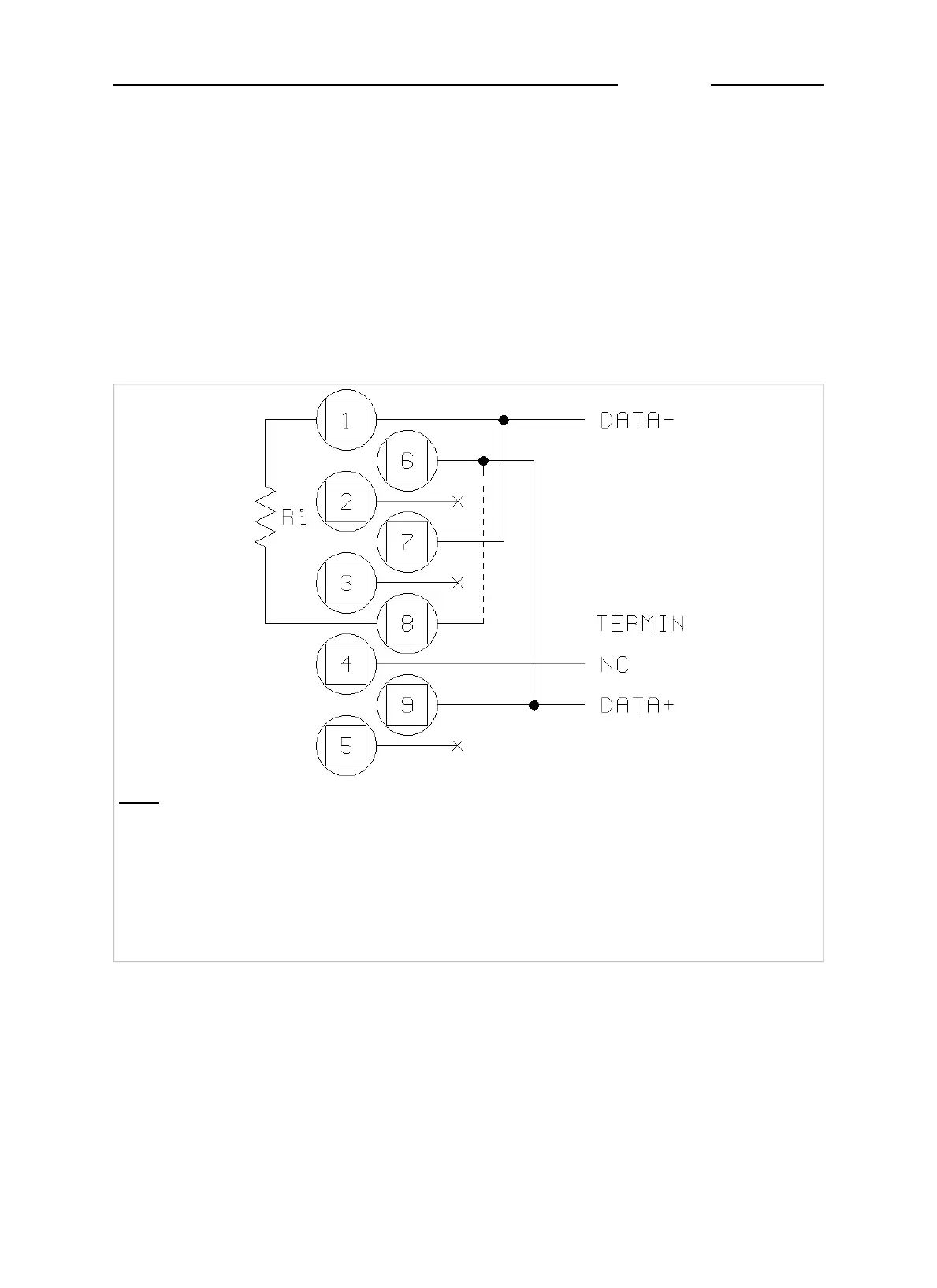
3.4.3 Connection of COM2 in RS485 configuration
If the COM2 serial port is configured for RS485 data transmission, you
will need to:
✔
connect together pins 9 and 6 and pins 1 and 7 ( Figure 3.7 on page
1-25 )
✔ place a jumper across pin 6 and pin 8 to connect the termination
resistance; this operation is to be carried out on the first and last
terminals connected in the line
Key
NC = Reserved - do not connect
DATA +/- = Bidirectional data transmission line
TERMIN = Termination resistance to be connected to pin 6
Ri = Termination resistance inside terminal
NOTE: the free pins are reserved for RS232 connection
Figure 3.7 - Pinout for RS485 serial port connection (log0006.gif)
D410
1-25



 To Next Page