KBF / KBF P (E5.2) 02/2012 page 40/103
You can also directly enter any cursor position as a numerical input.
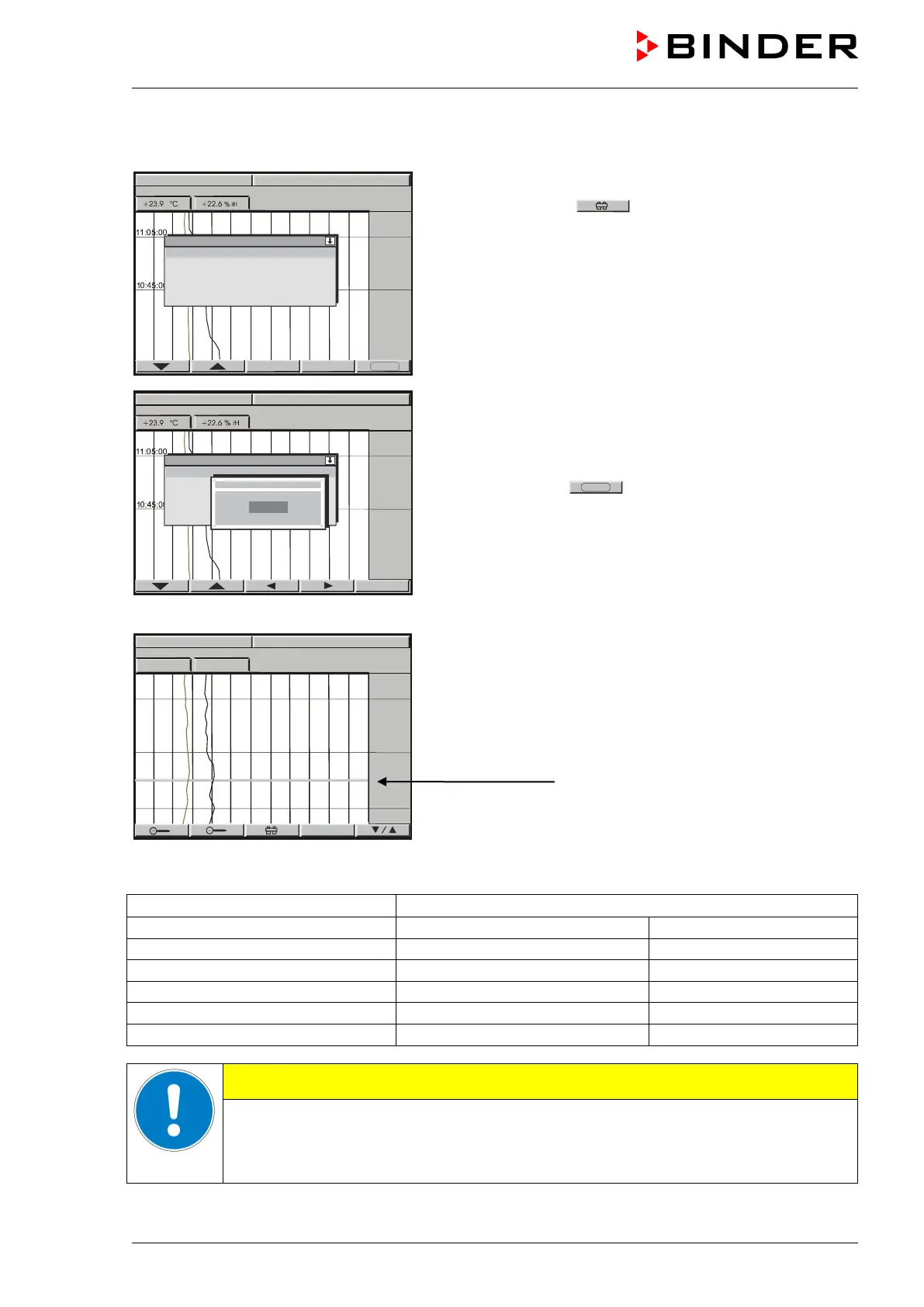
History representation: Toggling to any defined moment:
Press button
. The window “Cursor position”
opens to enter date and time.
Select date or time with the arrow buttons and confirm
with ENTER.
Now you can access any moment that you would like
to recall. Enter date and time with the arrow buttons
and confirm with ENTER.
Press button
.
History display at the selected point of time:
Top left: Date and time of the selected cursor position
are displayed.
Below: The corresponding temperature and humidity
values of this moment
are numerically and graphically
displayed.
The cursor line marks the corresponding moment.
The available presentation depends on the pre-selected storage rate. This means the higher the storage
rate, the more precisely but shorter the data representation will be, see table below:
CAUTION
Setting the storage rate clears the measured-value memory.
Danger of information loss.
Change the storage rate ONLY if the previously registered data is no longer needed.
15.12.09



 To Next Page