MKF / MKFT (E5) 04/2022 page 52/176
6.3 Turning on/off humidity control
Turning off humidity control is required when operating the chamber without water connection in order to
avoid humidity alarms. For further information see chap. 17.
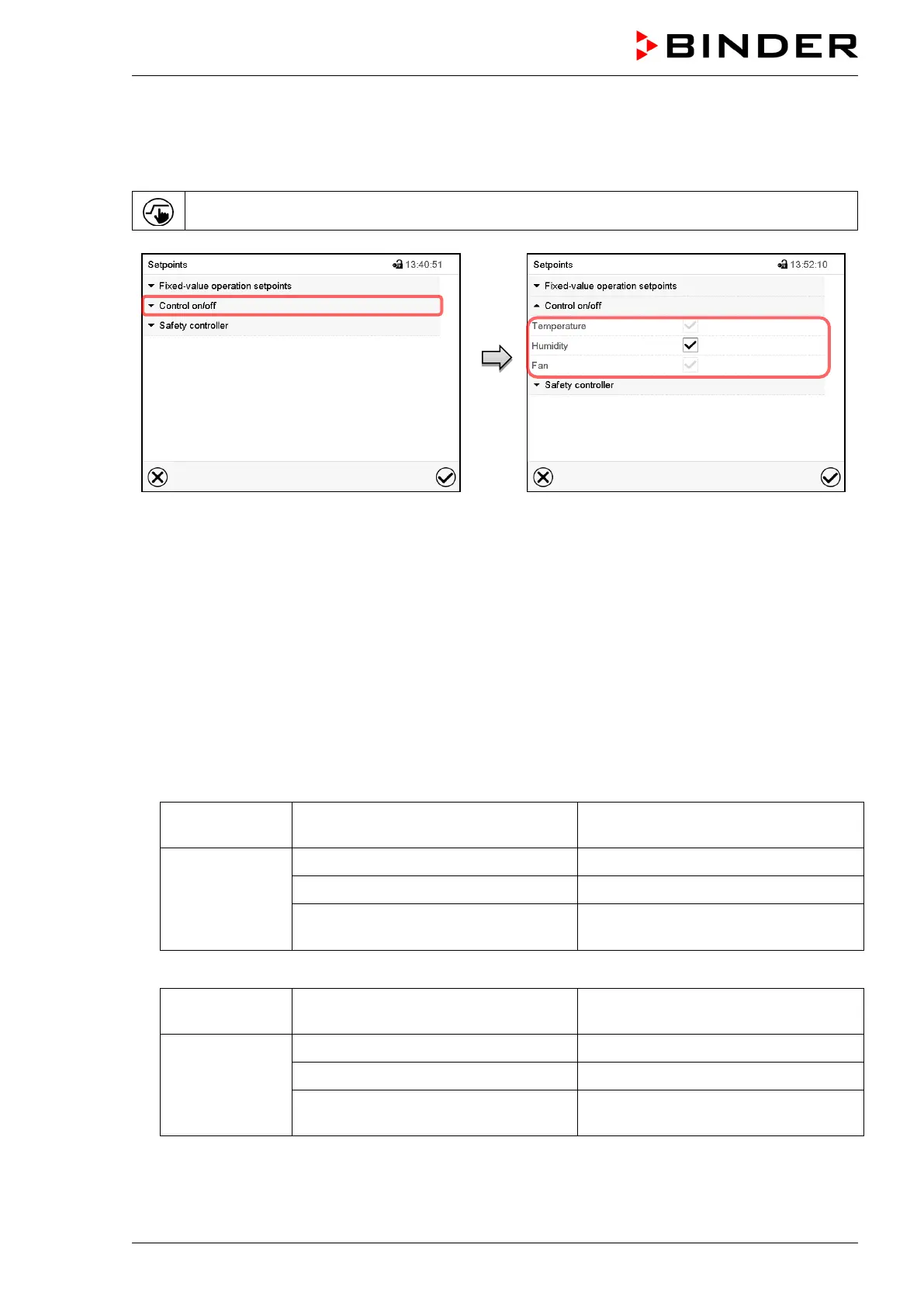
Press the Setpoint setting icon to access the “Setpoint” setting menu from Normal display.
“Setpoints” menu.
Select “Control on/off”.
You can turn humidity control (humidification
and dehumidification) on or off.
If the “Humidity “checkbox is marked, humidity
control is active. Mark / unmark the checkbox to
change the setting.
7. Set-point entry in “Fixed value” operating mode
In Fixed value operating mode you can enter a temperature set-point, the fan speed (MKF 56), and the
switching-state of up to 16 operation lines.
All settings made in Fixed value operating mode remain valid until the next manual change. They are saved
also when turning off the chamber or in case of toggling to Idle Mode or Program Mode.
• Temperature – MKF
Setting range -50 °C / -58 °F up to 180 °C / 356 °F
(range -50 °C / -58 °F up to -40 ºC /
-40 °F not provided for operation)
Control ranges
-40 ºC / -40 °F up to 180 °C / 356 °F without humidity
+ 10 °C / 50 °F up to +95 °C / 203 °F in climatic operation
0 °C / 32 °F up to +95 °C / 203 °F
in climatic operation with optional com-
pressed air dryer
• Temperature – MKFT
Setting range -80 °C / -112 °F up to 180 °C / 356 °F
(range -80 °C / -112 °F up to -70 ºC /
-94 °F not provided for operation)
Control ranges
-70 ºC / -94 °F up to 180 °C / 356 °F without humidity
+ 10 °C / 50 °F up to +95 °C / 203 °F in climatic operation
0 °C / 32 °F up to +95 °C / 203 °F
in climatic operation with optional com-
pressed air dryer



 To Next Page