MKF / MKFT (E5) 04/2022 page 75/176
10.5.1 Add a new program section
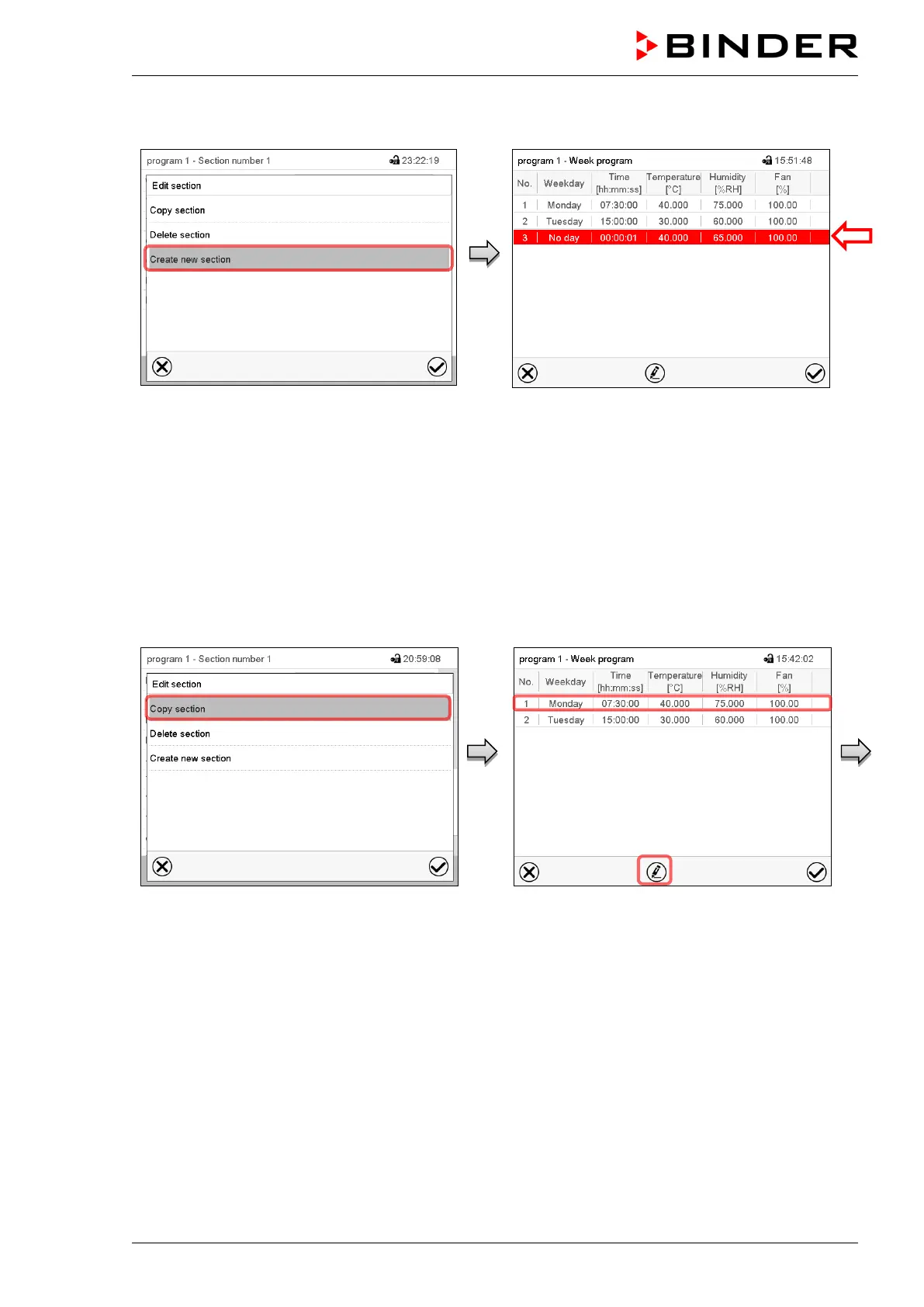
Section editor: “Edit section” menu.
Select “Create new section” and press the
Confirm icon.
Program view.
With a new section no weekday is specified. There-
fore, the section is first marked in red and cannot be
saved.
A new section is always added at the very bottom
(example: section 3). When the section start is speci-
fied the sections are automatically arranged in the
correct chronological order.
10.5.2 Copy and insert or replace a program section
Section editor: “Edit section” menu
Select “Copy section” and press the Confirm
icon.
The current section (example: section 1) is
copied.
The controller returns to the program view.
Program view
Select the section to be replaced or before or
after which the copied section shall be in-
serted (example: section 2).
Press the Confirm icon
The controller returns to the section editor



 To Next Page