MKF / MKFT (E5) 04/2022 page 88/176
Operation after user login
At user login, the authorization level is selected
and confirmed by entering the respective pass-
word.
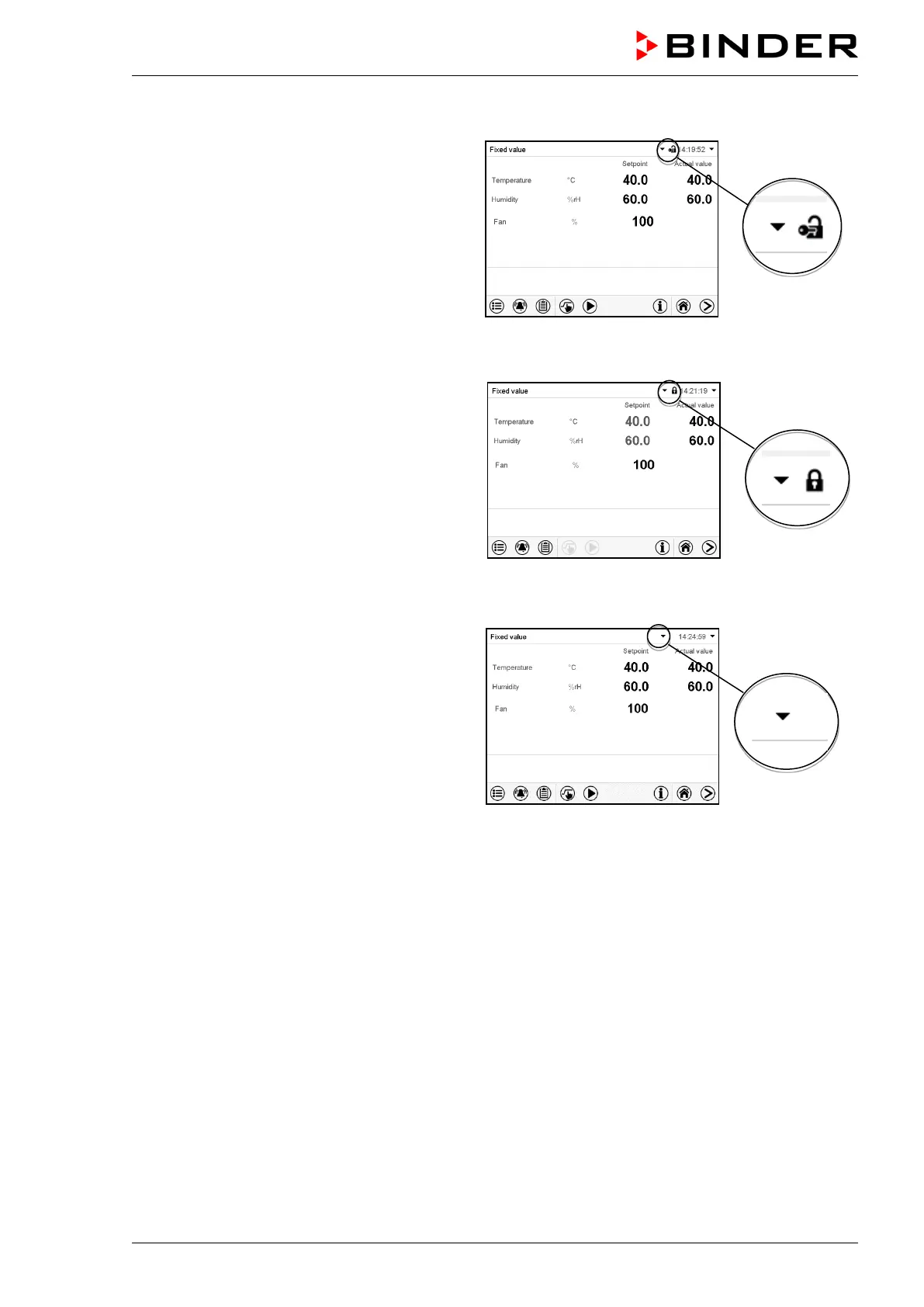
Following user login, controller operation is
available, recognizable by the open-lock icon in
the header. The available controller functions
correspond to the user’s authorization level.
Password protection activated for all levels: operation without user login is locked
If passwords have been assigned for all author-
ization levels, the controller is locked without
registration of a user.
As long as no user is registered, controller op-
eration is locked, recognizable at the closed-
lock icon in the header. This requires that the
user management has been activated by the
assignment of passwords for the individual au-
thorization levels.
Password protection for at least one level deactivated: operation without user login is possible
If passwords have not been assigned for all au-
thorization levels, after turning on the chamber
there are those controller functions available,
which correspond to the highest authorization
level without password protection.
No lock icon is shown in the display header.
User login is neither required nor possible.
To activate the password protection and user
login, perform new password assignment
(chap. 13.5.3).



 To Next Page