MKF / MKFT (E5) 06/2020 page 105/176
14.6 USB menu: Data transfer via USB interface
The USB port is located in the instrument box.
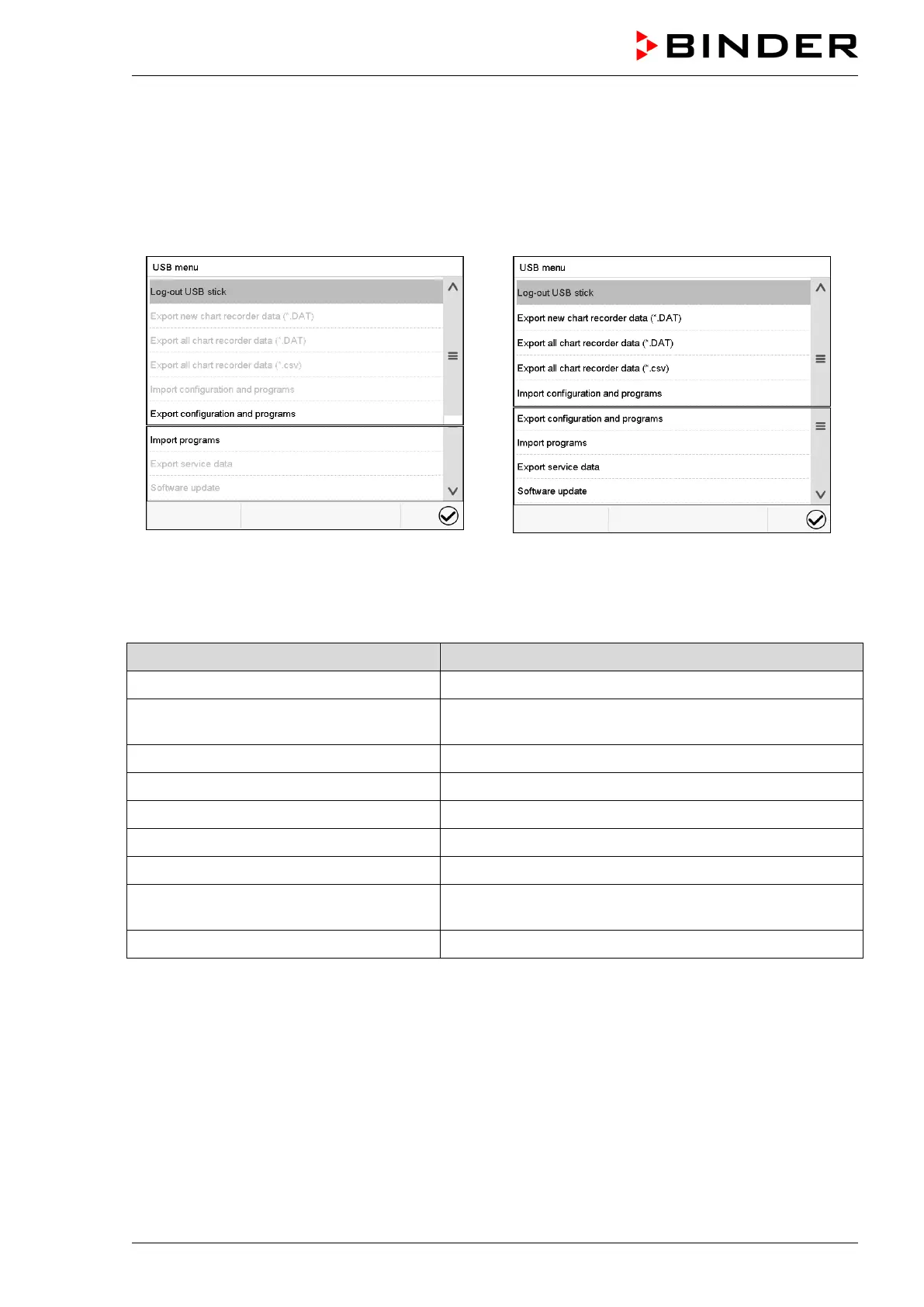
When you insert a USB-stick, the “USB” menu opens.
Depending on the user’s authorization level, different functions (highlighted in black) are available for the
logged-in user.
Available functions
with “User” authorization level
Available functions
with “Admin” authorization level
Function Explanation
Log-out USB stick Log-out USB stick bevor pulling it
Export new chart recorder data (*.DAT) Export chart recorder data, which have been added since
last export, in .dat format
Export all chart recorder data (*.DAT) Export all chart recorder data in .dat format
Export all chart recorder data (*.csv) Export all chart recorder data in .csv format
Import configuration and programs Import configuration and timer / time / week programs
Export configuration and programs Export configuration and timer / time / week programs
Import programs Import timer / time / week programs
Export service data
Export service data
(MKF 56: including self-test data, chap. 15.5)
Software update Controller firmware update



 To Next Page