MKF / MKFT (E5) 06/2020 page 53/176
• Humidity
Setting range 0% r.h. up to 100 % r.h.
Control ranges
10 % r.h. up to 98 % r.h.
5 % r.h. up to 98% r.h. with optional compressed air dryer
• Fan speed (MKF 56)
Setting range 30 % up to 100 %
See temperature / humidity diagrams in chap. 17
MKF 56: Reduce the fan speed only if required, because the spatial temperature distribution
of will also be reduced.
Technical data refers to 100% fan speed.
For the control range of temperature and relative humidity, see the temperature / humidity diagram (chap.
17).
With set-point type “Limit”, adapt the safety controller (chap. 12.2) or the over/under tempera-
ture safety device class 2 (option, chap. 12.3) always when you changed the temperature set-
point. Set the safety controller set-point or the set-point of the over/under temperature safety
device class 2 (option) by approx. 2 °C to 5 °C above the controller temperature set-point.
Recommended setting: Set-point type “Offset” with safety controller set-point 2 °C.
7.1 Set-point entry through the “Setpoints” menu
Press the Setpoint setting icon to access the “Setpoint” setting menu from Normal display.
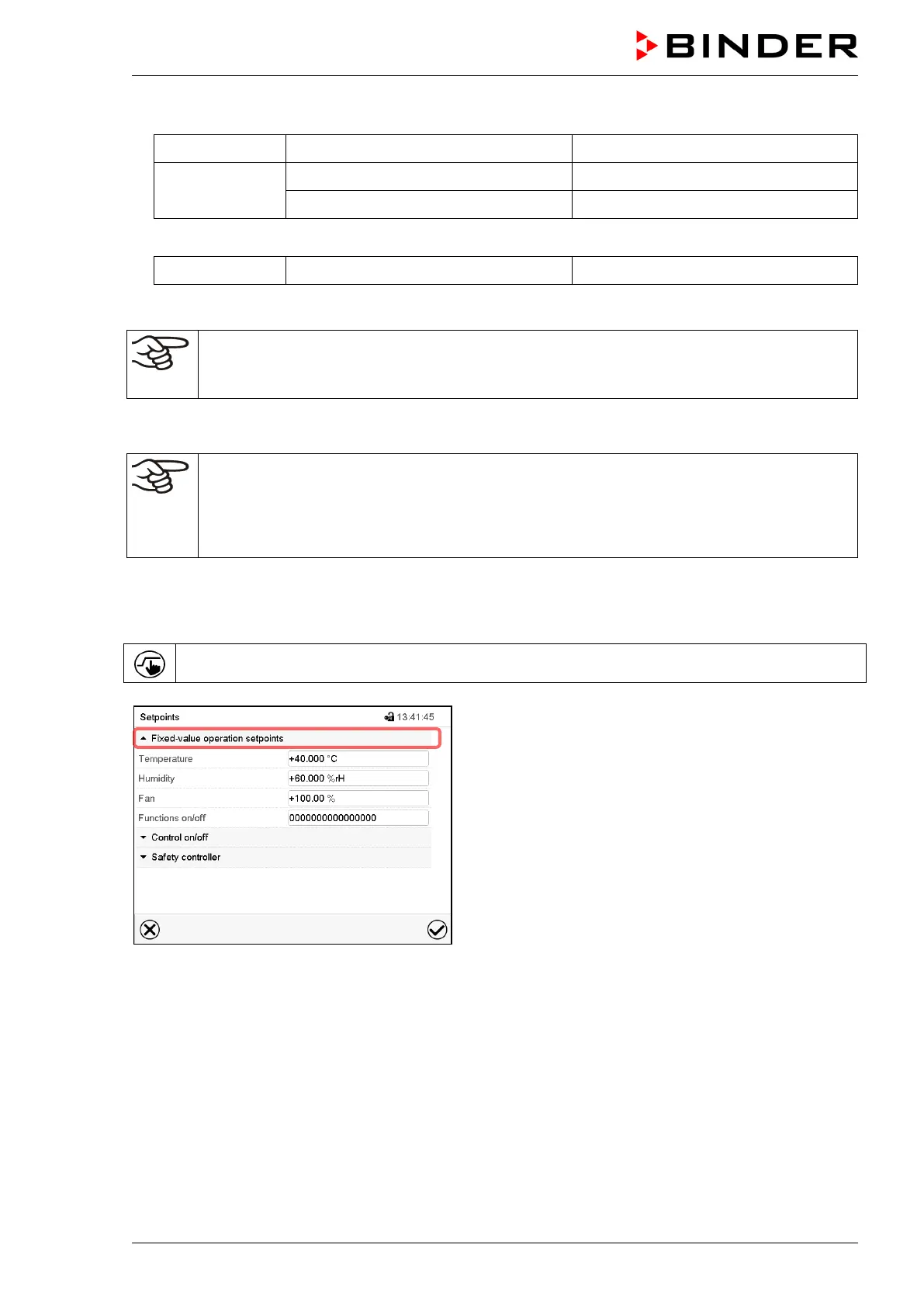
“Setpoints” menu (example: MKF 56).
Select “Fixed value operation setpoints” to access the
individual parameters.
• Select the field “Temperature” and enter the desired temperature setpoint.
Setting range: MKF: -50 °C up to 180 °C, MKFT: -80 °C up to 180 °C.
Confirm entry with Confirm icon.
• Select the field “Humidity” and enter the desired humidity setpoint.
Setting range: 0% r.h. up to 100% r.h. Confirm entry with Confirm icon.
• MKF 56: Select the field “Fan” and enter the desired fan speed setpoint.
Setting range: 30% up to 100% fan speed. Confirm entry with Confirm icon.



 To Next Page