MKF / MKFT (E5) 06/2020 page 59/176
9.4 Creating a new time program
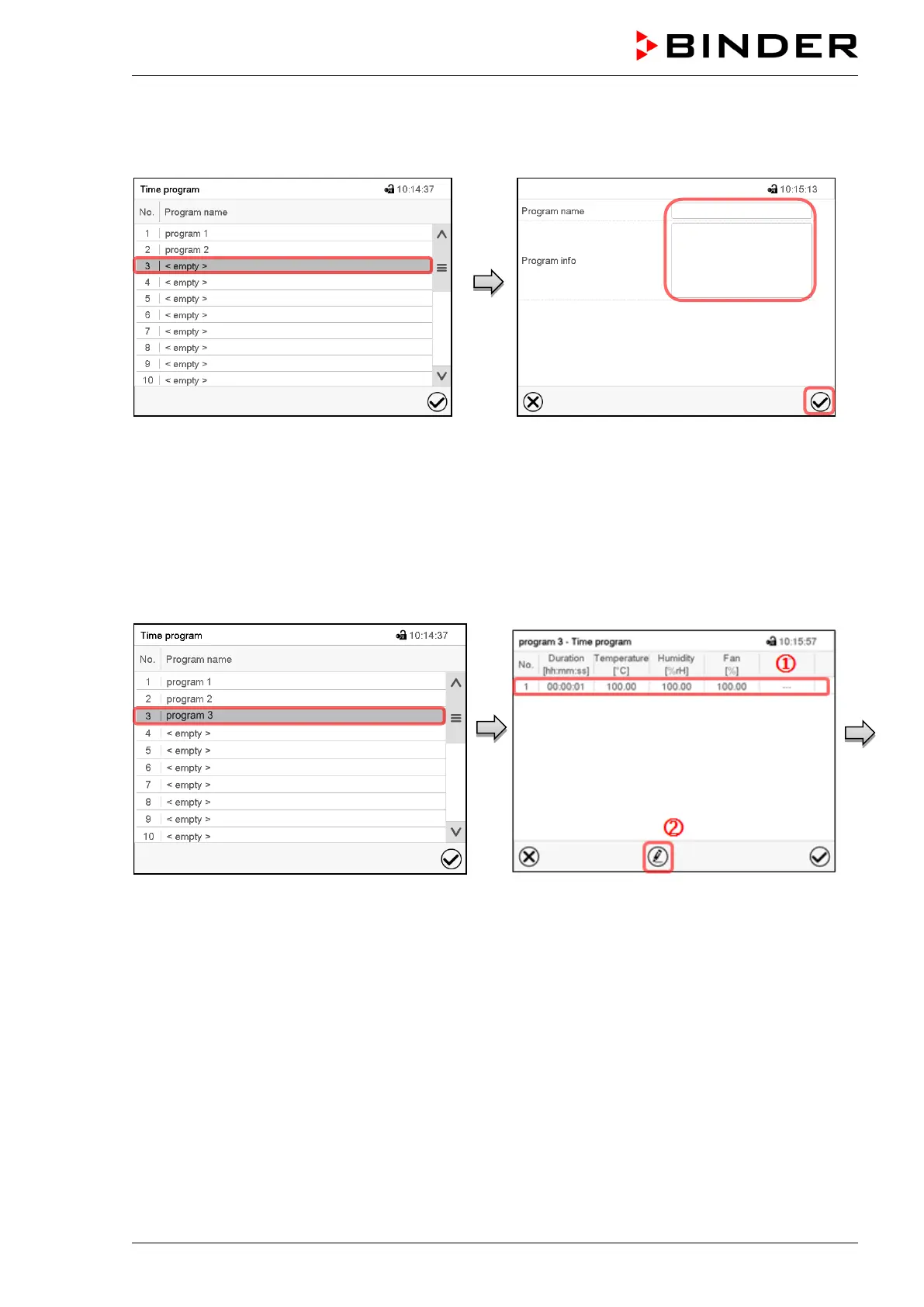
Path: Main menu > Programs > Time program
“Time program” menu:
overview of the existing programs.
Select an empty program place.
Enter the program name and, if desired, addi-
tional program information in the corresponding
fields.
Press the Confirm icon.
The program view opens (chap. 9.5).
9.5 Program editor: program management
Path: Main menu > Programs > Time program
“Time program” menu:
overview of the existing programs.
Select an existing program (example: program
3) or create a new program (chap. 9.4).
The program view opens.
Program view (example: program 3).
If a new program has been created, there is
just one program section.
There are the following options:
Select a program section to open the
section editor (chap. 9.6)
Press the Edit icon to open the program
editor



 To Next Page