MKF / MKFT (E5) 06/2020 page 71/176
10.3 Creating a new week program
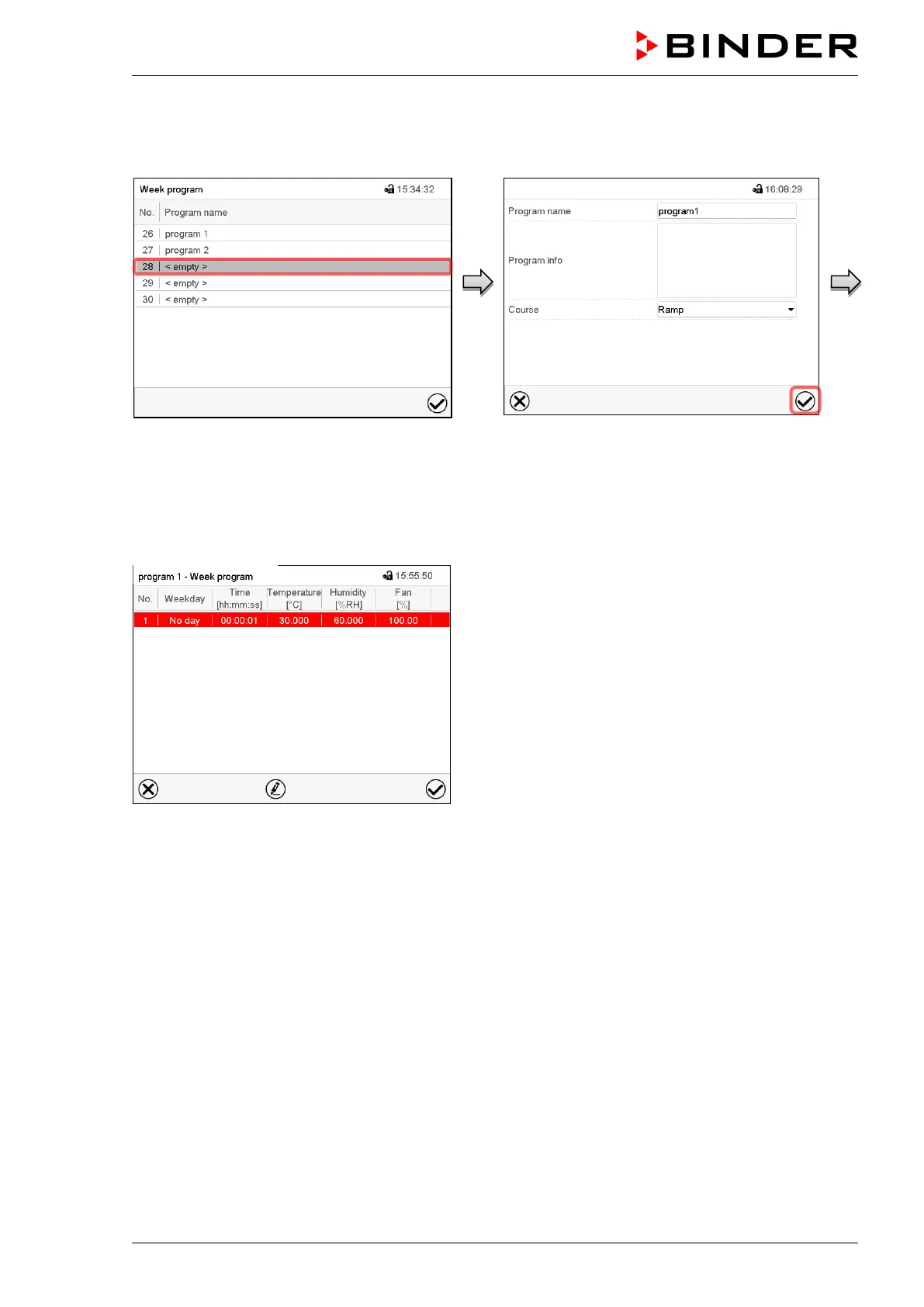
Path: Main menu > Programs > Week program
“Week program” menu:
overview of the existing programs.
Select an empty program place.
Enter the program name and, if desired, addi-
tional program information in the correspond-
ing fields.
Select the set-point course “Ramp” or “Step”
(chap. 10.6.1).
Press the Confirm icon. The program view
opens.
Program view.
For the first section no weekday is specified.
Therefore the section is first marked in red and
cannot be saved.



 To Next Page