MKF / MKFT (E5) 06/2020 page 106/176
14.7 Turning off the interior lighting automatically
Press the Interior lighting icon to turn on and off the interior lighting.
Additionally. you can define in this menu the interval after which the turned-on light will turn off automati-
cally.
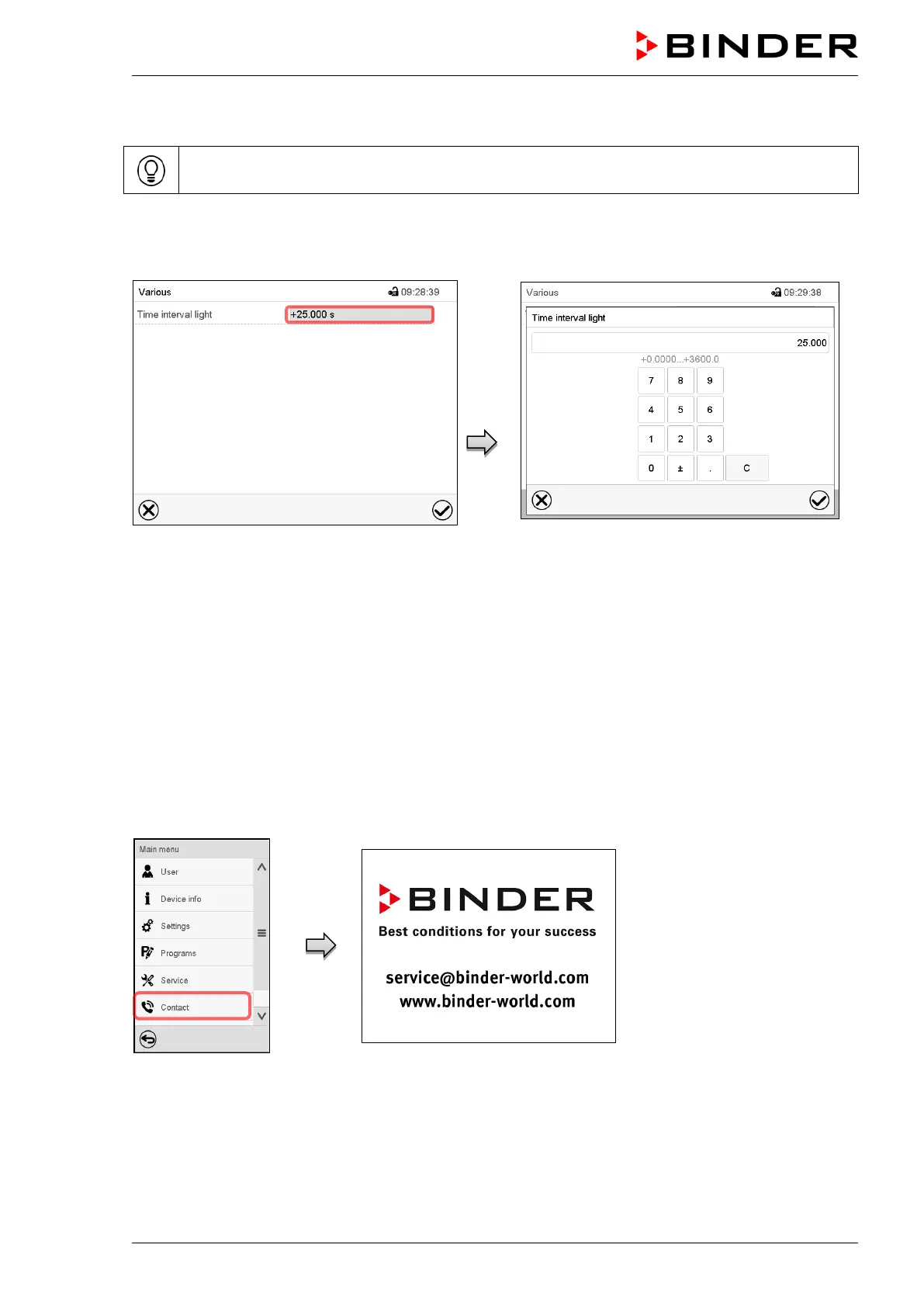
Path: Main menu > Settings > Various
“Various” submenu
Select the field “Time interval light”.
“Time interval light” entry menu
Enter the time in seconds after which the light
shall turn off automatically.
Setting range: 0 sec up to 3600 sec
After completing the settings, press the Confirm icon to take over the entries and exit the menu, or press
the Close icon to exit the menu without taking over the entries.
15. General information
15.1 Service contact page
Path: Main menu > Contact



 To Next Page