MKF / MKFT (E5) 06/2020 page 92/176
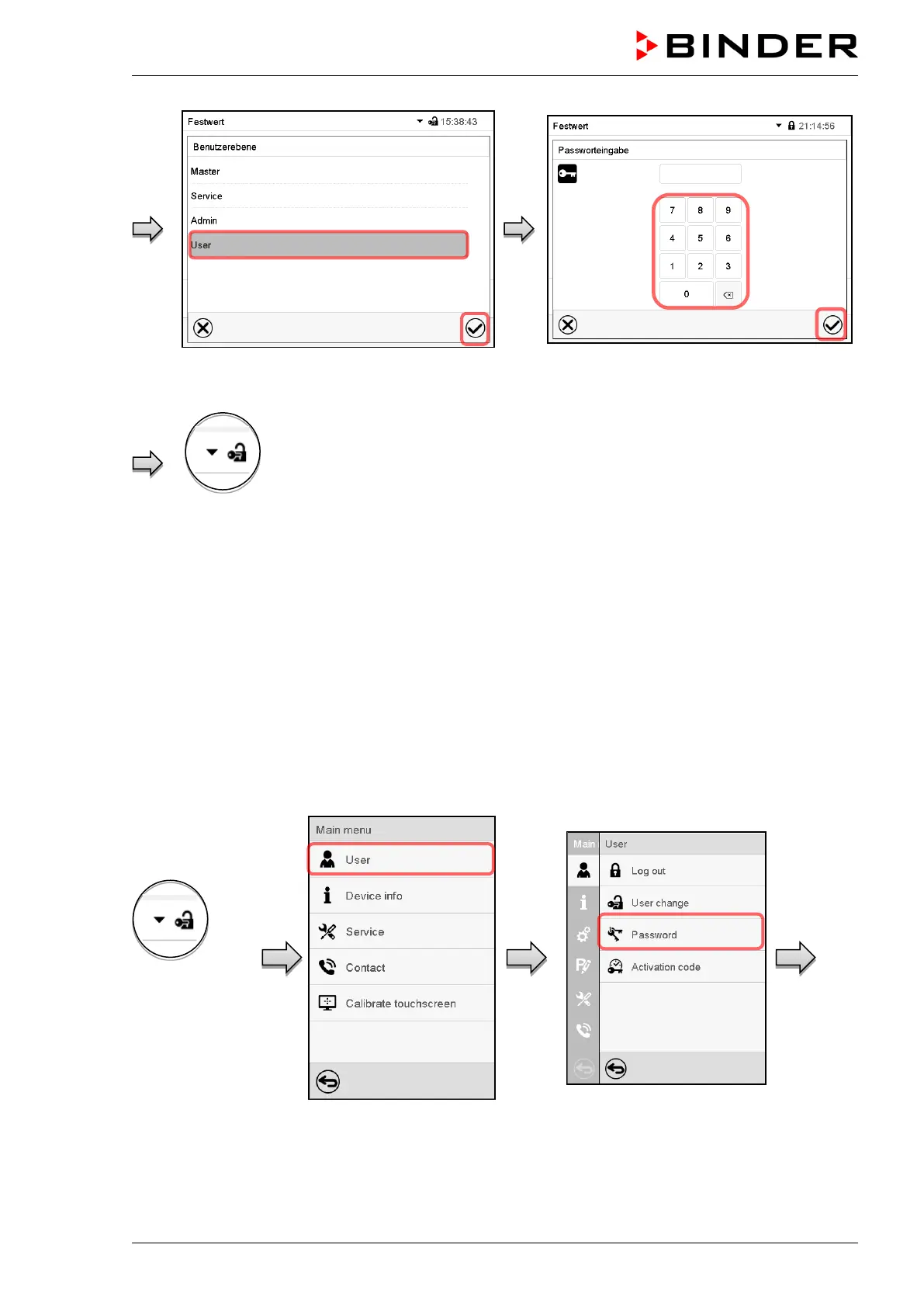
User selection (example) All selection possibilities are password protected
Controller with logged-
in user
13.5 Password assignment and password change
This function is not available for a user logged-in with “User” authorization.
13.5.1 Password change
A logged-in user can change the passwords of his current level and of the next lower level(s).
Example: A user with “Admin” authorization can change the passwords for the “Admin” and “User” au-
thorization levels.
Path: Main menu > User > Password
User logged-in
with “Service” or
“Admin”
authorization



 To Next Page