MKF / MKFT (E5) 06/2020 page 110/176
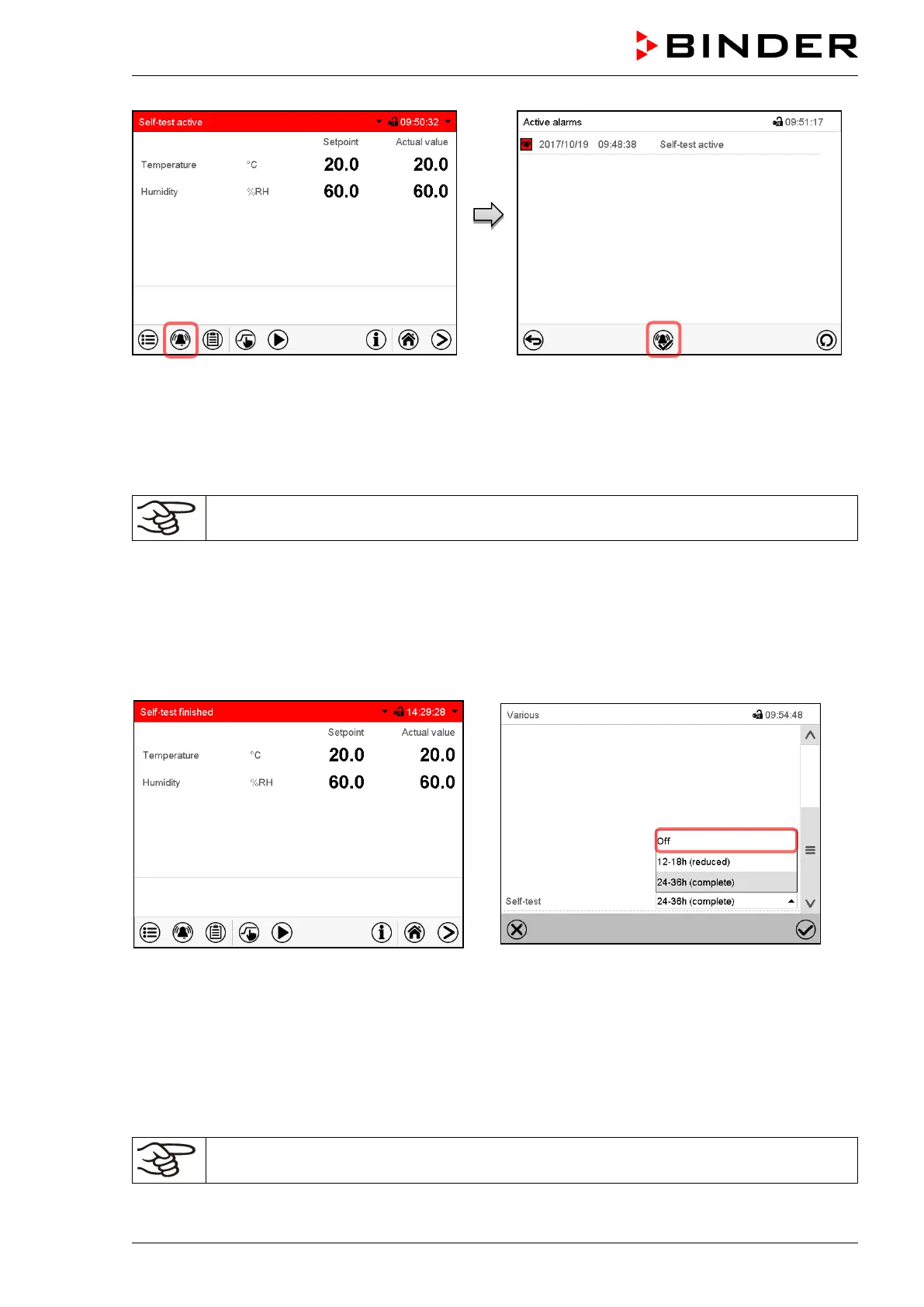
Alarm message “Self-test active”.
The self-test program is running. The indicated
set-points are non-functional.
With enabled buzzer: the buzzer sounds.
Press the Alarm icon to access the “Active
alarms” menu.
“Active alarms” menu.
The zero-voltage relay alarm output is not acti-
vated with the alarm message “Self-test active”.
Press the Reset alarm icon to mute the buzzer.
Do not open and do not turn off the chamber while self-test is running.
After an interruption of the voltage supply, the self-test restarts.
Deactivating the self-test mode
Opening the chamber door will cancel the self-test.
This step allows you to cancel the self-test or deactivate the self-test mode after the chamber has com-
pleted the self-test or the self-test has been cancelled.
Alarm message “Self-test finished”.
The chamber is in Fixed-value mode and equili-
brates to the indicated set-points.
With enabled buzzer: the buzzer sounds. Press the
Alarm icon to access the “Active alarms” menu.
Press the Reset alarm icon to mute the buzzer.
The self-test is completed. You can now deactivate
the self-test mode.
Submenu “Various”.
Select the setting “off“ to deactivate the self-test
mode after the self-test is completed or has been
cancelled by opening the door, or to cancel a run-
ning self-test.
Confirm entry with Confirm icon.
The alarm messages “Self-test active” and “Self-test finished” do not activate the zero-
voltage relay alarm output. They are listed in the Event list.



 To Next Page