VD (E3.1) 03/2020 page 106/173
15.6.1 Add a new program section
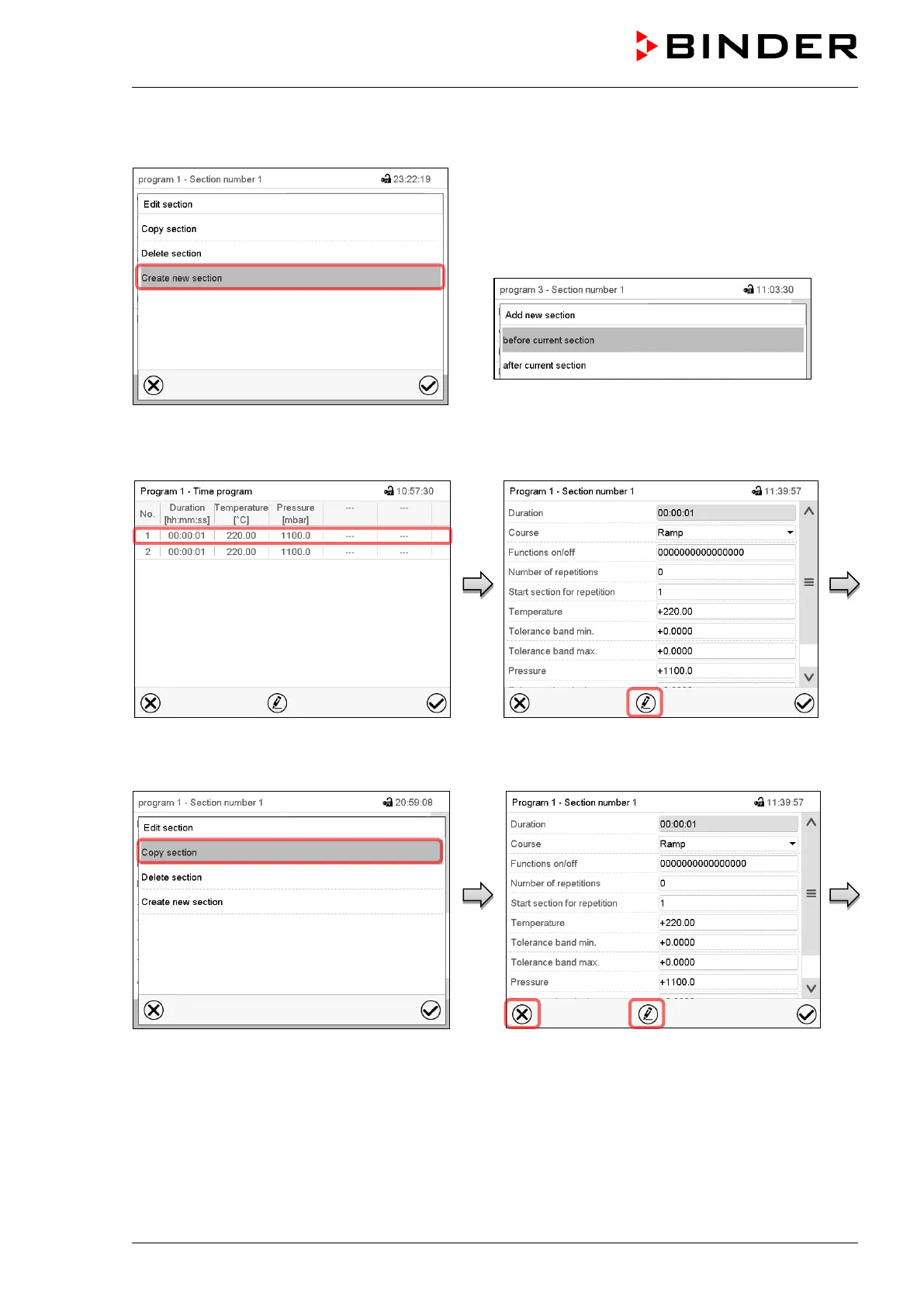
Section editor: “Edit section” menu.
Select “Create new section” and press the Confirm
icon.
Then select whether to insert the new section
before or after the current section.
Press the Confirm icon. The new section opens.
15.6.2 Copy and insert or replace a program section
Program view.
Select the program section to be copied
(example: section 1)
Section view (example: section 1).
Press the Edit icon to open the section editor.
Section editor: “Edit section” menu
Select “Copy section” and press the Confirm
icon.
The current section (example: section 1) is
copied. The controller returns to the section
view.
Section view (example: section 1).
Press the Close icon to change to the
program view, if you want to select another
section to be replaced or before or after
which the copied section shall be inserted…



 To Next Page