VD (E3.1) 03/2020 page 56/173
8.2.2 MB2 controller
Press the Setpoint setting icon to access the “Setpoint” setting menu from Normal display..
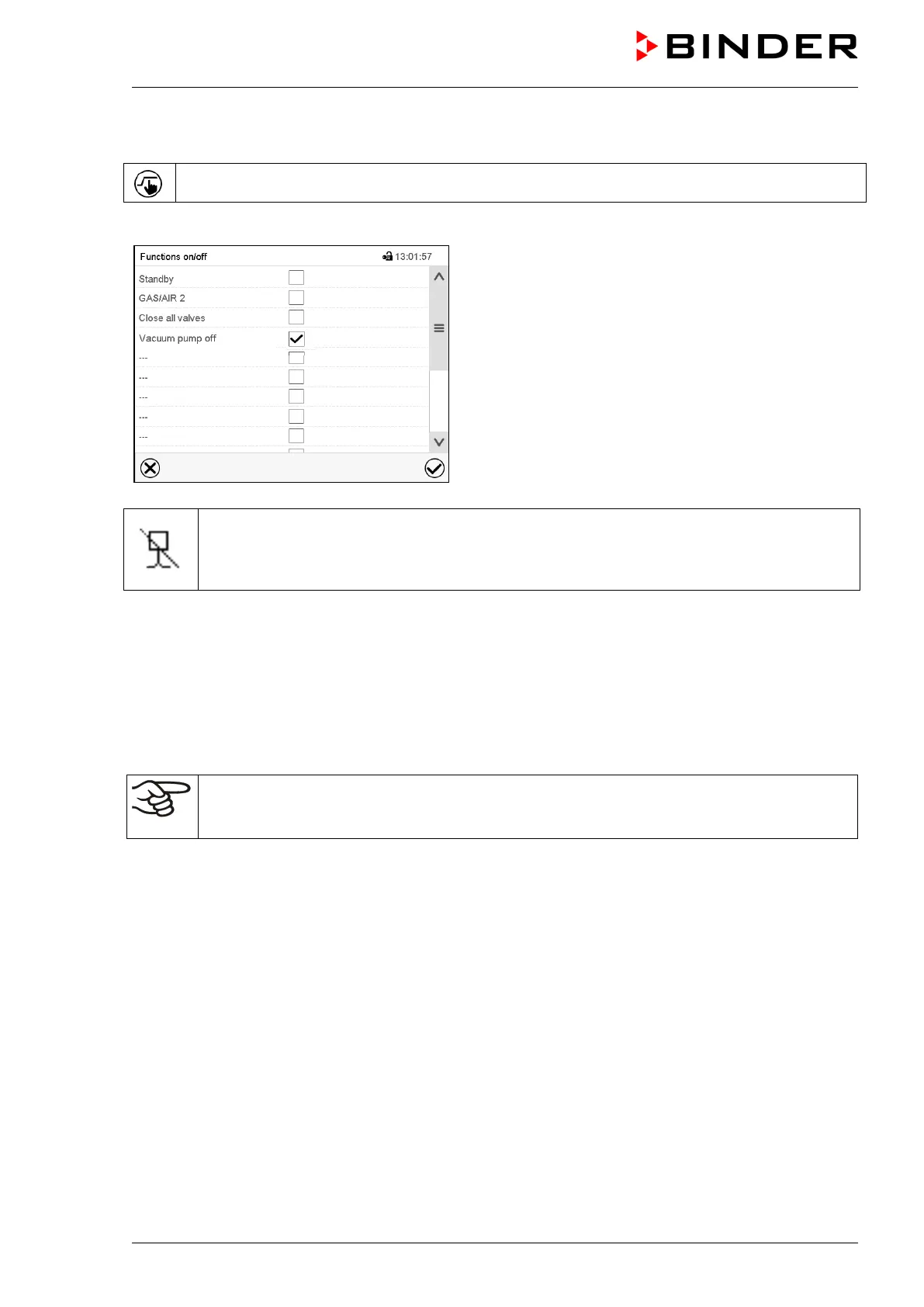
Path: Setpoint > Fixed value operation setpoints > Functions on/off
“Functions on/off” menu.
Mark the checkbox of the function “Vacuum pump off” to
activate it and press the Confirm icon.
In the “Setpoints” menu press again the Confirm icon.
The controller changes to Normal display.
When the function “Vacuum pump off” is activated, the “Vacuum pump off” icon is displayed in
the screen header in Normal display. Press the flash icon next to the information icon to
display the corresponding text information “Vacuum pump off” (information messages, chap.
13.1.2)
8.3 Using the optional connection “GAS/AIR 2” for ventilation
Regularly the inert gas connection / ambient air inlet „GAS/AIR“ (4) is used for ventilation.
The “GAS/AIR 2” function serves to close the valve of the standard connection „GAS/AIR“ (4) and
activate the valve of the optional connection “GAS/AIR 2” (5), which is then used for ventilation
This allows convenient switching when both connections are used differently (e.g., for inert gas and
ambient air).
If you activate the “GAS/AIR 2” function on a chamber, which is NOT equipped with the
optional inert gas connection / ambient air inlet “GAS/AIR 2” (5), ventilation is no longer
possible!



 To Next Page