VD (E3.1) 03/2020 page 77/173
With the Back button you can go back to the “Chamber” submenu and, repeatedly pressing it, to
Normal display.
10.1.3 Setting the current date
Required access level: “Admin”. Following start-up of the chamber (chap. 6.2.1), it is “User”.
Path: Normal display Settings Chamber Date
Press the OK button to enable the setting.
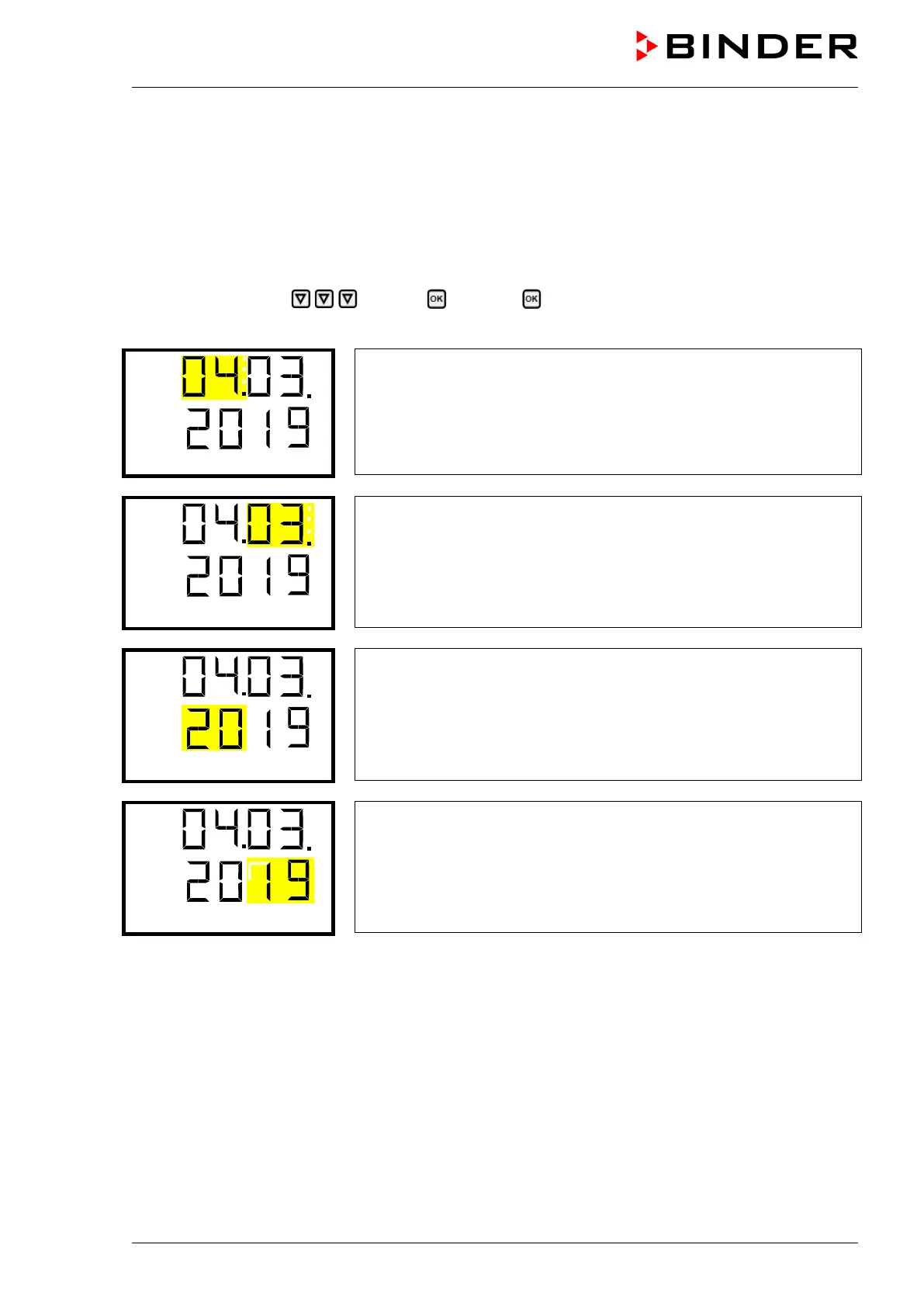
Setting the date: day
The current setting flashes. Enter the current day with the arrow
buttons.
Confirm the entry with the OK button.
Setting the date: month
The current setting flashes. Enter the current month with the arrow
buttons.
Confirm the entry with the OK button.
Setting the date: year
The left two digits are flashing. Enter the first two digits of the current
year with the arrow buttons.
Confirm the entry with the OK button.
Setting the date: year
The right two digits are flashing. Enter the last two digits of the current
year with the arrow buttons.
Confirm the entry with the OK button.
With the arrow-down button you can now change to setting the current time.
With the Back button you can go back to the “Chamber” submenu and, repeatedly pressing it, to
Normal display.



 To Next Page