VD (E3.1) 03/2020 page 45/173
6.2 Standby mode Turning on and off the vacuum drying oven
To completely separate the chamber from the power supply, you must disconnect the power plug.
For decommissioning observe the guidelines in chap. 24.2.
All settings and setpoint values are saved after turning off the chamber.
6.2.1 RD4 controller
Deactivating the Standby mode (turning on the chamber):
After establishing power supply, press down the Standby button for 5 seconds to turn on the chamber.
The controller shows normal display and controls temperature and pressure to the last entered values.
Activating the Standby mode (turning off the chamber):
To turn off the chamber press down the Standby button for another 5 seconds.
When turned off, the heating and the fan on the chamber rear are off, all valves are closed, and the
socket for the pump in the pump module is de-energized. Heating control and pressure control are off.
6.2.2 MB2 controller
Required authorization: “Admin”.
Press the Setpoint setting icon to access the “Setpoint” setting menu from Normal display..
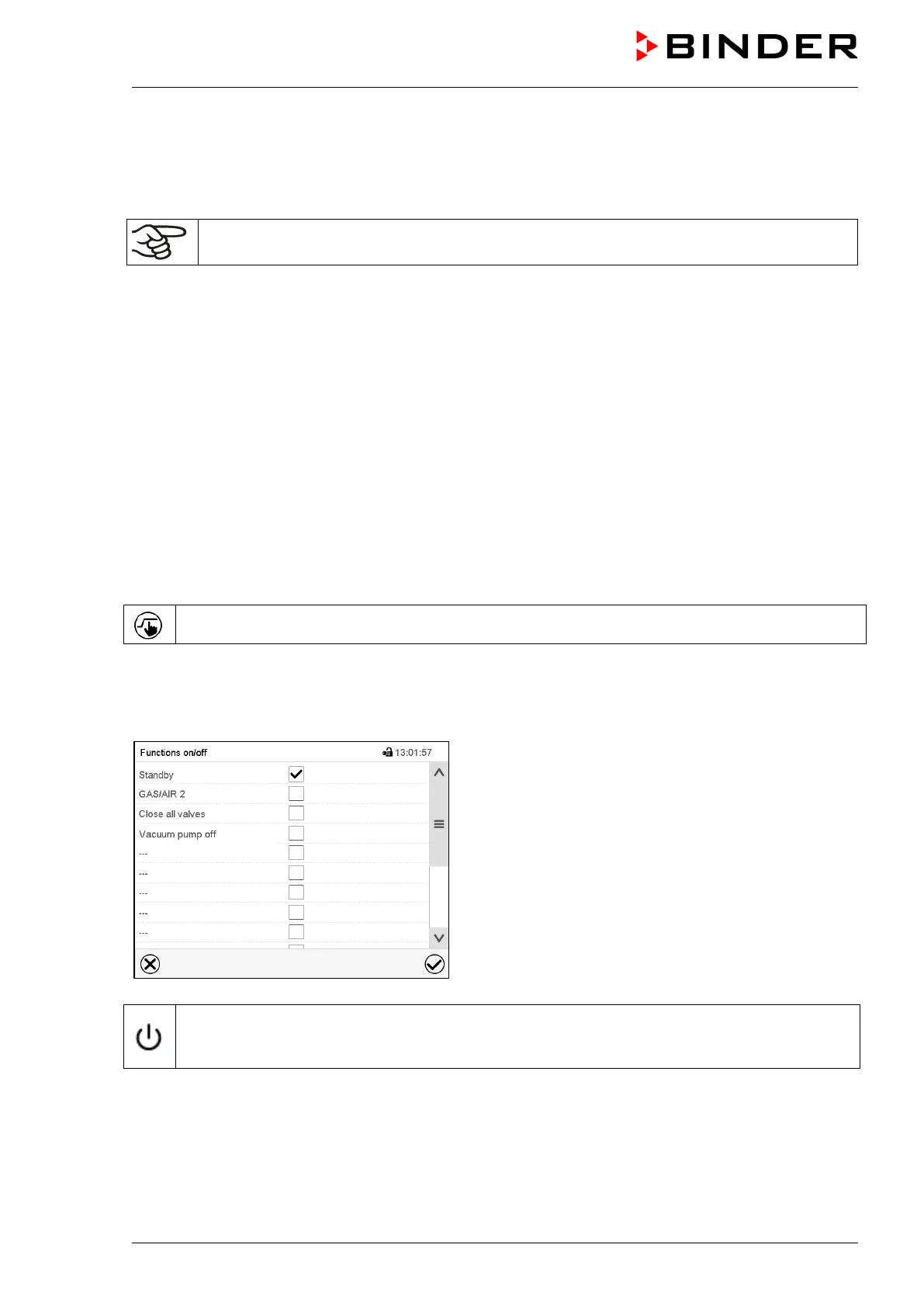
Path: Setpoint > Fixed value operation setpoints > Functions on/off
In this menu you can activate and deactivate the Standby mode .
Activating the Standby mode (turning off the chamber):
“Functions on/off” menu
Mark the checkbox of the function “Standby” to activate
it and press the Confirm icon.
In the “Setpoints” menu press again the Confirm icon.
The controller changes to Normal display.
When the function “Standby” is activated, the “Standby” icon is displayed in the screen header in
Normal display. Press the flash icon next to the information icon to display the corresponding text
information “Standby” (information messages, chap. 13.1.2).
When the controller display is dark in standby mode, press on the touchscreen to activate it for 10
seconds.



 To Next Page