VD (E3.1) 03/2020 page 33/173
5. Functional overview and menu structure of the controller
The available controller functions depend on the current authorization (chap. 9). Unless noted otherwise,
the figure in this manual show the functional range, which is available for the user with “Admin”
authorization level
5.1 RD4 controller
The RD4 chamber controller controls following parameters inside the chamber:
• Temperature in °C or °F
• Pressure in mbar
You can enter the desired set point values in the “Set points” menu directly at the controller or use the
APT-COM™ 4 Multi Management Software (option) specially developed by BINDER.
The controller offers various notifications and alarm messages with visual and audible indication. All
controller setting remain valid until the next manual change. They are stored also after turning off the
chamber.
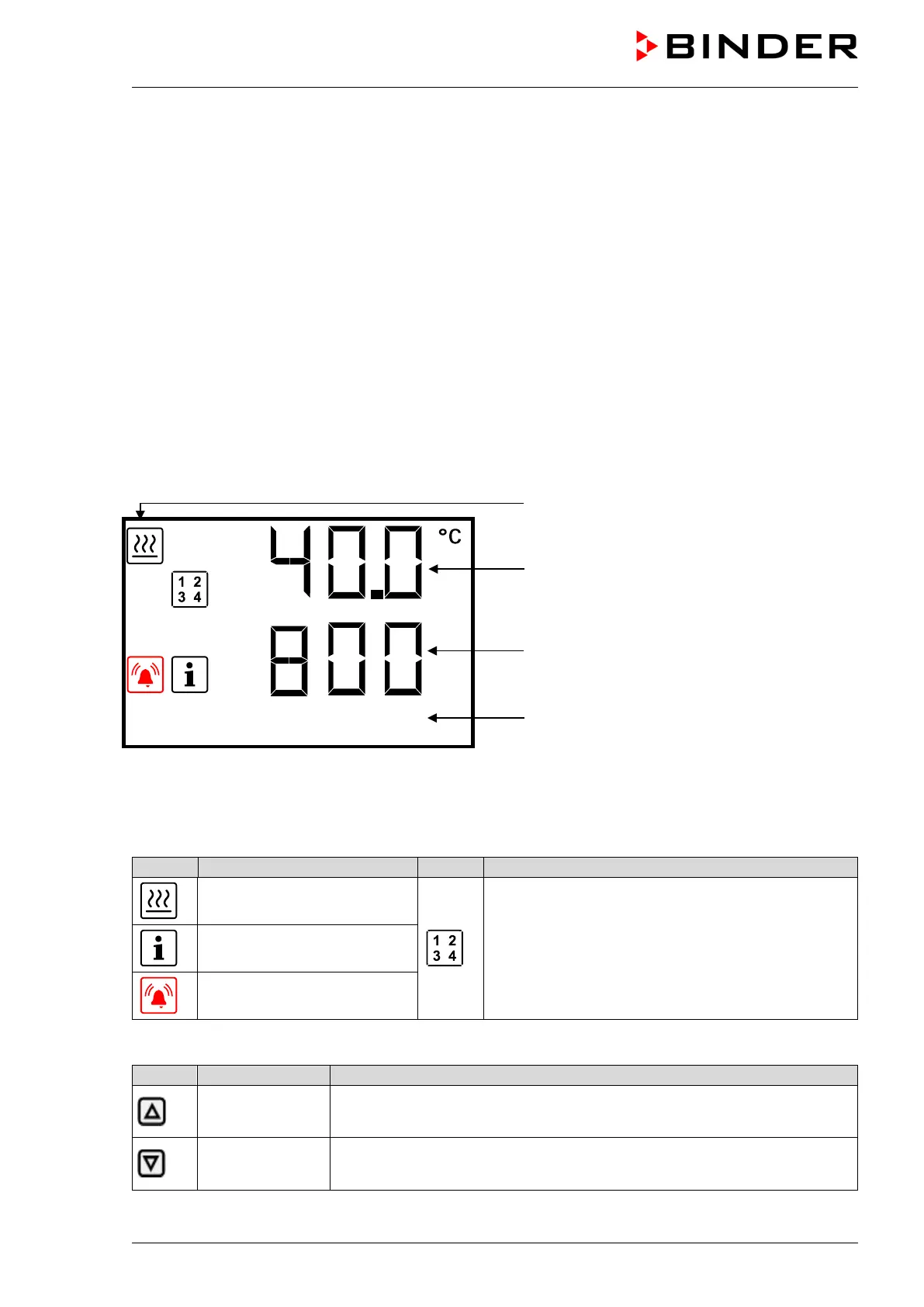
Temperature values
Pressure values
Text information
Figure 15: Normal display of the RD4 controller (sample values)
Depending on the configuration, pressure values are shown in mbar or psi.
Status icons in the controller display
Heating active
Display of activated special controller functions:
1 = Standby mode
2 = Optional inert gas connection / ambient air inlet
“GAS/AIR 2” (5) activated
3 = All valves closed
4 = Vacuum pump switched off
Information
Collective alarm
Functional controller keys
Arrow-up button
• Navigate between menus, submenus, other functions
• In the setting menu: change setting, decrease value
Arrow-down
button
• Navigate between menus, submenus, other functions
• In the setting menu: change setting, increase value



 To Next Page