Instruction manual A400 / A400FB Machine and operating elements
6.054.98.5.10.06 en 5 - 7
5
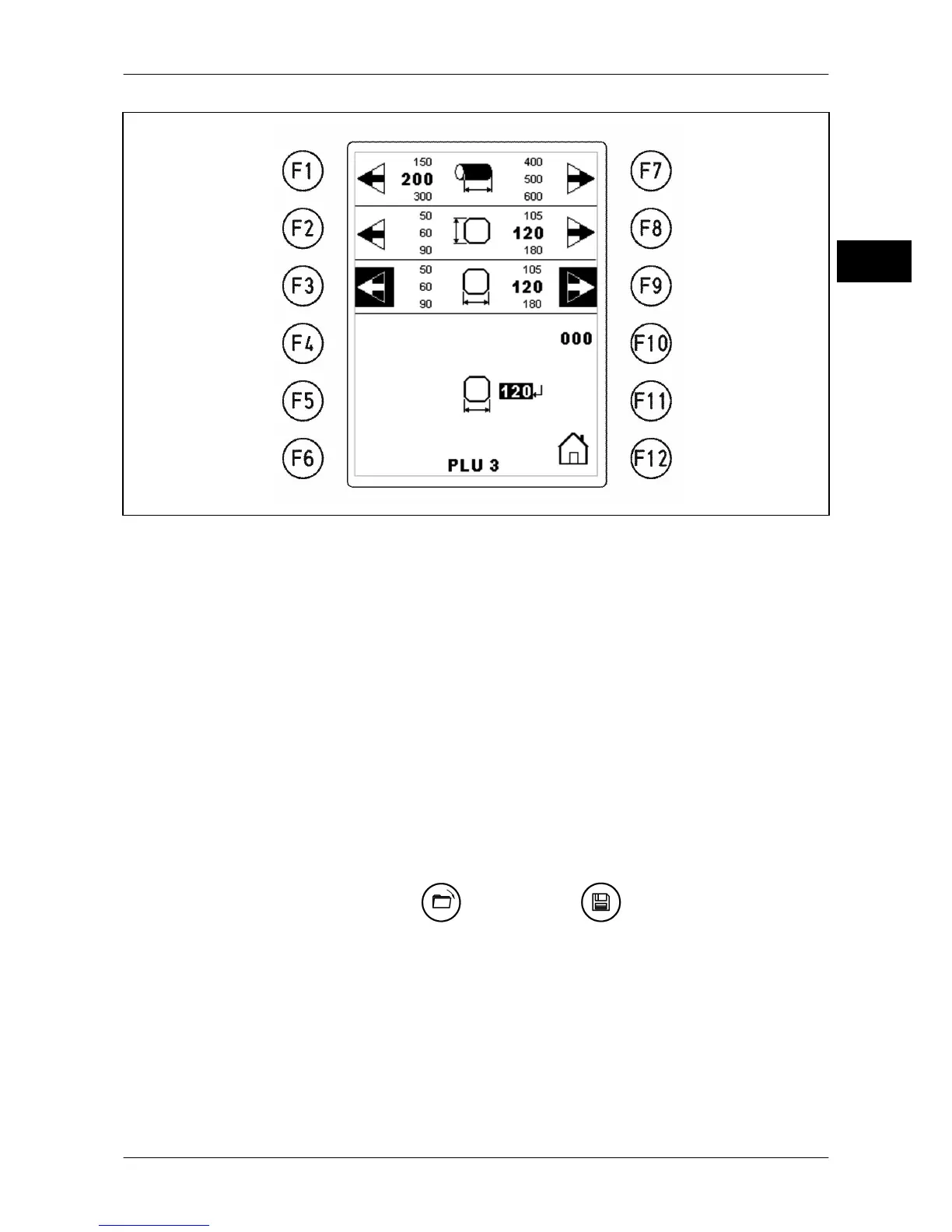
Fig. 23: Measuring station
<F1> Product length
<F2> Product height
<F3> Product width
<F7> Product length
<F8> Product height
<F9> Product width
<F10> Reset to standard values
<F11> In-between sizes
<F12> Back to workstation
5.7 PLU station
This display appears after pushing on <Open> or on <Save>.
By directly selecting a PLU via the function keys or entering the PLU number and <Enter>,
the data record is transferred to the work station.
Select existing PLU via function keys, overwrite with <Save> and select existing PLU via
function keys, delete with <C>. Password is required if activated.


 To Next Page