61
4. Press the “Type” option button to select “Slope”.
5. Press the “Source” option button to select “CH1” or “CH2”.
6. Press the “When” option button to select “ ”, “ ”,
“ ”, “ ”, “ ” and “ ”.
7. Press the “Time” button, turn the “Universal” knob to adjust
slope time.
8. Press the “Next Page - Page 1/2” option button to enter the
second page of the “Slope trigger menu”.
9. Press the “Vertical” option button to select trigger level that can
be adjusted.
10. Turn the “LEVEL” knob.
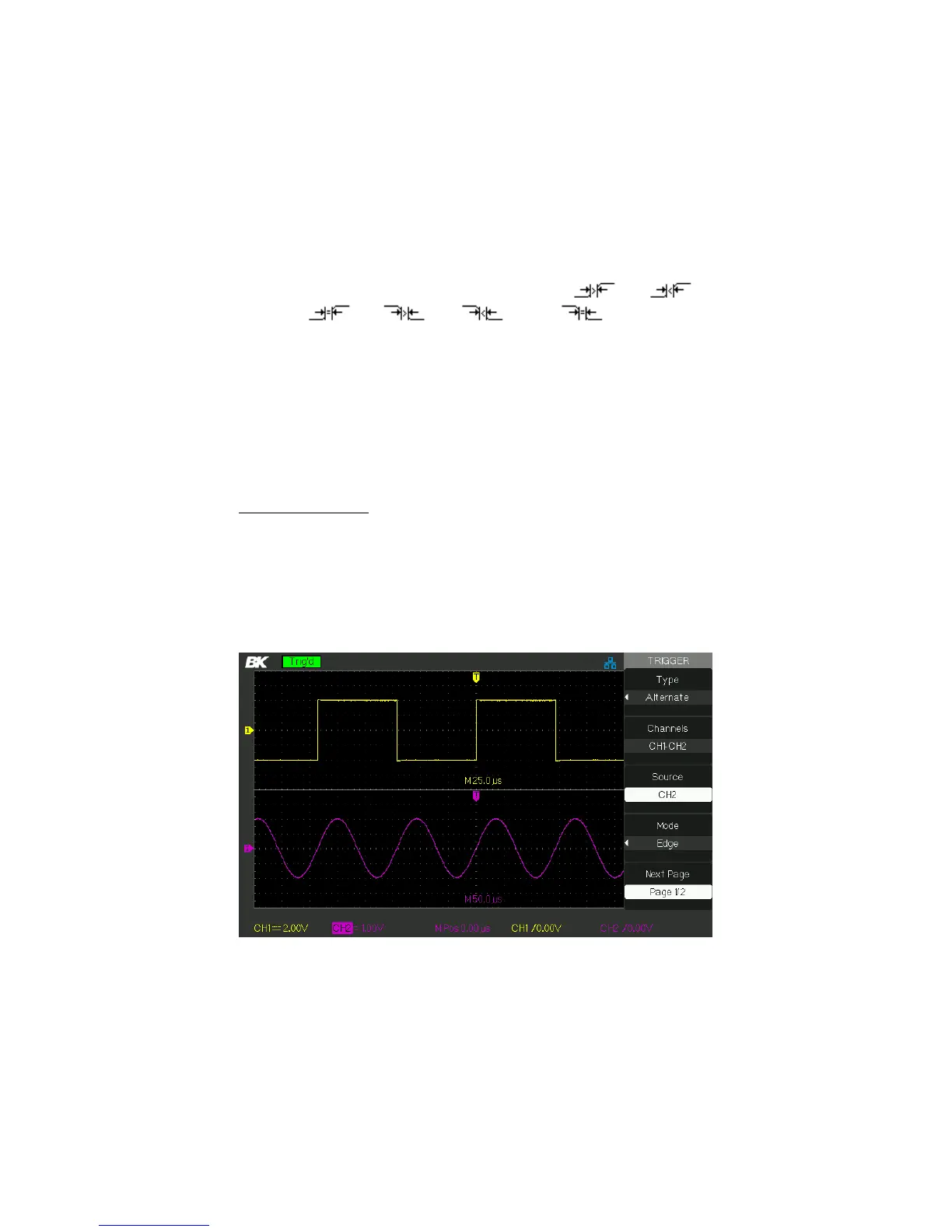
Alternate Trigger
The trigger signal comes from two vertical channels when you use
alternate trigger. In this mode, you can observe two irrelative signals at
the same time. You can select different trigger types for two vertical
signals, and selected types cover edge, pulse, video and slope trigger.
Trigger information of two channel signals display on the bottom right of
the screen.
Figure 3.27 – Alternate Trigger Menu
www.GlobalTestSupply.com
Find Quality Products Online at: sales@GlobalTestSupply.com













 To Next Page