724-746-5500 | blackbox.com
724-746-5500 | blackbox.com
Page 13
LES301A user manual
Chapter 2: Overview
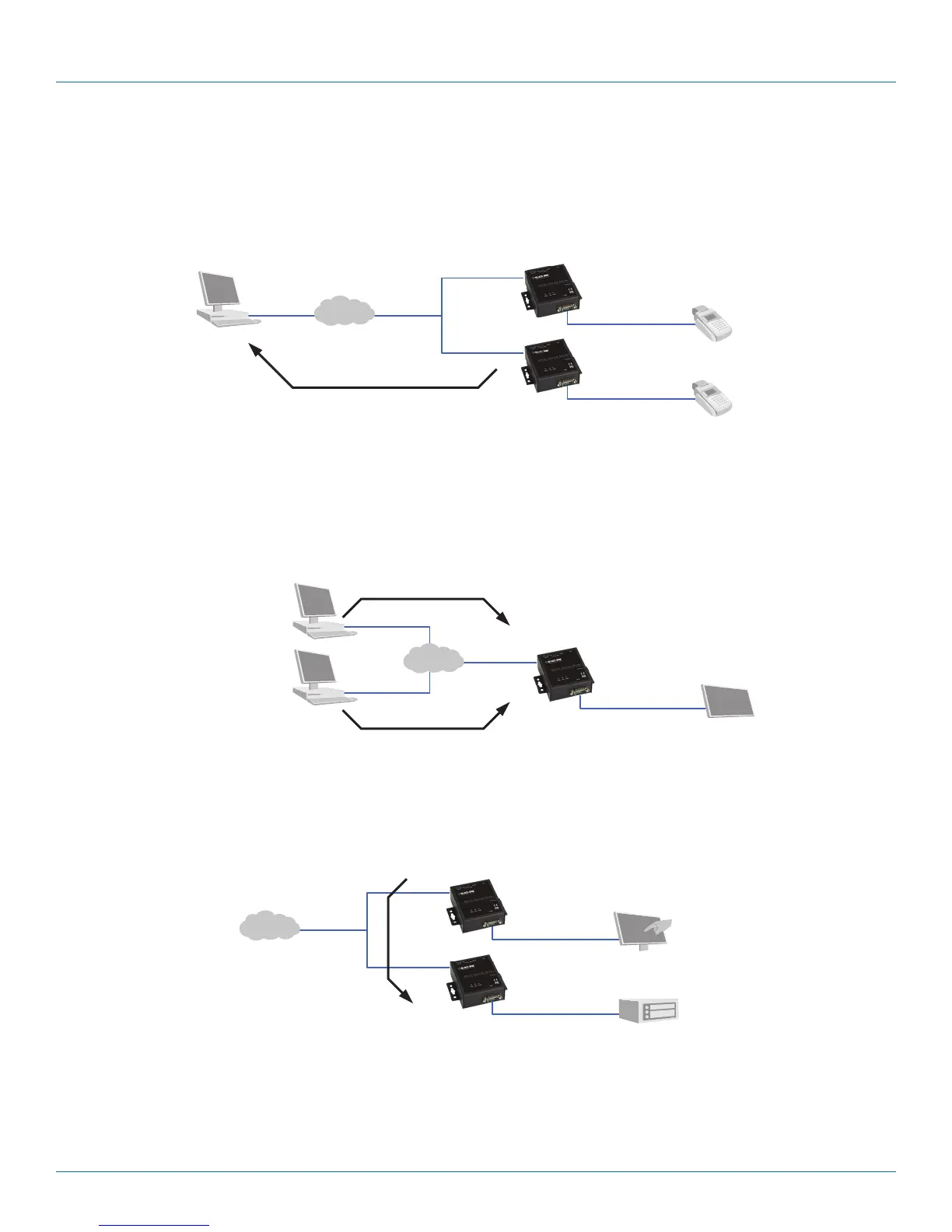
TCP Client Mode: LES301A can be configured as a TCP client on TCP/IP network to establish a connection with other
applications (server) in the host computer actively. After the connection is established, data can be transmitted between the serial
device and the host computer in both directions.
Remote control
host
Card
reader
Card
reader
LES301A
LES301A
Figure 2-5. TCP Client mode.
UDP Mode: UDP is a faster but non-guaranteed datagram delivery protocol. LES301A can be configured as a UDP mode on TCP/
IP Network to establish a connection using unicast or multicast data from the serial device to one or multiple host computers. The
opposite is also true.
LES301A
Serial bus
Display
Computers
Ethernet
Figure 2-6. UDP mode.
Tunneling Mode: In this mode, a serial connection with two or more LES301A units established sends data over TCP/IP
Network. This extends the 50-foot (15-m) RS-232 distance limit.
LES301A
LES301A
Touchscreen
PLC
Serial bus
Ethernet
Figure 2-7. Tunneling mode.











 To Next Page